
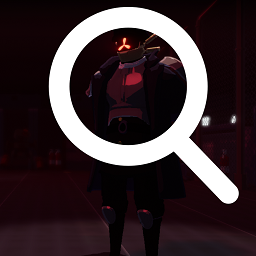
LobbyCharacterInspect
Allows you to rotate survivor models in the character selection lobby screen with smooth dragging and momentum physics. Right click resets.Lobby Character Inspect
A lightweight, 100% client-side Quality-of-Life mod that allows you to rotate and inspect survivor models in the character selection screen.
Features
- Smooth Drag Rotation: Left-click anywhere on the screen and drag your mouse to spin the survivor pedestals.
- Inertia & Momentum: Releasing the drag applies smooth physics, letting the characters finish spinning with a satisfying deceleration drift.
- Instant Angle Reset: Right-click anywhere on the screen to instantly snap all characters back to their default forward-facing position.
- Multiplayer Support: Works in online lobbies!
- Vanilla Safe: Since it runs entirely client-side, you can join vanilla lobbies or play with friends who don't have the mod installed. It will never cause "Version Mismatch" errors.
Compatibility
This mod was engineered to hook into the core platform render layers of the game rather than the user interface layout. As a result, it is highly robust and fully compatible with popular lobby modifications, including:
- ScrollableLobbyUI (by KingEnderBrine)
- LobbySkinsFix (by KingEnderBrine)
- DynamicSkinsFix (by mwmw)
Installation
Via Mod Manager (Recommended)
- Open r2modman or the Thunderstore Mod Manager.
- Search for
Lobby Character Inspectand click Install. - Launch the game modded!
Manual Installation
- Ensure you have BepInEx installed.
- Download the mod archive and extract the compiled
.dllfile. - Drop the file directly into your game folder path:
Risk of Rain 2/BepInEx/plugins/