
You are viewing a potentially older version of this package. View Latest Version

A simple mod manager written in Bash for Linux users.
In order to get mods working you will need to set up your Proton prefix to properly load BepInEx:
The following programs should also be installed:
sudo pacman -S curl gawk jq p7zip sed
sudo dnf install curl gawk jq p7zip sed
sudo apt-get install curl gawk jq p7zip-full sed
Copy to your $PATH and run with r2mod [command]
Make sure it is marked as executable chmod +x r2mod
It is heavily recommended to run r2mod setup to create a new install.
Some empty folders will be placed in the BepInEx/plugins dir, do not remove them.
They are used to track updates for certain mods.
Accepts shorthand for command names.
r2mod ch(eck): Check for Script Updates
r2mod dis(able): Disable All Mods
r2mod en(able): Enable All Mods
r2mod exp(ort) ProfileName: Export r2modman mod profile
r2mod imp(port) ProfileCode: Install r2modman mod profile
r2mod ins(tall) Thunderstore-Dependency-String: Install New Mod
r2mod li(st): List Installed Mods
r2mod ref(resh): Force Refresh Package Cache
r2mod set(up): Install a Fresh BepInEx Setup
r2mod un(install) Thunderstore-Dependency-String: Uninstall Mod
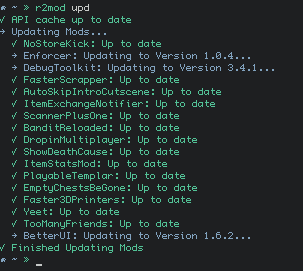
r2mod upd(ate): Update All Exisiting Mods
r2mod ver(sion): Print Version
Use r2mod install ontrigger-ItemStatsMod-2.0.0 to install a mod.
If the version number is left out, the most recent version will be installed.
r2mod install ontrigger-ItemStatsMod
Multiple mods can also be installed
r2mod install ontrigger-ItemStatsMod MagnusMagnuson-BiggerBazaar
Use r2mod uninstall ontrigger-ItemStatsMod-2.0.0 to install a mod.
If the version number is left out, any version of that mod will be uninstalled.
r2mod uninstall ontrigger-ItemStatsMod
Multiple mods can also be uninstalled
r2mod uninstall ontrigger-ItemStatsMod MagnusMagnuson-BiggerBazaar
Mods can be prevented from being updated by appending -HOLD to their folder names.
All Files, Old Versions, and Backups can be found in /tmp/r2mod
