
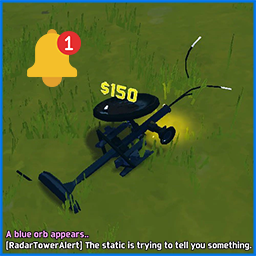
RadarTowerAlert
Client-side Risk of Rain 2 mod that alerts you in chat after the stage started when a Radar Tower has spawned.RadarTowerAlert
A client-side Risk of Rain 2 mod that scans for Radar Towers and announces when one is found.
Features
- Stage scanning: Scan for Radar Towers when a stage starts.
- Chat alerts: Display a message in chat when a Radar Tower is detected.
- Debug hotkey: Press
F8to trigger a scan manually. - Configurable options: Enable or disable stage-start scanning, the debug hotkey, and debug logging.
Configuration
Configuration options are managed through BepInEx.
| Option | Default | Description |
|---|---|---|
Enabled |
true |
Enables or disables the mod. |
ScanOnStageStart |
true |
Scans when a stage starts. |
EnableHotkey |
false |
Enables the manual debug scan hotkey. |
Hotkey |
F8 |
Key used to trigger a manual scan. |
DebugLogging |
false |
Enables additional debug log messages. |
The configuration file is generated by BepInEx after the mod has been loaded.
Installation
Using r2modman (recommended)
- Open r2modman.
- Select Risk of Rain 2 and choose or create a profile.
- Open the Online tab and search for
RadarTowerAlert. - Select the mod and click Download or Install.
- Launch the game through r2modman.
Manual installation using Import local mod
- Build the mod or download the release package containing
RadarTowerAlert.dlland itsmanifest.json. - Open r2modman and select your Risk of Rain 2 profile.
- Open Settings.
- Find and select Import local mod.
- Choose the mod's
.zippackage and follow the prompts to import it. - Launch the game through r2modman.
Note: For local import, use a properly packaged .zip containing the mod files at the expected package-root level, including manifest.json and the plugin DLL in the appropriate structure. Do not select the DLL alone unless your version of the manager explicitly supports importing individual DLLs.
Building from source
- Clone or download this repository.
- Open the solution in Visual Studio.
- Restore the NuGet packages.
- Build the project in your desired configuration.
- Package the resulting DLL with the required manifest for local import through r2modman.
Notes
- Radar Tower detection depends on the in-game object's name and when objects are spawned. Detection may need adjustments if the game's prefab names or spawn timing differ from expected.
- The manual scan is intended for debugging and testing.
- This project is built using the R2Boilerplate template.