


AH64
AH-64 Apache helicopter survivor. Guided Hellfire, Longbow locks and flight-path bombing; three primaries, three utilities, modular loadout attachments and five paint schemes. Hover, aim and fire through evasive maneuvers.English | 简体中文 | Русский | Português (BR)
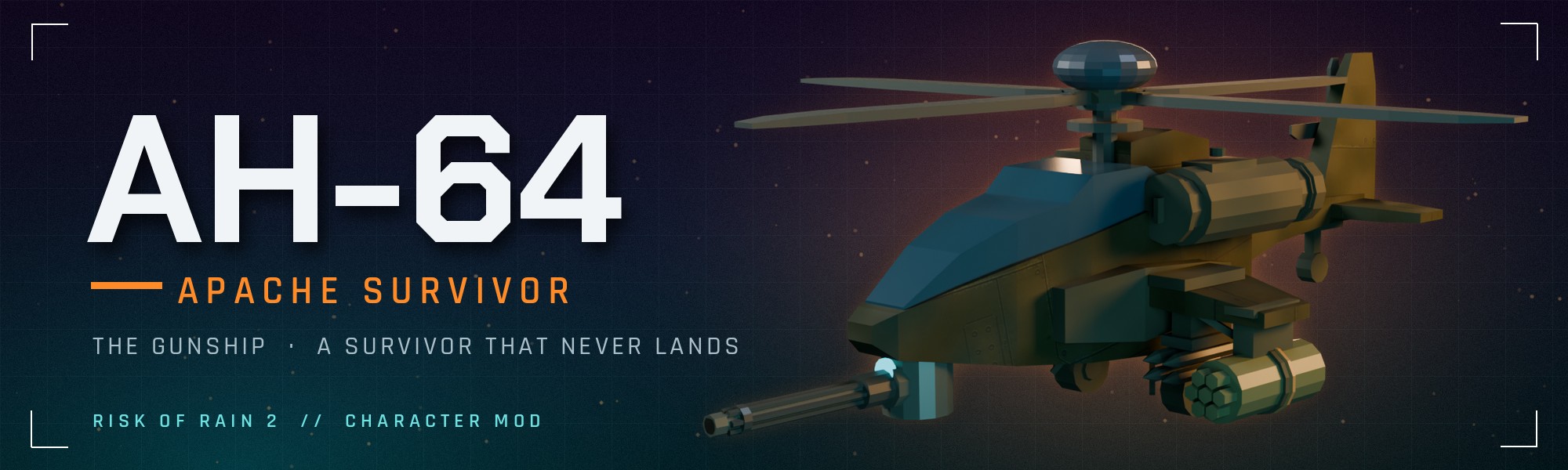



An AH-64 Apache attack helicopter survivor for Risk of Rain 2.
Enjoying it? Please like AH64 on Thunderstore so other players can find it.
Early access: AH-64 is still being tuned. Bug reports, balance settings and run details help shape the next update.
The Gunship. A survivor that never lands.


The AH-64 turns a crowded fight into a gunship sortie. Hover above the terrain and strafe like a ground survivor while your chin turret tracks a radar target. Ripple Hydra rockets into the pack, then choose your special: paint Longbow locks, guide a Hellfire, or lay a trail of bombs along your flight path.
Hold jump to climb, pick your angle, and use a roll, backflip or banked turn to reposition. Three primaries, three utilities, three specials and five paint schemes let you build your own gunship.
Install · Flight controls · Skills · Combos · Feedback
What's new in 1.3
Laser-guided Hellfire, the sweeping Banked Break utility, and flight-path Bombing Run join the kit. Rolls and backflips carry your entry momentum; special and utility choices add their own visible attachments. The M230 now carries a 20-round drum. See the changelog for the full update.
Thunderstore · Changelog · Help balance AH-64
Flight controls

Hold jump to climb and descend (default B on controller, C on keyboard) to drop. Release both to hold your altitude. Above resting height, airtime drains according to how you fly; returning to resting height refills it. Extra jumps extend airtime and climb height. The small tick below the crosshair shows your remaining airtime.
Holding position while turning and firing spends airtime slowly. Flying hard, climbing and straying from where you lifted off spend it faster; kills briefly pause the drain. Return to resting hover height to refill and collect ground items.
The optional Classic altitude controls setting restores release-jump-to-descend controls without the airtime limit.
The kit
Skill values below describe the default settings. The clips show the current 1.3 build across Titanic Plains, Distant Roost and Siphoned Forest. These are controlled in-game showcases with scripted inputs and camera framing.
Passive — Fire Control Radar
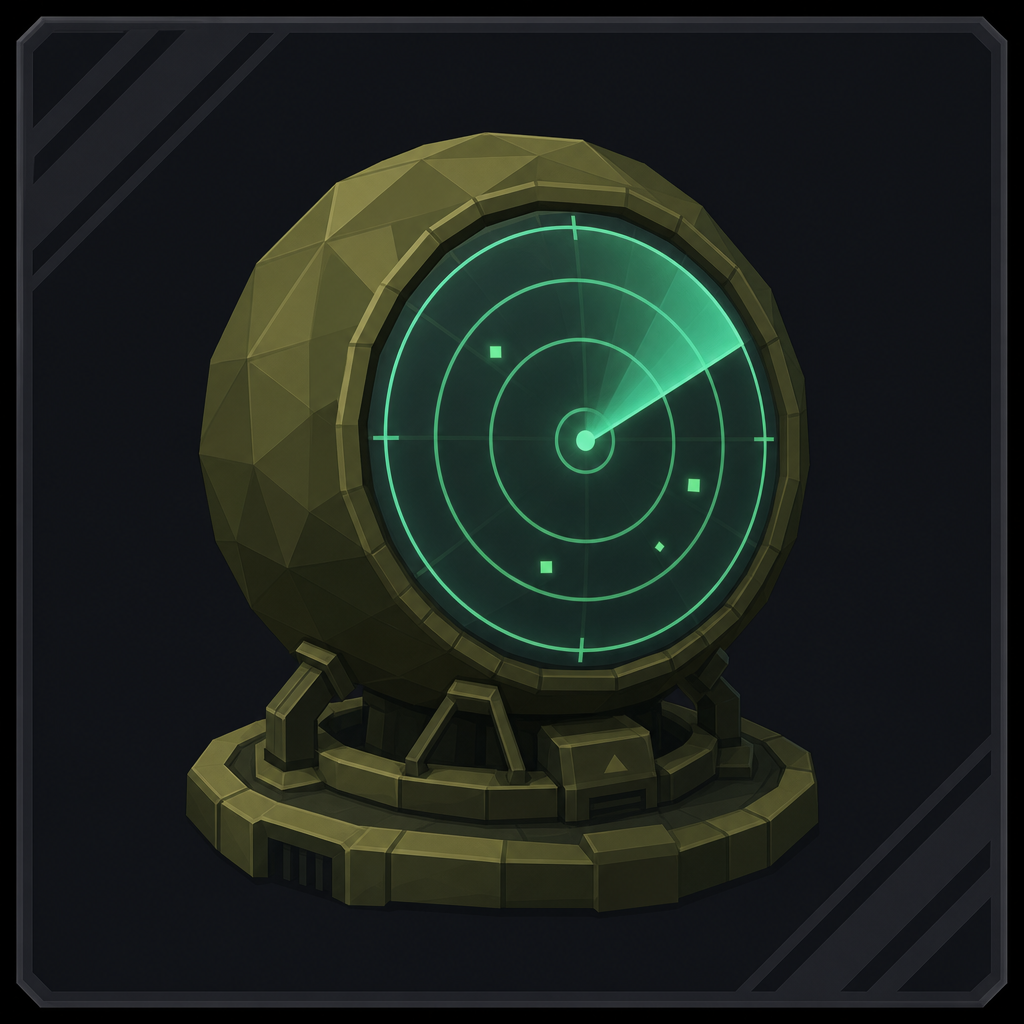
Paints the strongest nearby threat. Deal 12% more damage to the painted target, gain 15% movement speed while facing it, and 30 armor while close. The chin turret tracks independently of where you look.

Primary — M230 Chain Gun
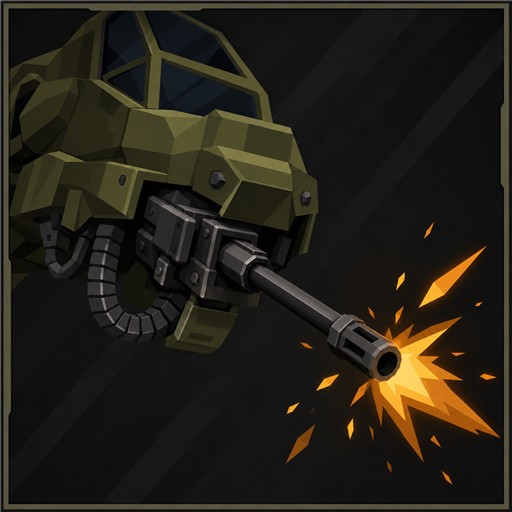
A 20-round drum that reloads all at once. Rounds and the HE blast deal 75% damage within 10m and full damage from 30m. Tap at range to keep the burst tight. Attack speed helps both firing and reloading.
Primary variant — XM301 Rotary Cannon
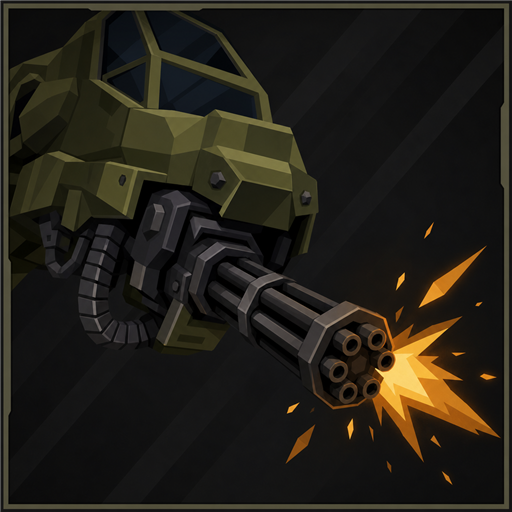
A six-barrel rotary cannon that spools up to about 18 rounds a second from a 60-round drum. Lighter rounds and blasts than the M230, with the same 75% damage within 10m rising to full at 30m.

Primary variant — M789 Heavy Cannon
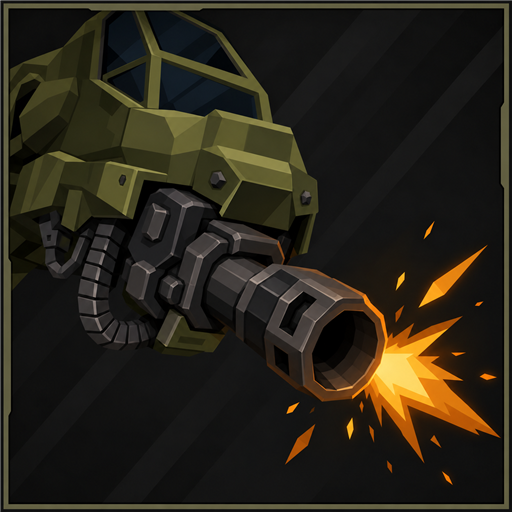
Slow, heavy shells at 2.5 shots a second, each with a large blast. Eight to a magazine, and every shot kicks the airframe.
Secondary — Hydra-70 Pods
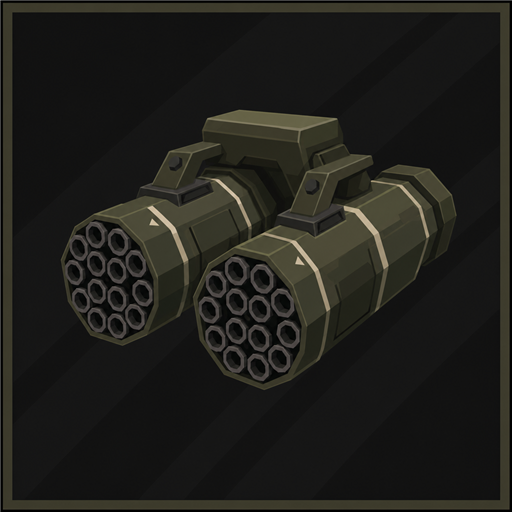
A ripple salvo spread over most of a second: keep your aim on target through it. Rockets deal 75% damage within 8m of flight and full damage from 25m. Each rocket past the base six adds 0.8s to the reload. The pods stay available while your primary reloads.

Utility — Evasive Roll
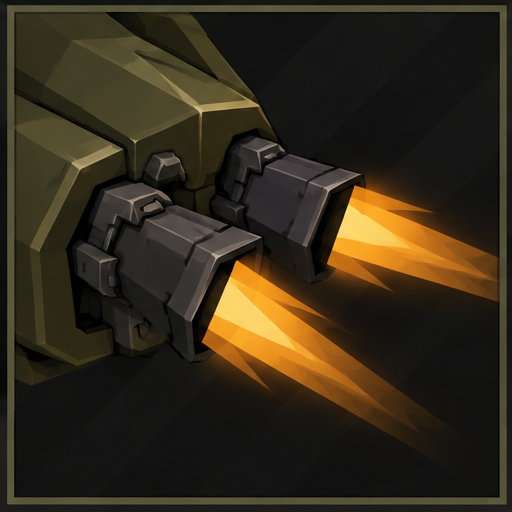

A climbing forward-diagonal barrel roll chosen with movement input, with invulnerability through the first half and 200 armor for the roll (about 0.95s). Carries entry momentum through a smooth speed ramp and back into flight.
Utility variant — Smoke Backflip
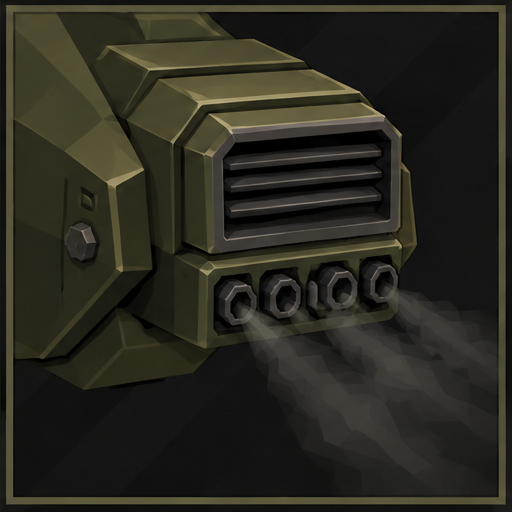
Surge rearward through a climbing pitch loop, dumping smoke and cloaking briefly. Carries entry momentum through the maneuver and eases back into flight.
Utility variant — Banked Break
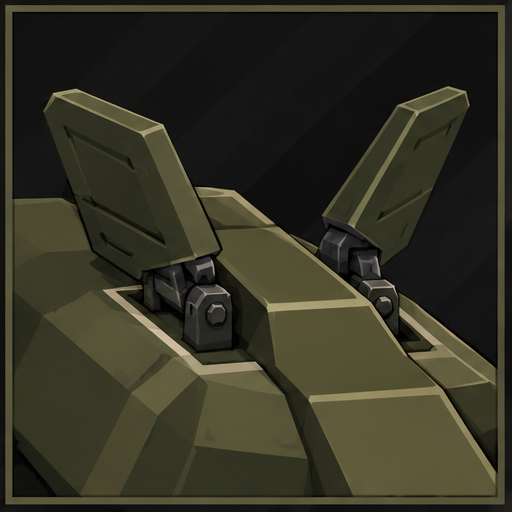

Bank through a sweeping 90-degree turn while maintaining flight. Choose left or right with movement input; neutral input turns right. Aim and fire throughout. Cooldown: 4 seconds.
Special — AGM-114L Longbow
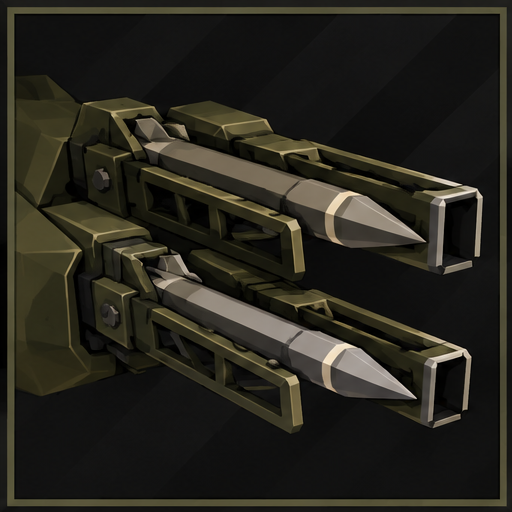
Hold to paint radar locks while you keep firing your gun and Hydras, then release to launch. The base rack holds six missiles; Lysate Cell adds one per stack. Per-missile damage stops climbing after the sixth lock.

Special variant — AGM-114 Hellfire
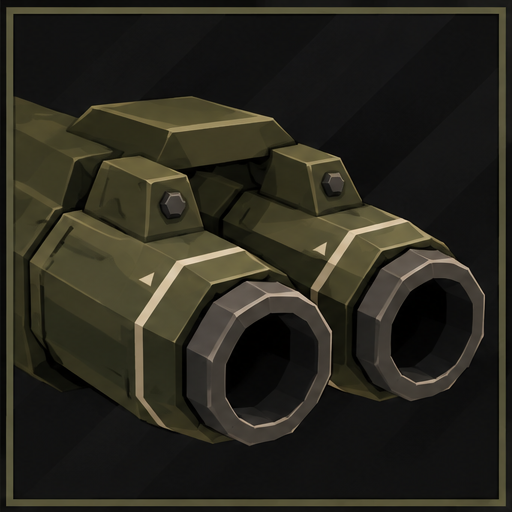
Press Special to launch a slow lead missile. Hold Special to show the targeting laser and accelerate that missile toward your aim; release to slow it, then hold again to resume guiding the same live missile without spending stock. A fresh missile can launch once the previous lead ends. Primary and secondary stay available. Pocket I.C.B.M. adds two ballistic, unguided fan missiles; only the lead follows your laser.

Special variant — Bombing Run
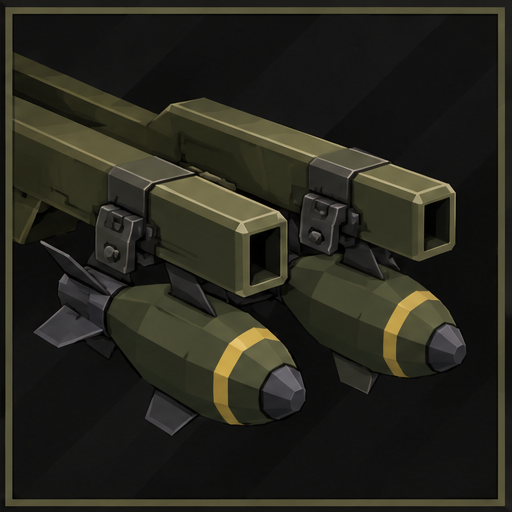

Drop six bombs at 0.3-second intervals along the path you fly. Each deals 300% damage in a 6m blast, with at most three hits per enemy per run. Keep flying, aiming and using your primary, secondary or utility to shape the pattern. Interrupted drops are lost. Cooldown: 10 seconds.
Put it together
- Keep pressure through a reload. Your primary and Hydra pods reload independently. Use the rockets while your gun reloads, and keep your aim on the pack until the ripple finishes. The M230, XM301 and Hydras deal more damage at range.
- Paint while you fire. With Longbow equipped, hold Special to build locks while your gun and Hydras keep working, then release the missiles into the fight.
- Guide, release, guide again. With Hellfire equipped, hold Special to steer the lead missile toward your aim. Release to slow it while you adjust your angle, then hold again to guide that same missile. Your gun and Hydras stay available throughout.
- Draw your bombing pattern. Climb for an approach, start Bombing Run over the pack, and keep moving through the drops. Banked Break can curve the path while you keep aiming and firing. Each enemy can take at most three bomb hits from a run, so spread the drops through the group.
Choose your gunship
Each primary has its own chin-mounted assembly. Special choices add open Longbow rails, enclosed Hellfire launchers or bomb carriers; utilities add their own thrusters, smoke canister or banking fins. Changing the loadout updates the character-select model and the live aircraft. Each active skill has a distinct illustrated icon.

Five paint schemes carry through into gameplay: Olive, Desert Tan, Arctic, Army Green, and Night Stalker, unlocked by the AH-64 Mastery achievement (beat the game or obliterate on Monsoon).

Historical 1.2 Blender model preview; in-game lighting varies. The title banner is promotional artwork from an earlier airframe revision.
Languages
AH-64 follows the language you set in Risk of Rain 2 (Settings → Language). Simplified Chinese, Russian, and Brazilian Portuguese are included. Any other language falls back to English. The in-game tuning menu stays in English.
These translations are machine-translated. Corrections are welcome — see Translating.
Install
Mod manager (recommended): install with r2modman or Thunderstore Mod Manager. Required dependencies are installed automatically.
Manual: copy the package's plugins contents into BepInEx/plugins/JohnstonStu-AH64/. Keep this layout:
JohnstonStu-AH64/
  AH64.dll
  AH64.language
  AssetBundles/ah64
  SoundBanks/AH64Rotor.bnk
AH64.language has to sit somewhere under BepInEx/plugins. Next to the DLL is the layout this package uses. Without it, the game falls back to English.
Everyone in a lobby needs the same mod version. Gameplay tuning is local, so agree on matching settings before a multiplayer run.
Required dependencies
bbepis-BepInExPack-5.4.1905RiskofThunder-R2API_Core-5.0.3RiskofThunder-R2API_Prefab-1.0.1RiskofThunder-R2API_RecalculateStats-1.0.0RiskofThunder-R2API_Language-1.0.1RiskofThunder-R2API_Sound-1.0.2
Help balance AH-64
I want AH-64 to feel right, and the quickest way there is seeing what you actually play with. Your settings show me where players agree on balance, and they're the place to ask for sliders that don't exist yet.
The tuning menu needs Risk of Options. It's optional: AH-64 runs on its defaults without it.
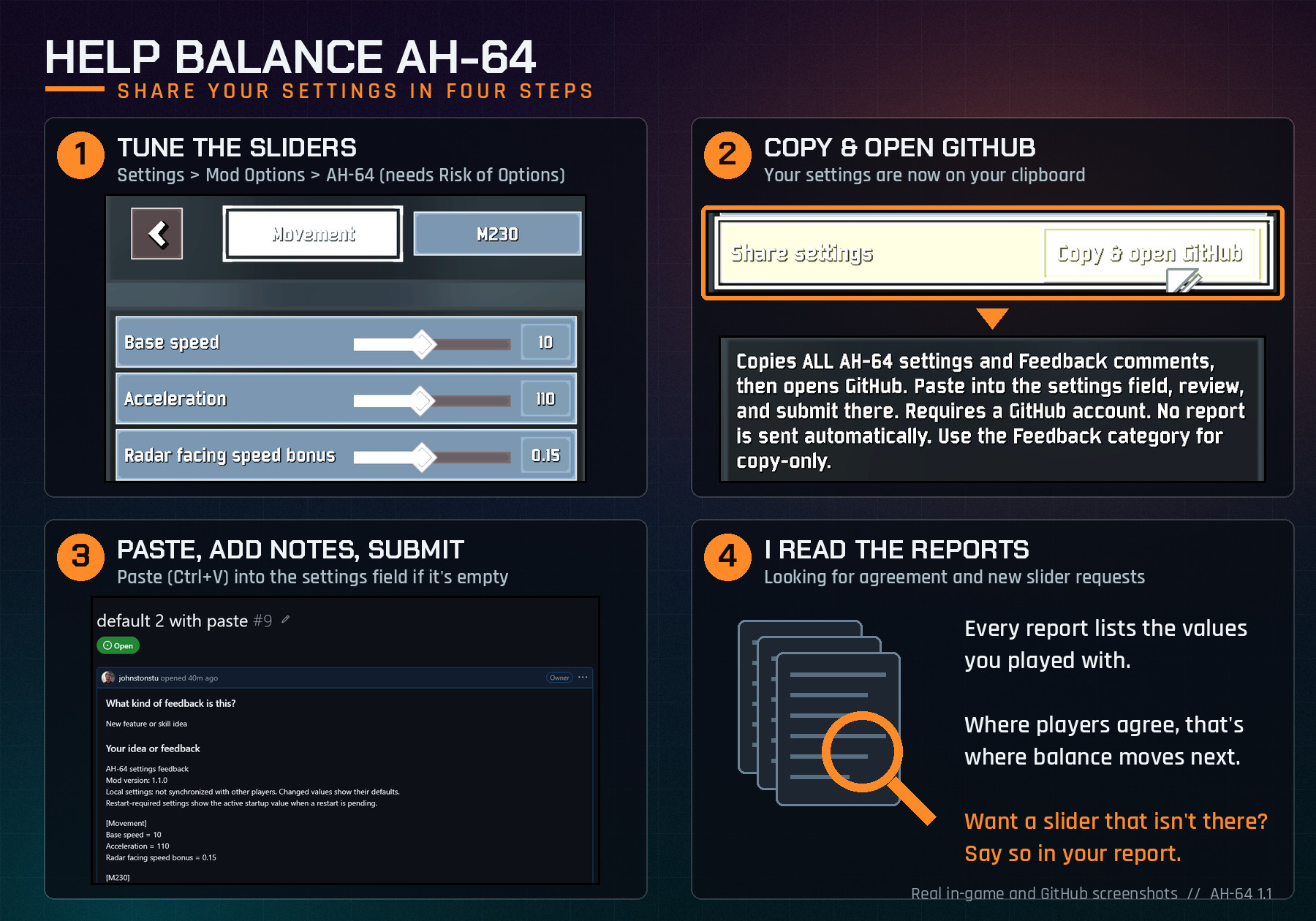
- Open Settings → Mod Options → AH-64 and tune the sliders. The tabs are Movement, M230, XM301 Gatling, M789 Cannon, Utility, Presentation, Audio and Feedback. Base speed, acceleration, primary reload times and Evasive Roll cooldown apply after a restart.
- Optional: add notes in Feedback → Comments.
- At the end of any tab, press Share settings → Copy & open GitHub. Your settings report (every AH-64 setting plus your comments) is now on your clipboard, and the feedback form opens on GitHub.
- The AH-64 settings and comments field is usually prefilled. If it's empty, just paste (Ctrl+V) into it. The report is already on your clipboard. Then fill in What kind of feedback and Your idea, including what felt too strong or too weak.
- Click Create.
Feedback → Copy all settings copies the same report without opening a browser.
Privacy: nothing is sent automatically. The buttons copy to your clipboard and open the form; a prefilled form carries the report in its link, but nothing is posted until you click Create. Submitting needs a GitHub account.
Bugs, ideas and questions
- Bug: open a bug report. Include the version, reproduction steps, stage, host/client role, and your
BepInEx/LogOutput.logor profile code. - Balance or a concrete feature request: open the feedback form. Paste a settings report when discussing balance.
- General discussion: ask a question, share how it feels, or suggest an idea.
Known limitations
- Missile rack depletion reflects local special stock, including Longbow reservations while painting locks. Remote and late-join presentation still needs dedicated verification.
- Gameplay tuning is not synchronized between players.
- Deep drops beyond the ground sensor use normal falling physics. Jump-pad and lift handling has been improved; report any remaining stage-specific problems.
More mods by JohnstonStu
Hollow Saint: a storm-saint survivor with chain lightning, a sticking Stormspear and Thunderbolts that answer your hits.
Credits and license
- Built with R2API and the Risk of Rain 2 modding community's survivor framework.
- Airframe and weapon geometry modelled from scratch in Blender for this mod.
- Current rotor loop: “Helicopter Sounds” by aquinn, CC0. Full provenance and processing notes are in Art/Audio and the bundled
LICENSE_SOURCE.txt. - Legacy rotor recordings by qubodup are CC0; their provenance remains documented. Other gameplay sounds use vanilla Risk of Rain 2 Wwise events.
MIT © 2026 Stu Johnston. Third-party audio retains its CC0 license.
See the changelog for version history.