
You are viewing a potentially older version of this package. View Latest Version
# Pause Menu Images
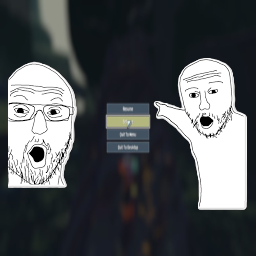
Adds custom images to the left and right sides of the pause menu.
## Features
- Display custom PNG images on either side of the pause menu
- Images disappear on entering of settings or logbook
- Non-intrusive - doesn't block menu buttons
## Installation
Install with r2modman or Thunderstore Mod Manager.
## Customization
To use your own images:
1. Navigate to BepInEx/plugins/PauseMenuImages/
2. Replace left\_image.png and right\_image.png with your own images
3. Recommended resolution: 800x1080 or similar
4. Images should be PNG format
5. Transparent backgrounds work great!
## Notes
- The placeholder images are included as examples
- Canvas size should match your screen resolution (placeholder is for 1920x1080)
- Images won't block pause menu interactions
- I recommend using GIMP for PNG editing and creation, as it was what I used
