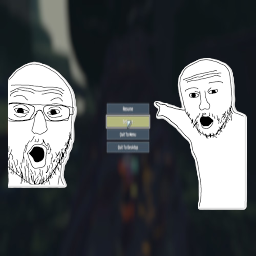
Pause Menu Images
Adds customizable PNG images to the left and right sides of the pause menu.
Features
- Display custom PNG images on either side of the pause menu
- Images disappear when entering settings or logbook
- Non-intrusive - doesn't block menu buttons
- Works with any screen resolution
Installation
Install with r2modman or Thunderstore Mod Manager.
How to Use Your Own Images
- Create or find two PNG images you want to use (one for left, one for right)
- Recommended resolution: 800x1080 or similar vertical images
- Navigate to
BepInEx/plugins/PauseMenuImages/
- Replace
left_image.png and right_image.png with your own images
- Keep the exact filenames:
left_image.png and right_image.png
- Launch the game - your images will appear on the sides of the pause menu!
Tips
- Transparent backgrounds work great and look professional
- Vertical images (taller than wide) work best
- The placeholder images are sized for 1920x1080 screens
- Images are positioned 400 pixels from center on each side
- PNG format is required (use GIMP, Photoshop, or any image editor)
Notes
- Placeholder images are included as examples
- Images automatically scale to your screen resolution
- Click-through is enabled so transparent areas won't block menu interaction
- Images only show on the main pause screen, not in submenus