
You are viewing a potentially older version of this package. View Latest Version
##Features
#Gold Bonus Recieve extra gold when killing a Variant, based off a Multiplier. Values Configurable, and the default values are:
- 1.3 for Common Variants
- 1.6 for Uncommon Variants
- 2.0 for Rare Variants
#XP Bonus Recieve extra XP when killing a Variant, based off a Multiplier. Values Configurable, and the default values are:
- 1.3 for Common Variants
- 1.6 for Uncommon Variants
- 2.0 for Rare Variants
#Item Drops Each time you kill a Variant, there's a small chance for it to drop an Item which's tier can be White, Green or Red. Chances are highly configurable, and each Tier has it's own chances, by default, Common tier variants can only drop white items, while a rare variant might give you a red item if youre lucky enough! (Note: not actually affected by the Luck stat) The default values for the Item drops are right below (It is reccomended to check out the "Configuring the Mod" section for an explanation of how the Item drop mechanic works.
Common Variants:
- 3% for a White item
- 0% for a Green item
- 0% for a Red item

Uncommon Variants:
- 5% for a White item
- 1% for a Green item
- 0% for a Red Item

Rare Variants:
- 10% for a White Item
- 5% for a Green Item
- 1% for a Red Item
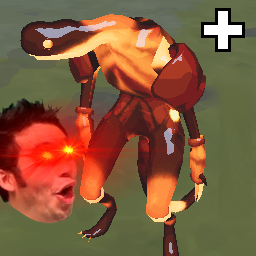
#New Variants Version 1.2.0 introduces new Variants to the game designed by Nebby. The end goal is to have at least one variant per type of enemy. Just Like in the Original Monster Variants, their spawn chance can be changed in the config file. If you dont want any new variants, you can also disable the entire section in the config file.
Mosquito Wisp (10% Chance):
- 50% Size
- 50% Health
- 200% Movement Speed
- 200% Attack Speed

Steel Contraption (7% Chance):
- 150% Size
- 150% Health
- 50% Movement Speed
- 50% Attack Speed
- 150% Damage

Mortar Crab (5% Chance):
- 150% Size
- 150% Size
- 80% Movement Speed
- 80% Attack Speed
- 125% Damage
- Has a Brilliant Behemoth
##Configuring the Mod. This section is for explaining how the Item drop chance mechanic works, since it's not based off the normal % chance ROR2 has.

##Installation To install the addon, simply drag the MonsterVariantsPlus.dll onto your plugins folder. Make sure Rob's DLL is also there, or else the plugin will not activate.
##Changelog '1.2.0'
'1.1.1'
'1.1.0'
'1.0.5'
'1.0.4'
'1.0.3' -Actually ACTUALLY fixed the Error.
'1.0.2'
'1.0.1'
'1.0.0'
