


PassiveSkillHud
Shows your survivor's passive skill above the skill bar, with its description on hover.PassiveSkillHud
Shows your survivor's passive skill as a round icon above the skill bar. Open the scoreboard (Tab) and hover over the icon to read the passive's description, the same way you can for active skills.
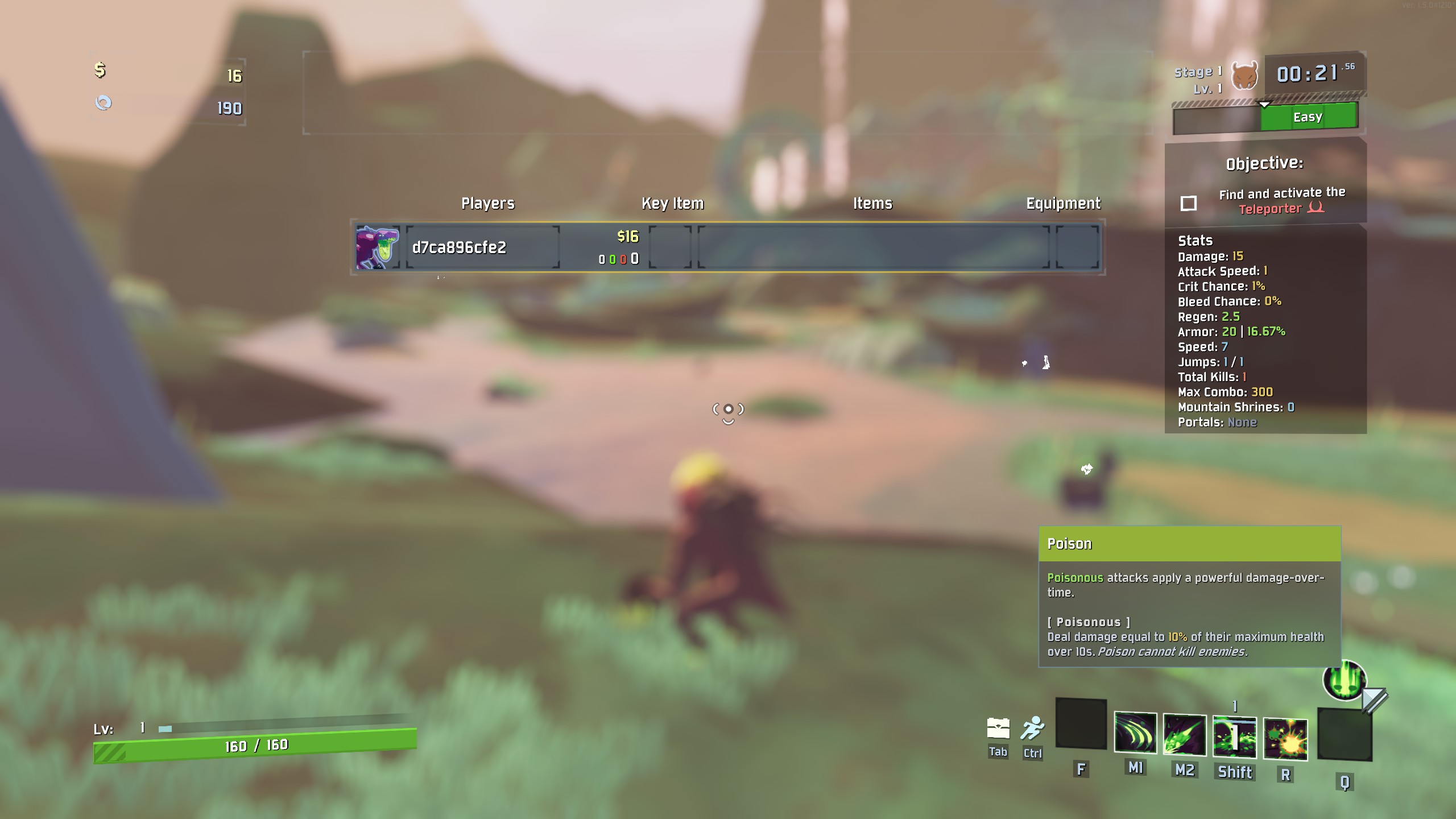
- Passives you choose in the loadout, such as Acrid's Poison or Blight, show the one you picked. A survivor with several passives gets an icon for each, lined up from right to left.
- Keywords used in a passive's description (e.g. Poison) are explained under it, as on the character select screen.
- Follows whoever you're spectating, and updates when your survivor changes mid-run.
- Client-side only: other players don't need it.
Configuration
BepInEx/config/ntshtng.PassiveSkillHud.cfg, or in-game if Risk Of Options is installed:
| Setting | Default | Description |
|---|---|---|
| Show passives | true |
Enable or disable the mod entirely. |
Changes take effect immediately.
Help and bug reports
Found a bug, or need help? Open an issue on GitHub. Including your BepInEx/LogOutput.log helps track problems down.