RumbleDarkMode
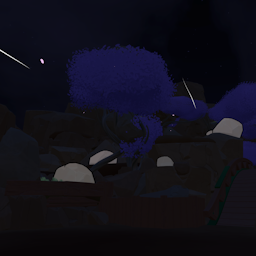
Nighttime for Gym, Park, and RingInstallation Instructions
- Install MelonLoader
- Drop "Mods" Folder into your RUMBLE directory
- Run the Game and enjoy the mod
Usage
Load into any scene and the selected settings will apply automatically.
Each scene has their own settings, with Global Settings acting as a fallback when a scene is disabled.
Skyboxes
Put your skybox textures in:
UserData/RumbleDarkMode/Skybox
Format:
{name}_Front.png
{name}_Back.png
{name}_Top.png
{name}_Bottom.png
{name}_Left.png
{name}_Right.png
Face names are case-sensitive and textures need to be flipped vertically. Use the {name} in settings.
Player lighting is unaffected.
Have fun!