RumbleReShaded
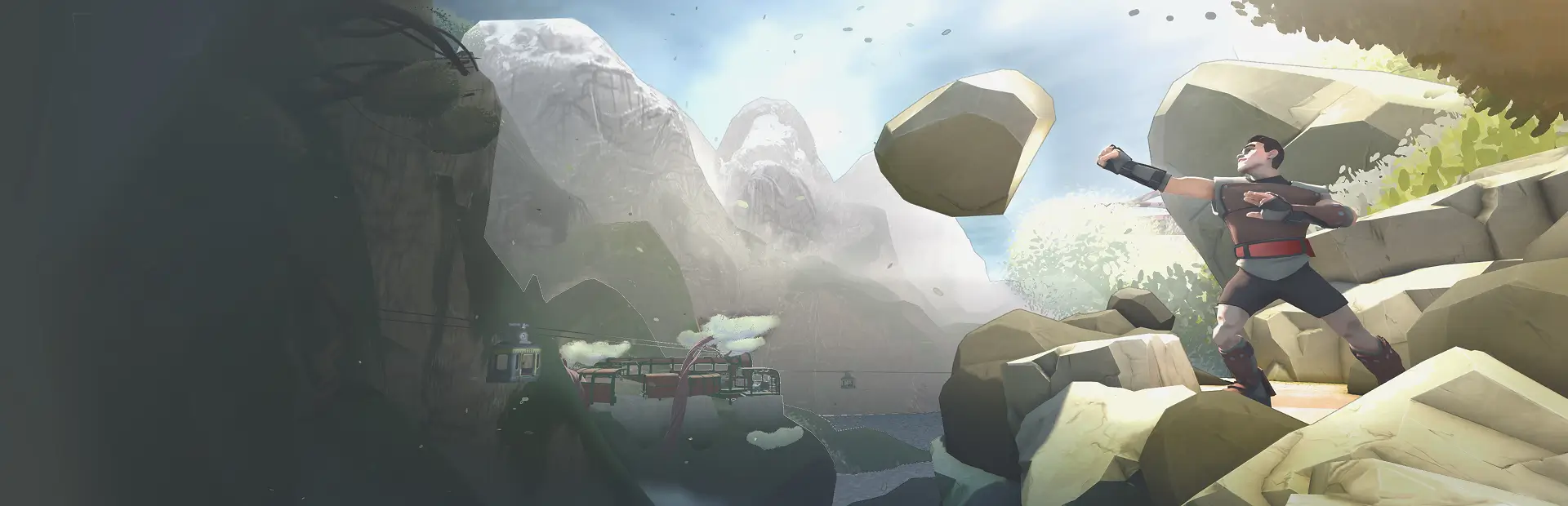
Shaders for RUMBLE. Loads community shader packs as full-screen VR post-processing (color grading, bloom, grain, fog, CRT, grayscale and more), covering everything incl. particles in both eyes. Ships 2 packs + a make-your-own guide.

RumbleReShaded
Shaders for RUMBLE. A MelonLoader mod that loads community-made shader packs and applies them as full-screen post-processing on your view — color grading, bloom, film grain, fog, CRT looks, grayscale, and whatever else people dream up. Think Minecraft shaders, but for RUMBLE: drop a pack in a folder, toggle it on, and the whole game gets a new look.
Every effect is applied after the game finishes drawing the frame, so it covers everything you see — the arena, your hands, particles, trails and world-space UI — in both eyes, with full VR support.
Requirements
- RUMBLE (PC / Steam)
- MelonLoader
- UIFramework (
Reverb_and___and_Spice-UIFramework) — RumbleReShaded registers all its toggles and sliders there. Install it too if you don't have it.
Install
Download RumbleReShaded.zip (in this repo) and unzip it anywhere — your Downloads
folder is fine. Then copy its contents into your RUMBLE install:
Mods/RumbleReShaded.dll→RUMBLE/Mods/UserData/RumbleReShaded/*→RUMBLE/UserData/RumbleReShaded/(the example pack folders)
Packs live in the mod's own folder — so you end up with
RUMBLE/UserData/RumbleReShaded/Grayscale/ and RUMBLE/UserData/RumbleReShaded/UltraShade/,
each containing a manifest.json. Folders without a manifest are ignored.
Upgrading from 1.1.0 or earlier? Packs used to sit loose at the top of UserData/. Move
your pack folders into UserData/RumbleReShaded/ or the menu comes up empty.
(Your RUMBLE folder is the one with RUMBLE.exe — e.g. …/steamapps/common/RUMBLE.)
Launch the game and open the UIFramework menu (default: F9 on a keyboard, or in VR press both triggers + both face buttons A/X together). Find RumbleReShaded, toggle a pack on, and adjust its sliders — changes apply live as you drag.
Included packs
Two example packs ship in UserData/RumbleReShaded/ — both genuinely usable, not just demos:
- Grayscale — one Strength slider, desaturates the whole view. The "hello world" of RumbleShade.
- UltraShade — a full cinematic grading stack: ACES tonemapping, exposure, white balance, saturation/contrast, soft bloom, sharpening, chromatic aberration, film grain, vignette, and depth-based atmospheric fog. Every stage has its own slider.
You can run several packs at once — they apply in order (lowest render queue first), each processing the result of the previous, so an overlay pack (grain, vignette) layers cleanly on top of a grading pack.
Make your own packs
RumbleReShaded is really a host: it solves the hard part of RUMBLE shaders once, for everyone, so you only have to write the look. Getting a full-screen effect to cover the whole frame — particles and all — in both eyes in VR means an injected URP RenderGraph pass, stereo handling, MSAA resolves, the variant-stripping gotchas… all of that lives in the mod. You never touch C#, MelonLoader or any of the rendering plumbing.
What's left for you is just a fragment shader — and you don't even need to know HLSL. You can describe the look you want in plain English ("cold horror — desaturated, heavy grain, dark edges", "retro CRT", "warm golden-hour film") and have an AI write the shader, then build it.
One honest caveat: because RUMBLE is an Il2Cpp build with no runtime shader compiler, every shader — in any RUMBLE mod — has to be pre-compiled into a Unity AssetBundle. So you do need Unity to build a pack. The companion RumbleShade template project makes that a one-click "Build Shader Packs" step; you don't configure anything. That build is the only tool requirement, and it's the same step every RUMBLE shader modder already does.
See the ShaderCreation/ folder included here:
- MAKING_SHADERS_WITH_CLAUDE.md — the AI workflow + a ready-to-paste prompt that already encodes every rule a pack shader must follow.
- AUTHORING_GUIDE.md — the full authoring guide: what screen-space shaders can and can't do, the shader convention, the build process, and a troubleshooting table.
The packs are built from the companion RumbleShade Unity template
project, included in this repo — open RumbleShade/ in Unity 6000.3.0f1 and use
RumbleShade → Build Shader Packs. Its README is the full
authoring reference.
For mod developers — build on top of it
RumbleReShaded is meant to be an upper dependency, the same way AdditionalSounds is for audio. If you're making a mod that needs a screen effect — a sonar/echolocation look, a damage overlay, a night-vision mode, a map-specific grade — you can ship it as a RumbleReShaded pack and declare RumbleReShaded as a dependency, instead of reinventing the AssetBundle loading and the VR post-process blit in your own mod.
And as more looks get made, the goal is for RumbleReShaded to become the standard dependency that community shaders are built against — one shared place packs target, so authors write a shader and everyone can install it, rather than every visual effect being welded into a separate one-off mod. If that's a direction you'd find useful for your own mod, get in touch — I'm happy to help wire it up.
Troubleshooting
| Symptom | Likely cause |
|---|---|
| Pack doesn't appear in the menu | manifest.json missing or has a JSON typo; or two packs share the same name. |
| Pack toggles on but nothing changes | The shader output equals the input at current slider values, or the bundle was built wrong — see the authoring guide. |
| Magenta screen | Shader failed to compile/load — a pack must be built with the exact Unity version the game runs. |
| Nothing works at all | Make sure Enabled is on, and that MelonLoader + UIFramework loaded (MelonLoader/Latest.log). |
Source code
The full mod source is in src/ — it's a small, readable project (two C#
files: the injected URP render pass and the pack loader). Nothing is obfuscated, so anyone
can read exactly what the mod does.
In short: it injects a URP ScriptableRenderPass after the frame is fully drawn, copies
the camera's finished color image, and blits it back through each enabled pack's shader. It
only ever reads the already-rendered frame (plus the standard depth buffer for depth
effects) and only changes how your own view looks — it touches no physics, no match state,
and nothing an opponent can observe.
src/RumbleReShaded/Main.cs— the render pass + UIFramework wiring.src/RumbleReShaded/ShaderPack.cs— pack discovery, manifest parsing, AssetBundle loading.
Build it with the .NET SDK against a local RUMBLE install (dotnet build -c Release); the
.csproj references the game's MelonLoader assemblies via <GamePath>.
For the full technical write-up — the URP RenderGraph injection, VR stereo/MSAA handling, the dead ends that don't work, and the blit convention pack shaders follow — see docs/HOW_IT_WORKS.md.
Credits
Mod by Pepuldo. Built on MelonLoader, Il2CppInterop and UIFramework.