

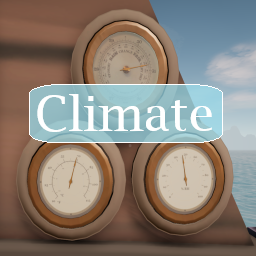
Climate
Adds regional climates, pressure cells, and instruments to measure weather the game.Climate
Adds regional climates, pressure cells, and instruments to measure weather the game.
Regional Climates
Each region (Al'Ankh, Emerald Archipelago, Aestrin, and Fire Fish Lagoon)will have a baseline climate. This climate will vary daily as well as change throughout the day and seasonally. Seasons are based of off the northern hemisphere seasonal schedule. The game has a running day count which seasons are based off of, day 0 and day 365 are January 1.
Storms will affect the climate also. When closer to a storm center the temperature will go down which will also increase the humidity.
Pressure Cells
6 pressure cells will always be on the map and will be moving through it. Baseline pressure is 29.7inHg and pressure cells will affect this. Pressure cells can be high or low with varying intensity, will have a lifespan of a few days, and will vary in their intensity depending on where they are in their lifespan and on how close you are to their center. They will persist when loading a save.
Low pressure will cause a cooling effect and high pressure will cause a radiative cooling effect at night.
Visual Climate Effects
- Fog that occurs when temps drop close to the region's dew point.
- Clouds that occurs when humidty is high enough and pressure is low enough.
- Rain that occurs when humidty is high enough and pressure is low enough.
Instruments
All instruments can be bought in Gold Rock City, Dragon Cliffs, and Ft. Aestrin near where navigation equipment is sold.
The thermometer and hygrometer values are based on the regional climates added to the game.
The values read from the barometer are based on pressure cells and how close you are to the nearest storm. The lowest a pressure cell can lower the pressure to is 28.2inHg, anything lower than that means you are definetly in a storm. A value of 26inHg means you are at the center of the storm.
For Other Mod Authors
The WeatherService class offers many different functions to retrieve climate related values if you would like to use any weather related data from this mod.
I use prefab directory indexes 820 - 822.
Installation
If updating, remove Climate folders and/or Climate.dll files from previous installations.
Extract the downloaded zip. Inside the extracted Climate-<version> folder copy the Climate folder and paste it into the Sailwind/BepInEx/Plugins folder.
Consider supporting me 🤗

