

DamageIndicator Mono
Health bars over characters after they take damage or always, your own movable health bar, floating damage numbers, stun bar and KO badges. Fully configurable in game. Mono build for the alternate branch.Damage Indicator
Mono build for the
alternateSteam branch. Playing on the default branch? Install DamageIndicator instead.
Health bars and floating damage numbers for Schedule I — clean, readable, and out of the way: nobody's health is shown until they actually take damage.
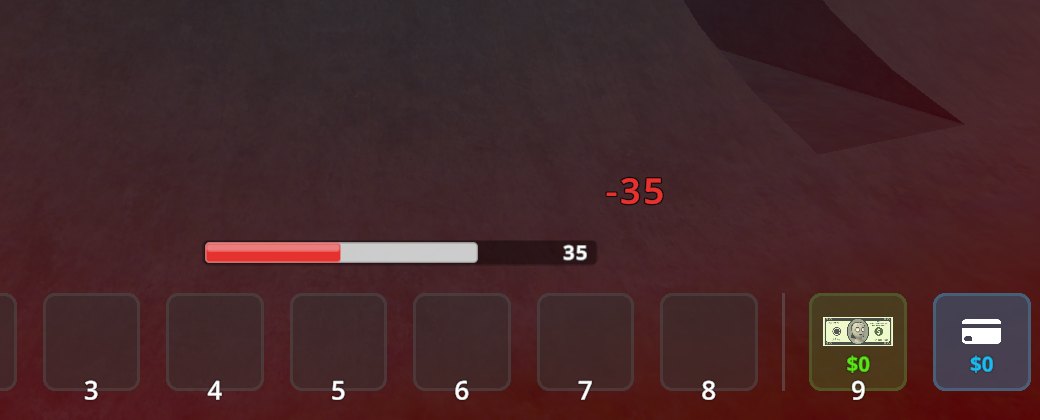
Features
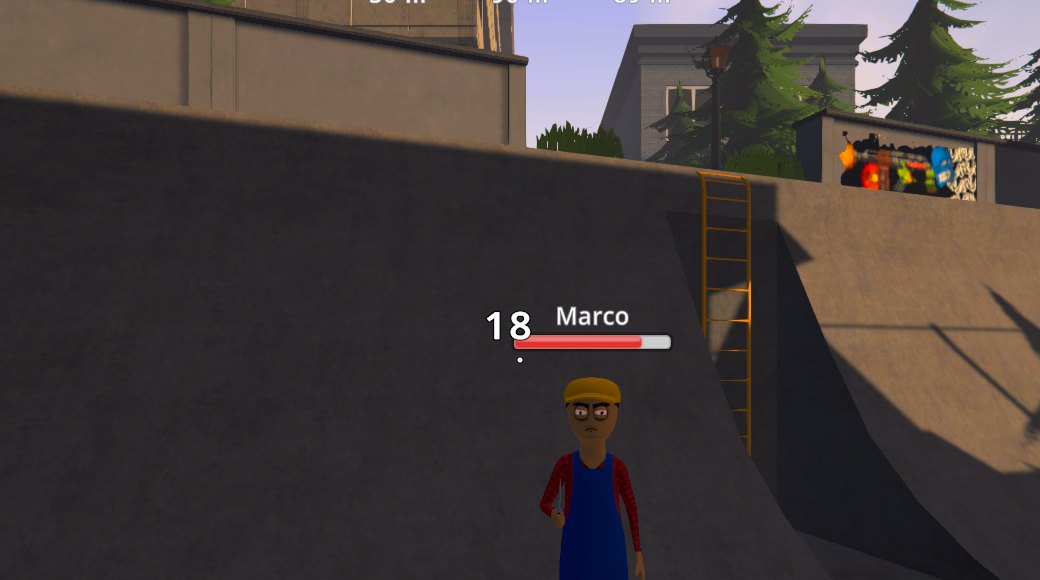
- Health bars over characters as soon as they take damage (from you, the police, anyone), fading out a few seconds later. The part just lost flashes white and drains away, so every hit reads at a glance. Or keep them on all the time over everyone near you that you can see (Characters → Health bars → Always).
- Your own health bar, hidden while you are at full health; it appears when you get hurt and stays until you are healed. Move it anywhere on the screen and resize it with the mouse.
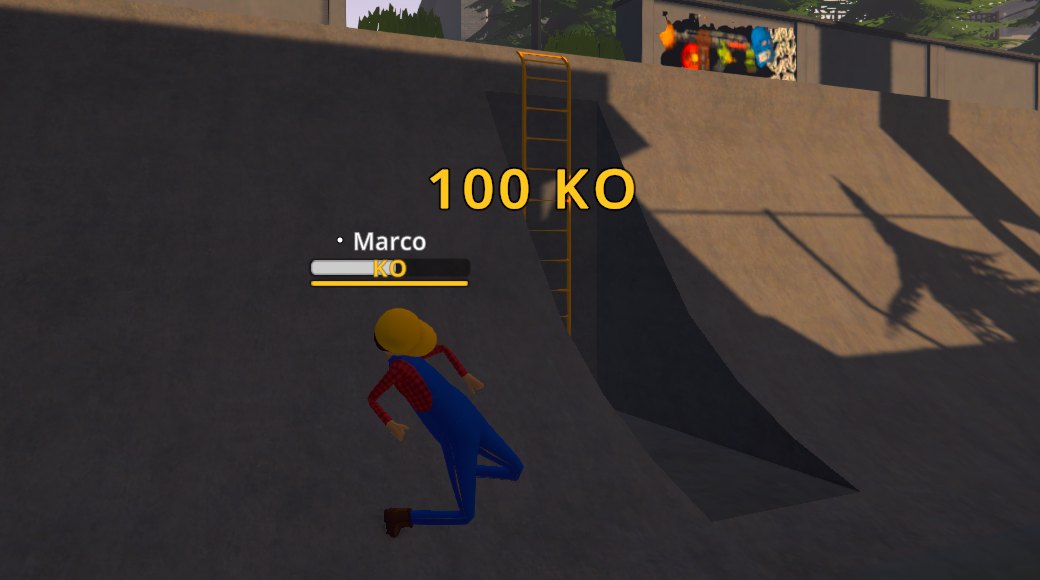
- Damage numbers pop up where a character is hit: white for your hits, grey for others',
yellow
KOfor a knock-out blow, red for a killing blow. Damage you take and healing you get (food, medicine) pop up next to your bar. Hits by others (other players, fights between characters) only show when you see them: nearby and not behind a wall. - Stun bar (yellow) under the health bar. Schedule I has no stun meter, so it shows the real stun states the game uses: tased (2 s), staggered by a heavy hit, knocked down — plus a KO badge for knocked-out characters and DEAD for dead ones.
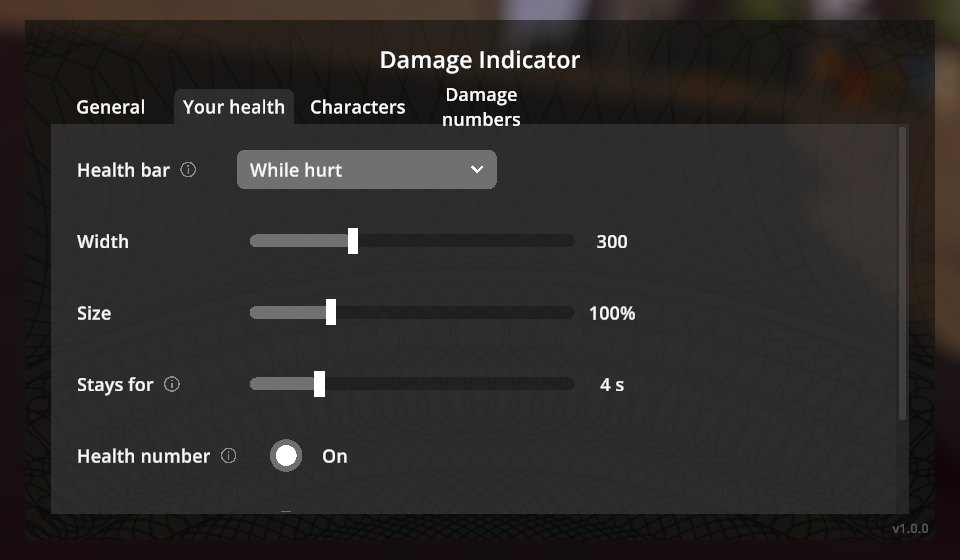
- Everything is configurable in a native in-game screen (pause menu → Damage Indicator): when bars show, sizes, how long they stay, names, health numbers, which hits get numbers, and more.
- Works in single player and multiplayer (hits are seen on every client). Translated into all Polyglot languages.
Installation
With a mod manager (r2modman, Thunderstore App): install DamageIndicator for the default Steam branch or DamageIndicator_Mono for the alternate branch. Also on Nexus Mods.
Manually:
- Install MelonLoader 0.7.3 (0.7.1 is not supported).
- Download
DamageIndicator-<version>-IL2CPP.zip(default Steam branch) orDamageIndicator-<version>-Mono.zip(alternatebranch) from Releases. - Extract it into the game folder so that
Mods/DamageIndicator_Il2Cpp.dll(or_Mono.dll) is in place.
Only install the build matching your game branch.
Usage
Open Pause menu → Damage Indicator. Move and resize your health bar shows the bar with sample values: drag it, use the mouse wheel to resize, right-click to reset, Done (or Enter) to finish.
Configuration
Everything in the in-game screen is also in UserData/MelonPreferences.cfg under [DamageIndicator]:
| Setting | Default | |
|---|---|---|
PlayerBar |
0 |
Your bar: 0 while hurt, 1 after damage, 2 always, 3 never |
PlayerBarX, PlayerBarY, PlayerBarScale, PlayerBarWidth |
above the hotbar | Position (0–1 of the screen), size, width |
NpcBars |
0 |
Characters: 0 after damage, 1 also while they fight you, 2 never, 3 always (everyone near you in sight) |
NpcHideDelay / PlayerHideDelay |
6 / 4 |
Seconds a bar stays |
NpcMaxDistance |
60 |
No bars for characters further away (m) |
DamageNumbers |
0 |
0 all hits, 1 only yours, 2 off |
OthersHitsRange |
30 |
Others' hits show a number and a bar only this close (m) and in sight |
StunBars |
true |
Yellow stun bar and KO badge |
Changelog
See CHANGELOG.md.
Credits
Developed with AI assistance (Claude by Anthropic) and tested in game on both branches with automated in-game tests.
License
MIT.