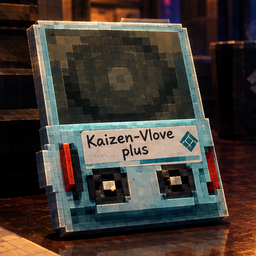
Every sync disk shows its real name and what it does, in your inventory, the Inspect window and shops. Disks you already have installed are marked, and a Sort button orders yours by newest, name or upgrades.
Disks you already have installed now stand out everywhere: a yellow corner flag in your inventory, the flag and "(installed)" in a shop's sell list, "(installed)" when you hover a slot or look at a disk lying in the world, and a first line in the Inspect window.
New setting Inventory/MarkInstalled (default true) turns all of these off.
1.3.3
Page: a picture of the labels with the 18 inventory slots from Sync Disk Suite. No changes to the mod itself.
1.3.2
Demo clips added to the description. No changes to the mod itself.
1.3.1
Page text only, no code changes: links to my other mods, and "All my mods" now shows the modpacks too. Updated short description.
1.3.0
Disks you already have installed are greyed out and marked "(installed)" in a shop's buy list, so you do not buy one twice.
In the sync disk screen, a spare copy of a disk you already have installed is marked "(already installed)".
New config: Shop / MarkInstalled.
1.2.0
New Sort button on the sync disk screen, in the middle of the "Installed Disks" line. Click it to switch between newest first, oldest first, name, most upgraded and least upgraded.
The game lists disks oldest first, so a disk you just installed ends up at the bottom. Newest first is the default, so it is at the top.
The order you pick is remembered.
New config: Sort / Enabled and Sort / Order.
1.1.2
Shop hover text for sync disks added by other mods (such as Sync Disk Suite) shows the description instead of an internal text key like "424039432_3486932829_You move faster on foot.", and no longer repeats it underneath.
1.1.1
Internal plugin ID renamed. Nothing changes in game; no settings or saves are affected.
1.1.0
The Inspect window shows the disk's real name, and every effect with its description, numbers and side effect
Shops show the real names in the buy and sell lists, and hovering a disk there shows what it does
1.0.0
First release. Inventory squares show the real sync disk name instead of the generic SyncDisk label.
Thunderstore development is made possible with ads. Please consider making an exception to your adblock.