
Power Elec
Wind-powered Nordic lights in warm, blue and green. Pendant, garden and wall lamps with individual 20-100% brightness controls, a separate building hammer and a smokeless heater. Multiplayer with BepInEx and Jotunn.Power Elec 0.1.4
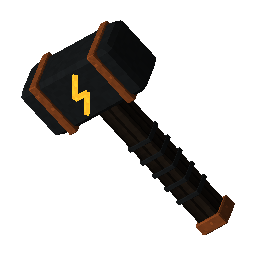
Wind-powered Nordic lighting and smokeless warmth for Valheim. Build the electrical system with its own Power Elec Hammer.
New in 0.1.4
- Blue and green versions of the pendant, garden and wall lamps: six added pieces, matching the original lamp shapes.
- Blue lamps use Greydwarf Eyes; green lamps use Guck in place of Resin.
- Every warm, blue and green lamp has its own saved brightness, from 20% to 100%. The standard default is 60%, preserving the reduced 0.1.3 intensity.
- Press E at a lamp to open its brightness slider, adjust the value, and select Apply. Cancel or Esc leaves the saved value unchanged.
- The heater is unchanged and has no color variants or brightness menu.
Getting started
- Craft Power Elec Hammer at a level 1 Forge: Wood x5, Copper x2, Surtling Core x1. Discover these materials first.
- Equip the hammer and open its separate electrical build menu.
- Build a Wind Turbine within Workbench range. The generator has no grain hopper or mill enclosure; keep the sails clear of obstructions.
- Build lamps or heaters within the default 60-metre supply radius, measured in 3D from the turbine base. Allow a few seconds for power updates.
- Point at a lamp and press E to change only that lamp's brightness. The setting works even when there is no power; illumination still requires a working turbine.
The garden post height is matched to the installed native Dvergr pole lantern at startup. Lighting uses actual realtime point lights; the colored decorative core and the light cast on nearby surfaces share the selected color family.
Recipes
All building pieces require Workbench range. Color ingredients are paid once during construction, not consumed as fuel.
| Piece | Materials |
|---|---|
| Wind Turbine | Core Wood x20, Stone x20, Copper x5, Surtling Core x2 |
| Warm Pendant Lamp | Wood x2, Copper x1, Resin x2 |
| Blue Pendant Lamp | Wood x2, Copper x1, Greydwarf Eye x2 |
| Green Pendant Lamp | Wood x2, Copper x1, Guck x2 |
| Warm Garden Lamp | Core Wood x2, Copper x1, Resin x2 |
| Blue Garden Lamp | Core Wood x2, Copper x1, Greydwarf Eye x2 |
| Green Garden Lamp | Core Wood x2, Copper x1, Guck x2 |
| Warm Wall Lamp | Wood x2, Copper x1, Resin x2 |
| Blue Wall Lamp | Wood x2, Copper x1, Greydwarf Eye x2 |
| Green Wall Lamp | Wood x2, Copper x1, Guck x2 |
| Heater | Stone x10, Copper x5, Surtling Core x1 |
Per-lamp brightness
Brightness percentages are relative to the original 0.1.2 intensity, so 60% is the same numerical level as the standard 0.1.3 release. The full-intensity values are 6 for pendant, 5 for garden and 4 for wall lamps. At 60%, these become 3.6, 3 and 2.4. The light ranges remain 16 / 18 / 14 metres before the host's range multiplier.
Aim at a lamp, press E, drag the 20-100% slider, then click Apply. Each lamp keeps its own setting in the world's native network/save data. Changing one lamp does not alter another. The current percentage is also shown in hover text. Nearby authorized players may adjust lamps; ward restrictions are respected. The network owner validates requests and saves the value for all players.
Different colors and surrounding materials can appear brighter or darker at the same percentage. The slider controls numerical light intensity.
How electricity and heat work
Valheim's native wind strength and obstruction checks determine output. A turbine supplies nearby appliances while output exceeds the configured minimum. No wires or switches are required. Lamps work during both day and night while powered. Weak wind, obstruction, distance or removal of the turbine can interrupt supply.
The turbine and consumers must be loaded in the game's active simulation area. A larger configured radius does not force distant areas to stay loaded. Old power readings expire when updates stop. This release does not model wattage, batteries, appliance limits or relays.
The heater retains its existing light and native near-fire warmth effect, without fuel, smoke or burning damage. Normal shelter and Resting/Rested conditions still apply. Its default warmth radius is 6 metres. The new brightness and color controls do not affect it.
Install or update with Thunderstore Mod Manager
For a published release: select Valheim and your profile, find Power_Elec by Arioh in Get mods, install/update it and launch Modded.
For this local ZIP:
- Close Valheim and select the intended Valheim profile.
- Install BepInExPack_Valheim by denikson and Jotunn by ValheimModding if needed.
- Use Settings > Profile > Import local mod and select PowerElec-0.1.4.zip without extracting it. Do not use Import profile.
- If asked for details: name Power_Elec, author Arioh, version 0.1.4.
- Keep only one active PowerElec.dll copy in the profile. Launch Modded.
For a manual or dedicated-server update, close the game/server and replace:
BepInEx/plugins/PowerElec/PowerElec.dll
Install BepInEx and Jotunn separately. Keep the existing powerelec.valheim.power.cfg file. Existing warm-lamp prefab names, hammer, turbine, heater, recipes and power keys retain their identities. Existing warm lamps also receive brightness adjustment after the world is reloaded. Blue and green lamps are separate added build pieces.
Multiplayer
Install the same Power Elec version on every player and the host/dedicated server, together with its dependencies. Start Server hosts and friends launch their modded profiles. The same local ZIP can be installed on each PC; public upload is not required to play together.
Power and brightness are written by the object's current network owner and shared through native ZDO data. Brightness requests verify the player, peer ownership, distance, living state, range and ward access. Matching mod patch versions are required through Jotunn. A client without this version cannot be expected to load the new colored pieces.
Configuration
Created on first launch:
BepInEx/config/powerelec.valheim.power.cfg
| Setting | Standard default | Purpose |
|---|---|---|
| Electricity / DistributionRadius | 60 | Supply radius in metres, including height |
| Electricity / MinimumOutput | 0.02 | Minimum turbine output |
| Electricity / HeaterRadius | 6 | Native warmth radius in metres |
| Lighting / DefaultLampBrightnessPercent | 60 | 20-100%; used only for lamps without a saved individual setting |
| Lighting / LampRangeMultiplier | 1 | Lamp reach multiplier; does not change supply range or heat |
LampBrightnessMultiplier is retained only for migrating the default from earlier configurations: an old multiplier of 1 becomes 60%. Converted values are bounded to 20-100%. Once a lamp has a saved percentage, its individual setting takes priority. Host/admin configuration is synchronized; changing the default does not reset already configured lamps.
Public upload
The same PowerElec-0.1.4.zip is prepared for public upload and Import local mod. Upload under the existing team Arioh and manifest name Power_Elec in the Valheim community. This adds version 0.1.4 to the existing package. The ZIP includes English README, INSTALL and CHANGELOG files. It has not been published automatically.
Later releases must increase both manifest and plugin versions. Editing only CHANGELOG.md does not update the compiled plugin. Do not upload the same team/name/version combination twice.
Validation
Compiled against installed Valheim 1.0.20, Unity 6000.0.75, BepInEx 5.4.23.5 and Jotunn 2.30.2 references. Build and installed-API checks pass. Offline tests exercise actual lamp intensity/color settings, power loss, independent levels, owner validation, persistence through a fake ZDO adapter, invalid requests and matching variant geometry/materials.
The new slider, colored illumination, world-save migration and multiplayer behavior have not yet been checked in a live Valheim session. Software model previews and fake-adapter tests are development evidence, not gameplay or connected-player validation.
Check BepInEx/LogOutput.log for Power Elec ready or Power Elec registration failed if pieces do not appear. No game or dependency DLLs, extracted Valheim meshes or textures are distributed in this package.
Credits
Original code, concepts and visuals created with AI assistance. Native Valheim assets are referenced or cloned in memory from the installed game. Valheim, Unity, BepInEx and Jotunn belong to their respective owners.