

SmolCraft
Shrink smelters, kilns, refineries and any crafting station with per-station sliders. Defaults to 70% for furnaces and kilns. Smoke-safe, optional smokeless mode, server-synced.SmolCraft
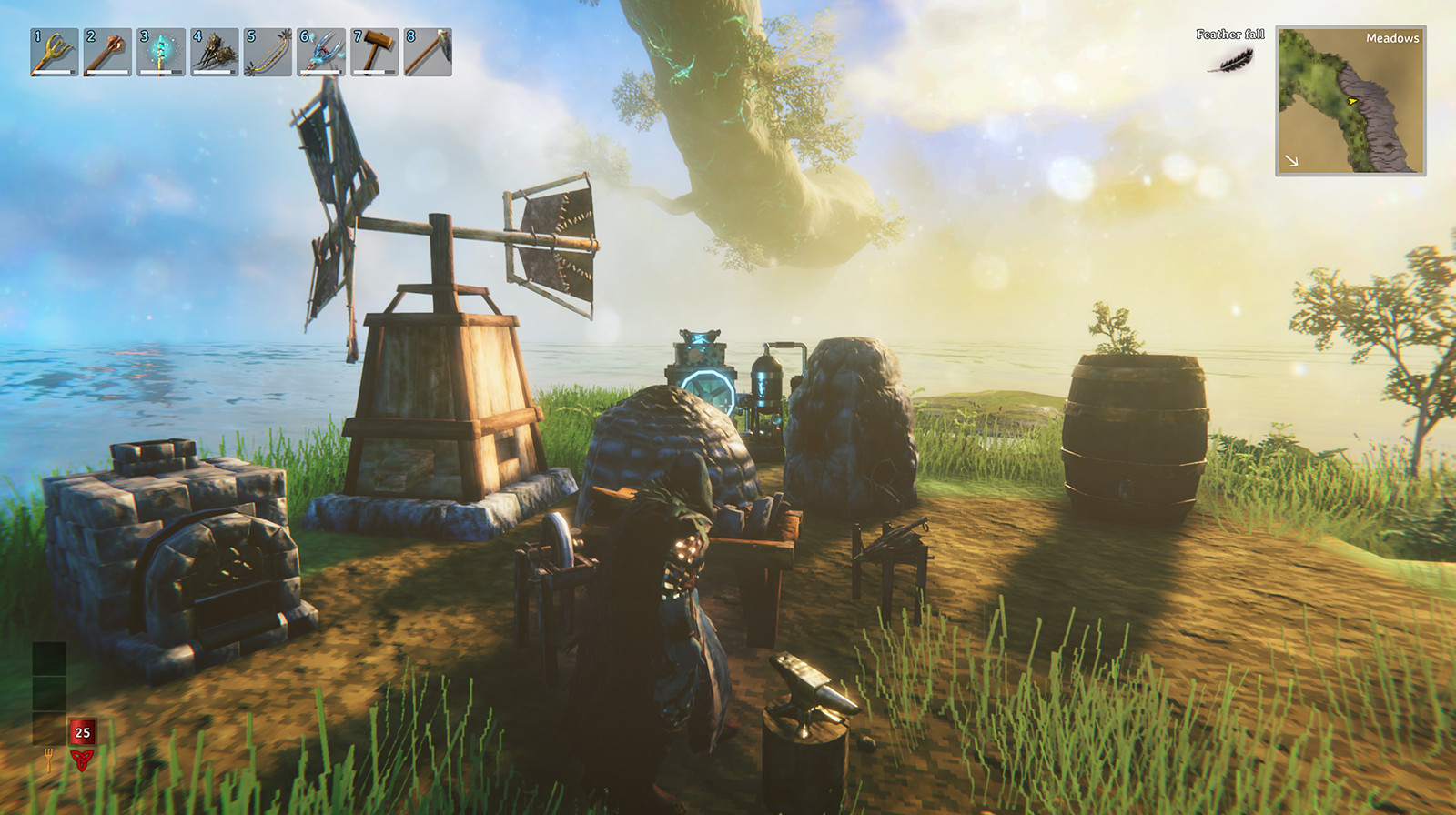 Your base, but smol. SmolCraft physically shrinks Valheim's production and crafting stations so they fit tighter builds — every station gets its own size slider.
Features
- Furnaces and kilns at 70% out of the box: Smelter, Blast Furnace, Charcoal Kiln, Eitr Refinery, Frost Foundry and Frigid Kiln.
- Every other station is adjustable too (default: vanilla size) — Workbench, Forge, Stonecutter, Artisan Table, Black Forge, Galdr Table, Cauldron, all station upgrades, cooking stations, fermenter, windmill, spinning wheel, and stations added by other mods. They're found automatically.
- Size limits: 40% minimum for smelters/kilns/refineries, 30% for everything else, so nothing gets too tiny to use.
- Smoke-safe shrinking: a shrunk chimney is too small for Valheim's fixed-size smoke puffs, which makes stations stall with "needs ventilation". SmolCraft keeps the smoke exit at its vanilla height so smoke clears the shrunk chimney normally.
- Smokeless Stations (optional): SmolCraft stations stop making smoke and can never be smoke-blocked. Campfires, hearths and braziers are not affected.
- Multiplayer: the server's settings are sent to every player who joins, and changes on the server are pushed live. On a server without SmolCraft, each player uses their own settings.
- Live updates: change a slider in Configuration Manager (F1) or edit the .cfg and placed stations resize immediately.
No upgrade spacing
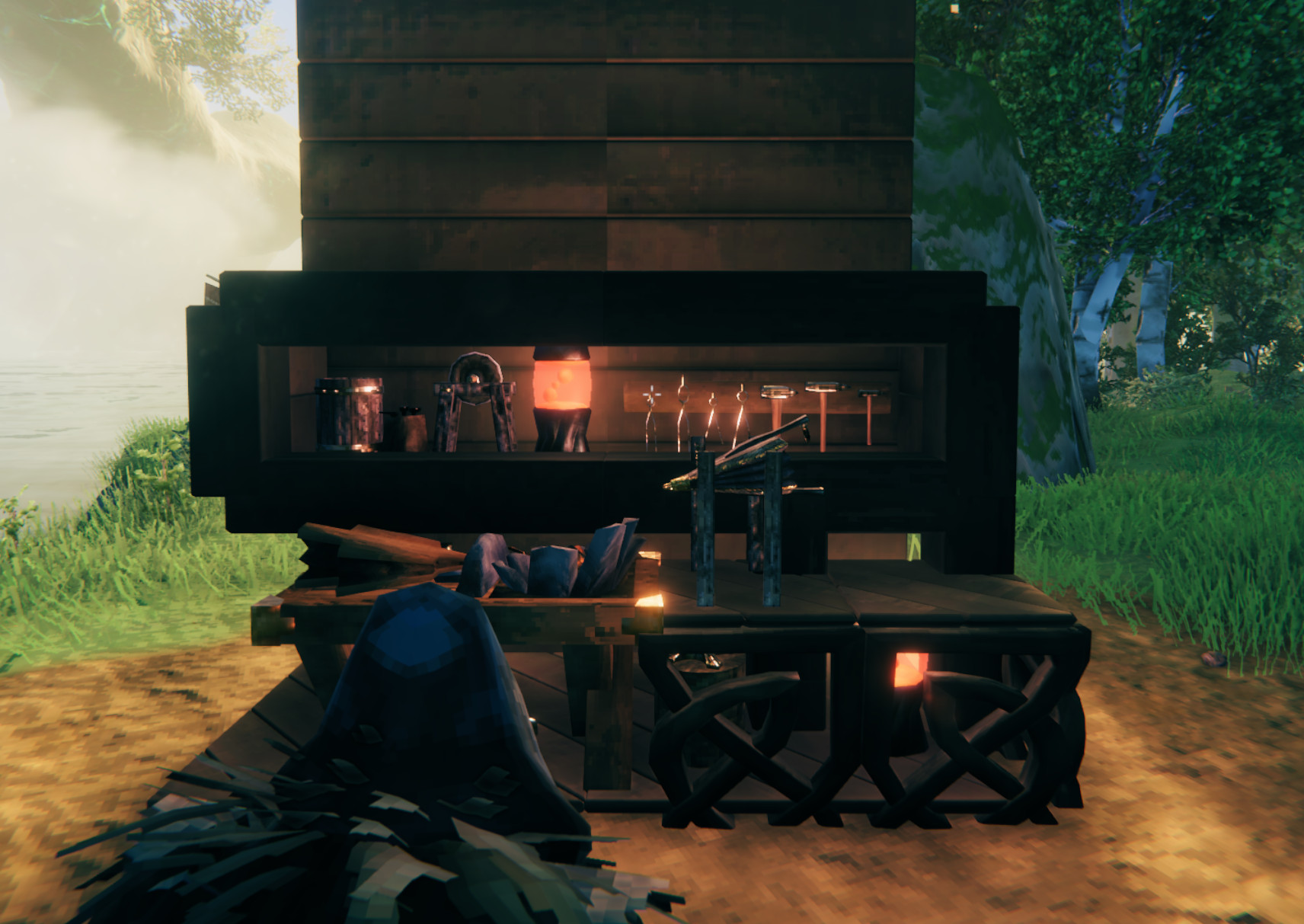 In vanilla, station upgrades (Forge Bellows, Grinding Wheel, Tanning Rack, anvils…) refuse to be placed near each other: "needs more space". With No Upgrade Spacing on (default), that rule is gone. Upgrades only need to sit on something solid and be in range of their station. Wards and no-build zones still apply.
Configuration
File: BepInEx/config/BhimaJenkins.SmolCraft.cfg
The per-station sliders appear after you load into a world once — SmolCraft discovers stations from the game's prefab list, which only exists in-world.
| Section | What's in it |
|---|---|
| 1 - General | Enabled, Smokeless Stations, Keep Smoke Exit At Vanilla Height, No Upgrade Spacing, Enforce Server Settings |
| 2 - Smelters, Kilns & Refineries | Smelter, Blast Furnace, Charcoal Kiln, Eitr Refinery, Frost Foundry, Frigid Kiln, Windmill, Spinning Wheel… |
| 3 - Crafting Stations | Workbench, Forge, Stonecutter, Artisan Table, Black Forge, Galdr Table… |
| 4 - Station Upgrades | Chopping block, tanning rack, anvils, etc. |
| 5 - Cooking & Fermenting | Cooking stations, oven, fermenter |
| 6 - Custom Stations | Extra Station Prefabs list, Log Buildable Piece Names, plus a slider for each piece you add |
Values are size multipliers: 1.0 = vanilla, 0.7 = 70%.
Adding your own stations
Most modded stations are found automatically. For anything that isn't (or any other buildable piece you want to resize):
- In 6 - Custom Stations, turn on Log Buildable Piece Names while in a world, then turn it off. The BepInEx log (
LogOutput.logor the console) now lists every buildable piece's prefab name, its in-game name, and whether SmolCraft already manages it. - Copy the prefab names into Extra Station Prefabs, separated by commas. You can add a starting size after a colon:
piece_bigbench:0.6, MyModForge:65%, SomeKiln - Each piece gets its own slider in that section. Names are case-sensitive.
Removing a name from the list removes its slider and puts that piece back to vanilla size. Custom pieces that make smoke get the same 40% minimum as smelters; everything else goes down to 30%.
Multiplayer
Install on the server and on every client. With Enforce Server Settings on (default) the server's values win while you're connected; your own sliders come back when you leave. The server's custom list is synced too: players get the server's sizes for those pieces even if they never added them to their own list (as long as they have the mod that adds the piece).
Notes
- Station ranges (build radius, upgrade connection distance) are not changed — only the model and its colliders.
- If you shrink stations a lot indoors and they still stall, turn on Smokeless Stations.