BotanicOwnerDebug
Client-side ownership colours for mobs, buildings, world objects and dropped items. F10 settings menu with category switches, live radius and a player legend. Optional TooManyLags test-phase colours.BotanicOwnerDebug
See which player or server owns nearby objects in Valheim. BotanicOwnerDebug adds local ownership colours and a live player legend to help inspect multiplayer ownership and configure ownership mods.
Client-side only. BepInEx is required. TooManyLags and EasySpawner are optional; neither is required for normal ownership colours.
Quick start
- Install BepInEx and copy
BotanicOwnerDebug.dllintoBepInEx/plugins/BotanicOwnerDebug/. - Join a world and press F10 with game menus closed.
- Enable the categories you want and adjust Radius.
- Close the window with F10, Escape, or Close. The selected colours remain active.
Opening the menu does not enable colouring. All category switches start off and are saved independently. Use All categories off to clear them. If TML mob debug is enabled, switch it off too to stop that mode.
Choose what to show
| Category | Objects shown |
|---|---|
| Truly interactive | Networked objects with interactions, such as doors, containers and workstations. |
| Static: no destruction physics | Fixed buildings and world objects without a supported physical destruction successor, such as rocks and ore. |
| Static: destruction physics | Supported physical objects and their fixed precursors, such as standing trees and fallen logs. |
| Tamed mobs | Tamed NPC creatures; changes update live. |
| Hostile / wild mobs | Untamed NPC creatures, including wild animals. |
| Loose items | Dropped items with their own network object. |
Categories follow TooManyLags' policy when a compatible version is installed; standalone classification is also included. Players, projectiles, world markers, effects, transparent surfaces and PUP FPS clusters are excluded. Existing renderer and LOD visibility still apply.
Radius accepts 10–1000 metres from the camera. Type a value or use the slider; valid changes apply immediately. The default is 200 metres.
Colours and legend
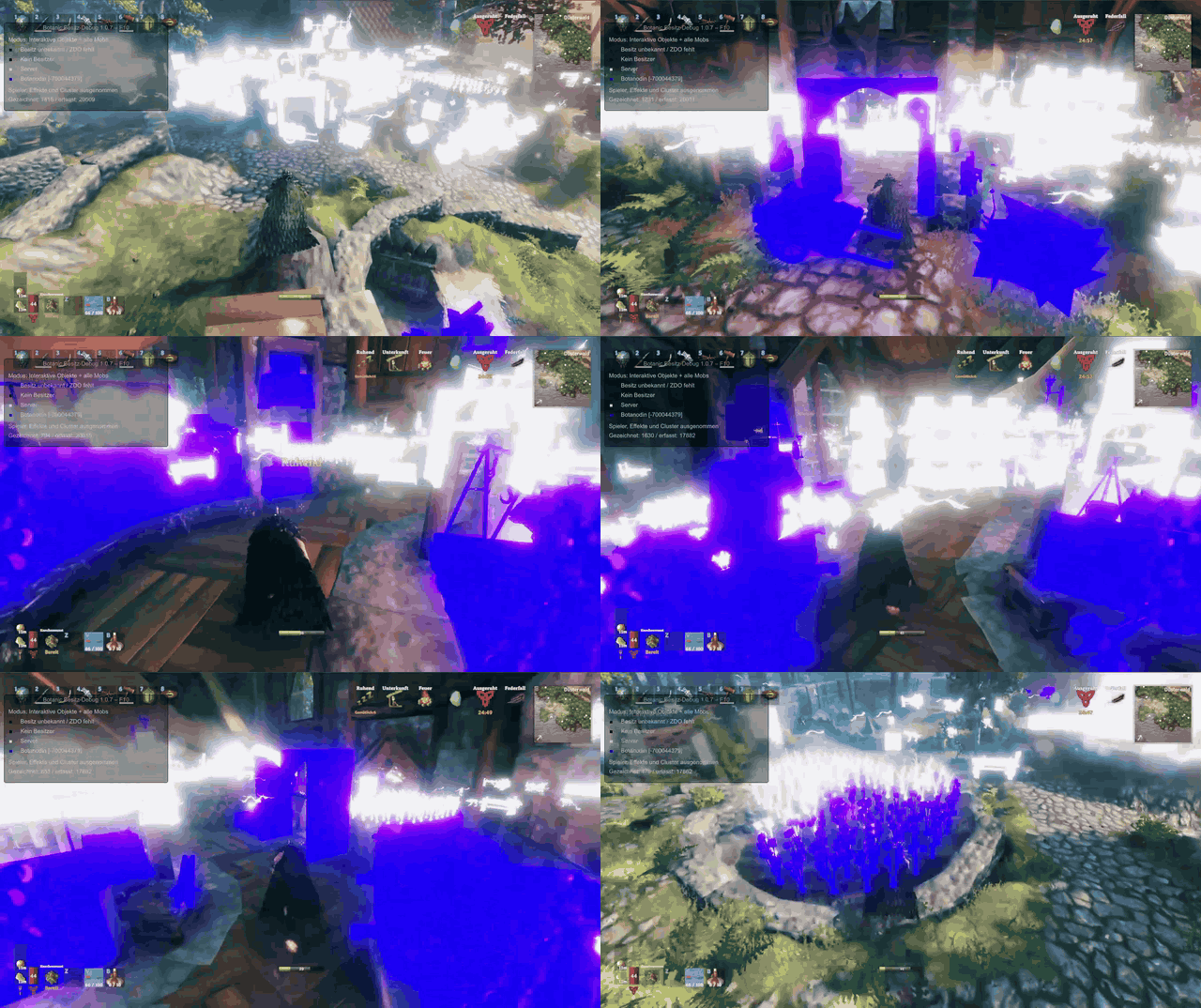
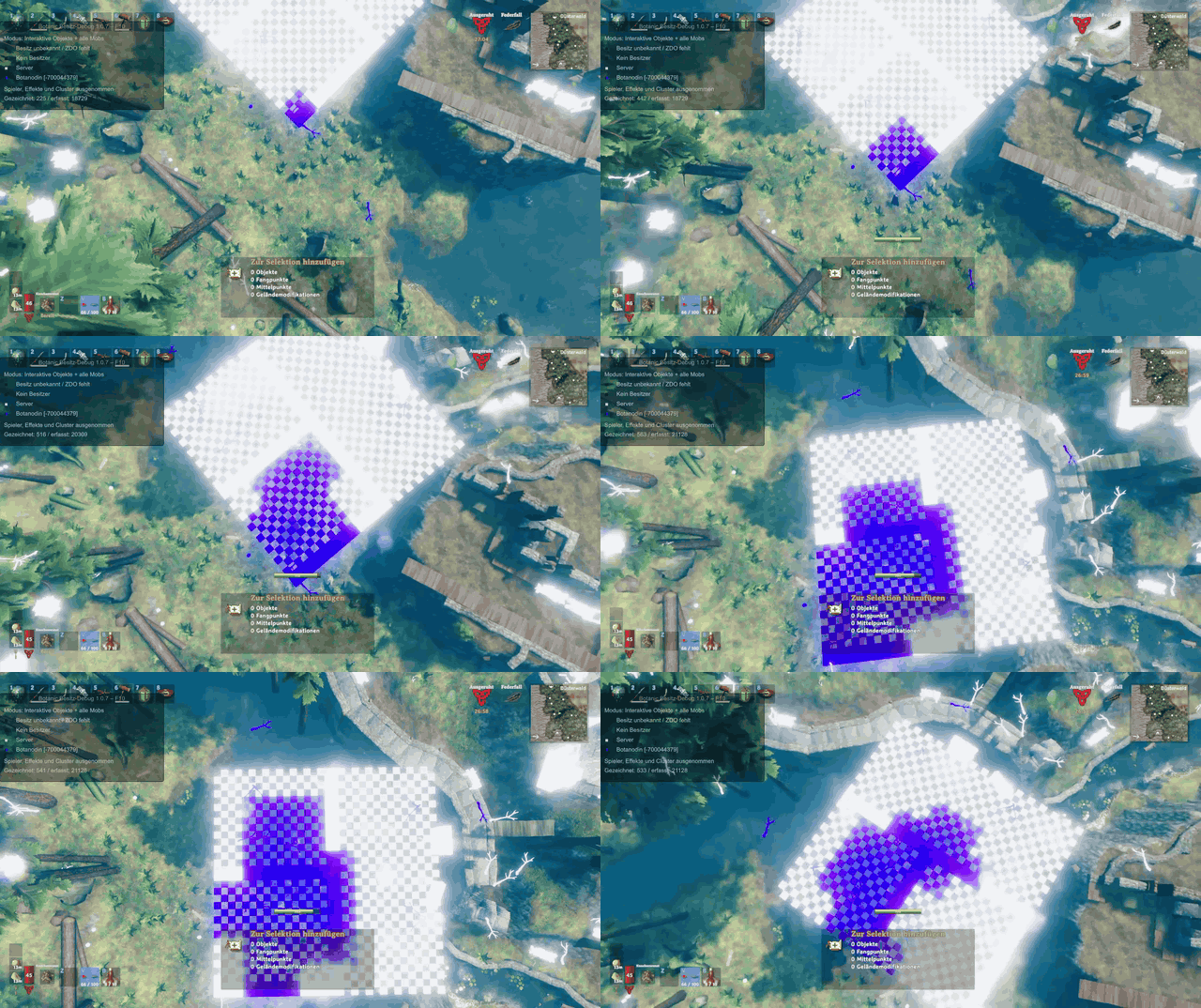
- White: server.
- Purple, green, blue, yellow: the first four assigned players, in random order without repetition.
- Additional colours: later player assignments; twelve distinct colours are available before reuse.
- Dark grey: unowned. Blue-grey: unknown owner.
Player assignments remain fixed for the connection and may differ between clients or after reconnecting. The legend shows the current assignments and refreshes every second. Colours describe the current network owner, not the player who built an object.
Optional TooManyLags mob test
When TooManyLags is installed, the menu also offers TML mob debug. This mode requires a compatible TML development build exposing phase diagnostics and its ai_test command. Normal ownership colours work without it. An older version without diagnostics shows the switch disabled.
While enabled, this mode overrides category switches and colours only the mob selected by ai_test:
| Phase | Colour |
|---|---|
| Old owner preparing the handoff | Its usual assigned owner colour. |
| New owner / ordinary post-handoff presentation | Its usual assigned owner colour; server is white. |
| Stretched fake playback, including endpoint waits | Red |
| Final smoothing | Orange |
The radius still applies. Turning this mode off restores your category selection. Red and orange are excluded from the first four player assignments. No additional network messages or simulation steps are created.
Configuration and upgrades
Use the F10 menu for live changes. Settings are saved in BepInEx/config/botanic.owner.debug.cfg.
| Setting | Default / purpose |
|---|---|
ToggleKey |
F10; opens or closes settings. |
Categories |
Six independent switches, all off initially. |
MaximumDistance |
200 metres; adjustable from 10 to 1000. |
ShowLegend |
On. |
ColourStrength |
1. |
ColourSeed |
1337; mixed into the connection-local player-colour shuffle. Changing it resets assignments. |
TmlMobTestPhases |
Off; requires compatible TooManyLags diagnostics. |
EnableLogs |
Off; logs optional overlay errors. |
Upgrading from 1.0.11: F10 now opens settings instead of cycling display modes. The old ShowOwnerColours, InteractiveObjectsOnly and MobsOnly settings are no longer used. Select categories in the new menu; no config deletion is needed.
The mod changes local rendering only, leaving ownership, gameplay and colliders unchanged. Original material assets are preserved. Colouring adds rendering work; turn it off when finished inspecting. No server installation is needed.
Ownership in action
These earlier recordings show the ownership overlay alongside TooManyLags. White objects belong to the server; purple objects belong to the player in these examples. The recordings predate the F10 settings menu.
Ownership from above
Ownership while moving