

TooManyLags FGN Addon
Less ownership lag, lower grid traffic, safer object transfers and a native enemy simulation bridge. FiresGhettoNetworking addon for dedicated servers. Install on server and all clients.TooManyLags - FiresGhettoNetworking Addon
Built to avoid almost all connection-related lag. TooManyLags is a multiplayer optimisation addon that brings nearby interactions to your own client and gives Hostile Mobs smarter ownership. Go beyond Server-Side Simulation: install, play, and never look back.
New in 2.0
Rebuilt ownership handling with less grid traffic, safer object transfers and a native simulation bridge for enemy handoffs. During a transfer, the old owner records continued native simulation and shows it at reduced speed while waiting for matching movement from the new owner. Nearby compatible observers can share that recording. Hitboxes, nameplates and attached effects follow the displayed enemy; predicted attacks are visual only and player hits still reach the current owner.
2.0 also carries movement and animation state through ownership changes, including server-to-player transfers. It preserves locomotion and joins matching attacks at their current phase, while staged setup reduces one-time work at the first handoff. A finite recording reserve covers some unexpected delay; updates that arrive too late can still require slowing or waiting.
PhysicsObjects covers movable props and destructible sources such as trees and logs. Update the dedicated server and all clients together. The simulation bridge is enabled by default through EnableMobHandoffVisualBridge; set it to false on the server and restart to use native presentation. The standard release includes the bridge but omits development test commands and routine bridge diagnostics. See CHANGELOG.md for the complete 2.0 overview.
Choose your version
| Your setup | Recommended edition and mode |
|---|---|
| Dedicated server, strong CPU | This addon with Server-Side Simulation (default). Most-tested mode. |
| Dedicated server, weak CPU, with FiresGhettoNetworking | This addon with NoServerSideSimulation=true. |
| Dedicated server, weak CPU, without FiresGhettoNetworking | TooManyLags - Standalone. |
| Locally hosted multiplayer | TooManyLags - Standalone. |
Quick install
- Install BepInEx, FiresGhettoNetworking and the same TooManyLags version on the dedicated server and every client. For manual installation, put
TooManyLags.dllinBepInEx/plugins/TooManyLags/. - Start the server and play. TooManyLags automatically applies the required FiresGhettoNetworking session settings. Both mods' defaults, with FiresGhettoNetworking Auto-Tune, are the recommended starting point; fine-tuning remains available.
Server-Side Simulation is enabled by default and increases server CPU usage. For a weak server CPU, use the mode recommended above.
ValheimCommunityPatch compatibility is built in. With the default automatic Server-Side Simulation setup, TooManyLags coordinates conflicting loading optimisations on the dedicated server so both mods can run together. The unload crash guard keeps its setting; client-side CommunityPatch optimisations are unchanged. Requirements and supported interfaces are explained in the Wiki.
Optional PUP FPS support is built in. With PUP FPS installed, TooManyLags includes BotanicPupPatch's collision and building-stability guards. Set EnablePupCompatibility=false locally and restart to disable them (default true). Missing dependencies or a separate BotanicPupPatch automatically disable the embedded module, with no guard hooks or runtime work.
See it in action
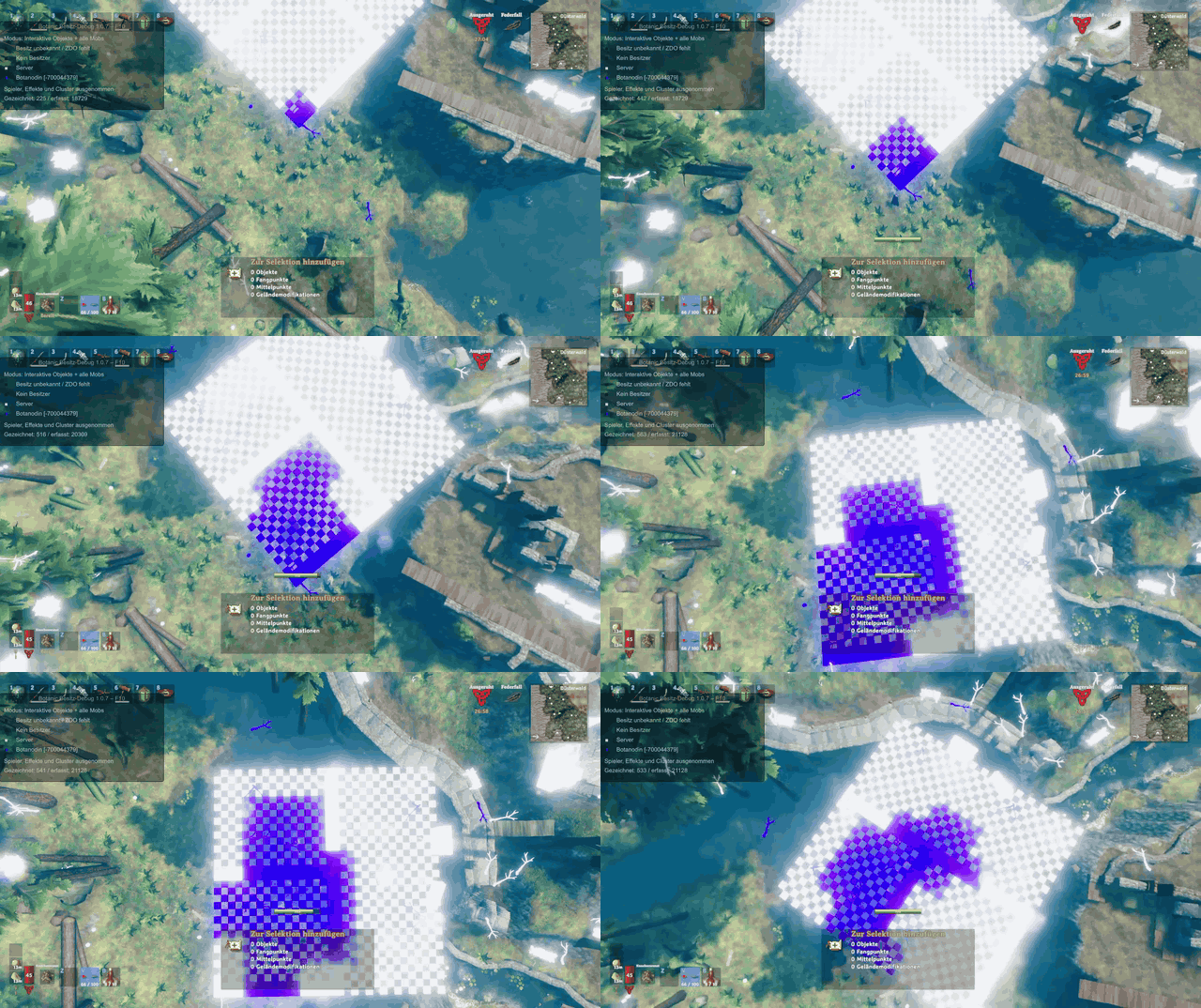
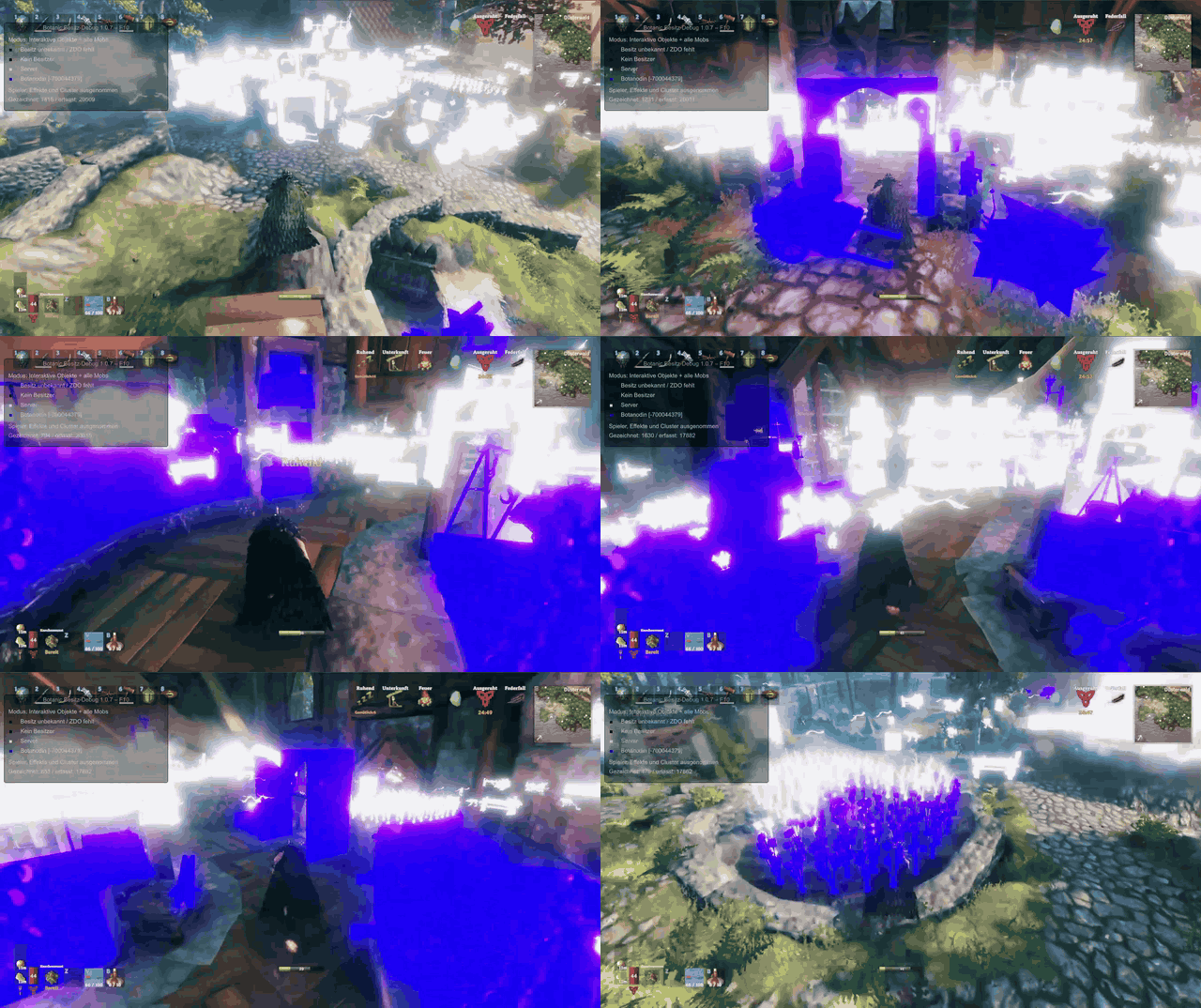
White objects belong to the server; purple objects belong to the player in these recordings. Colours are shown with the optional BotanicOwnerDebug tool.
Ownership from above
Ownership while moving
Example settings
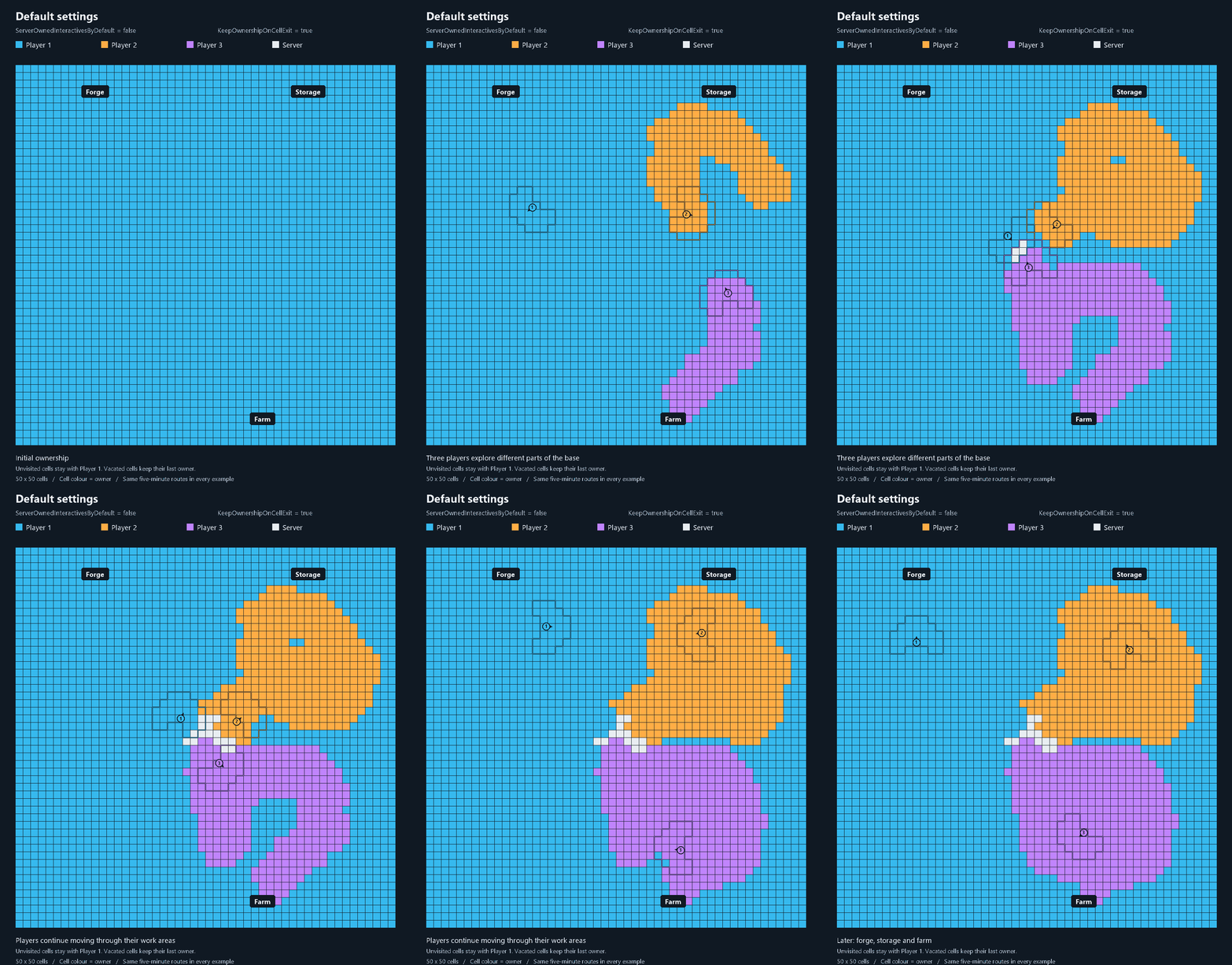
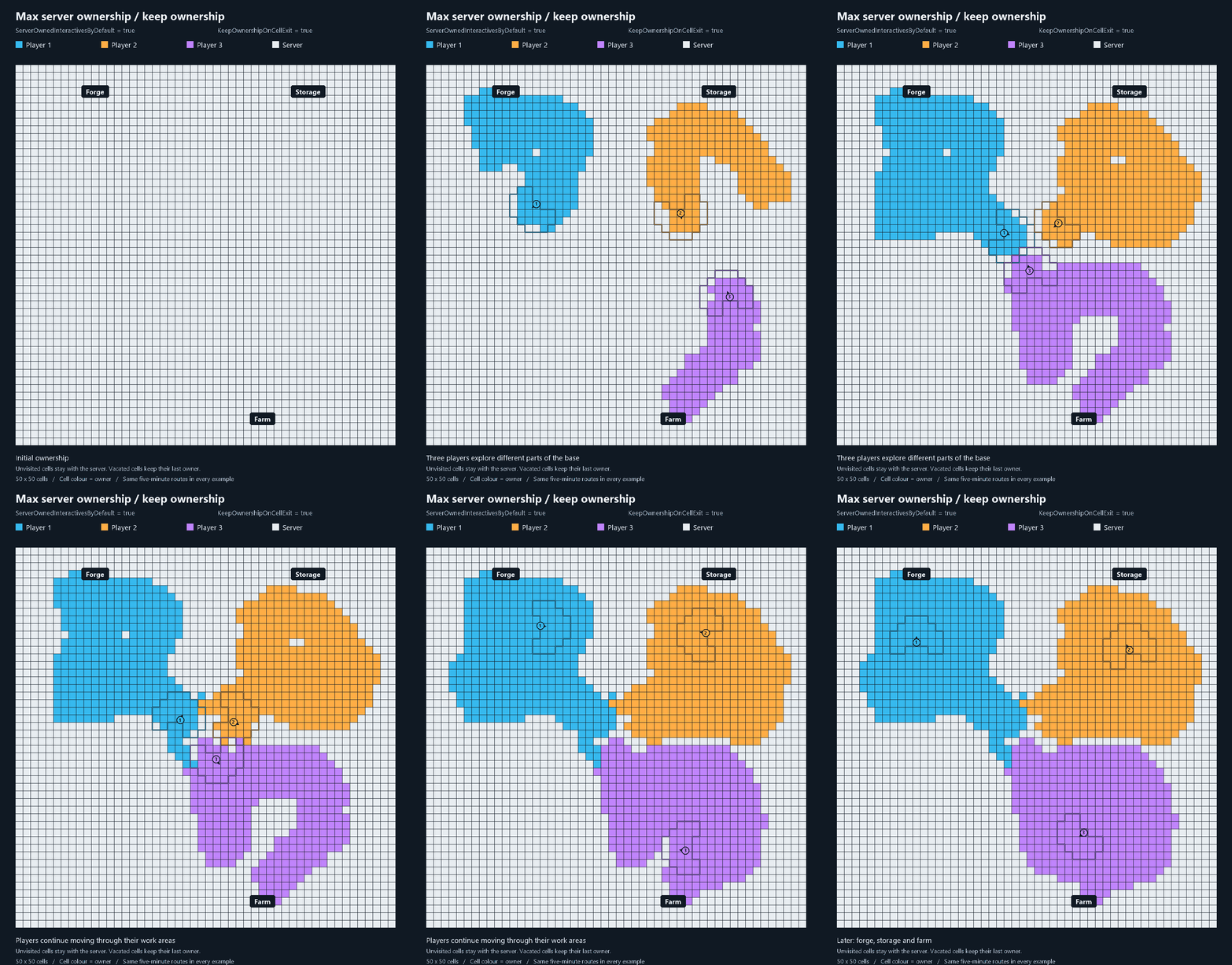
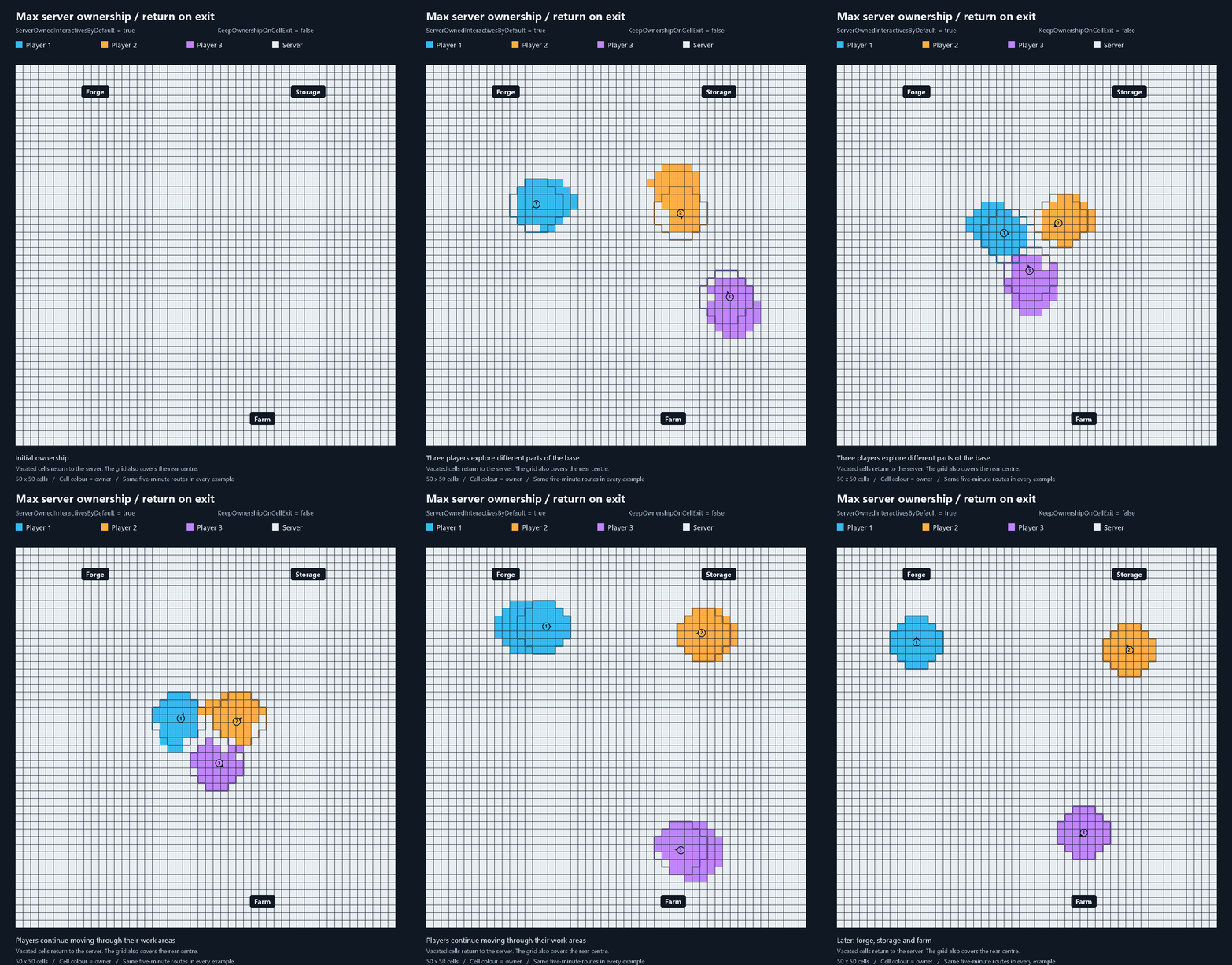
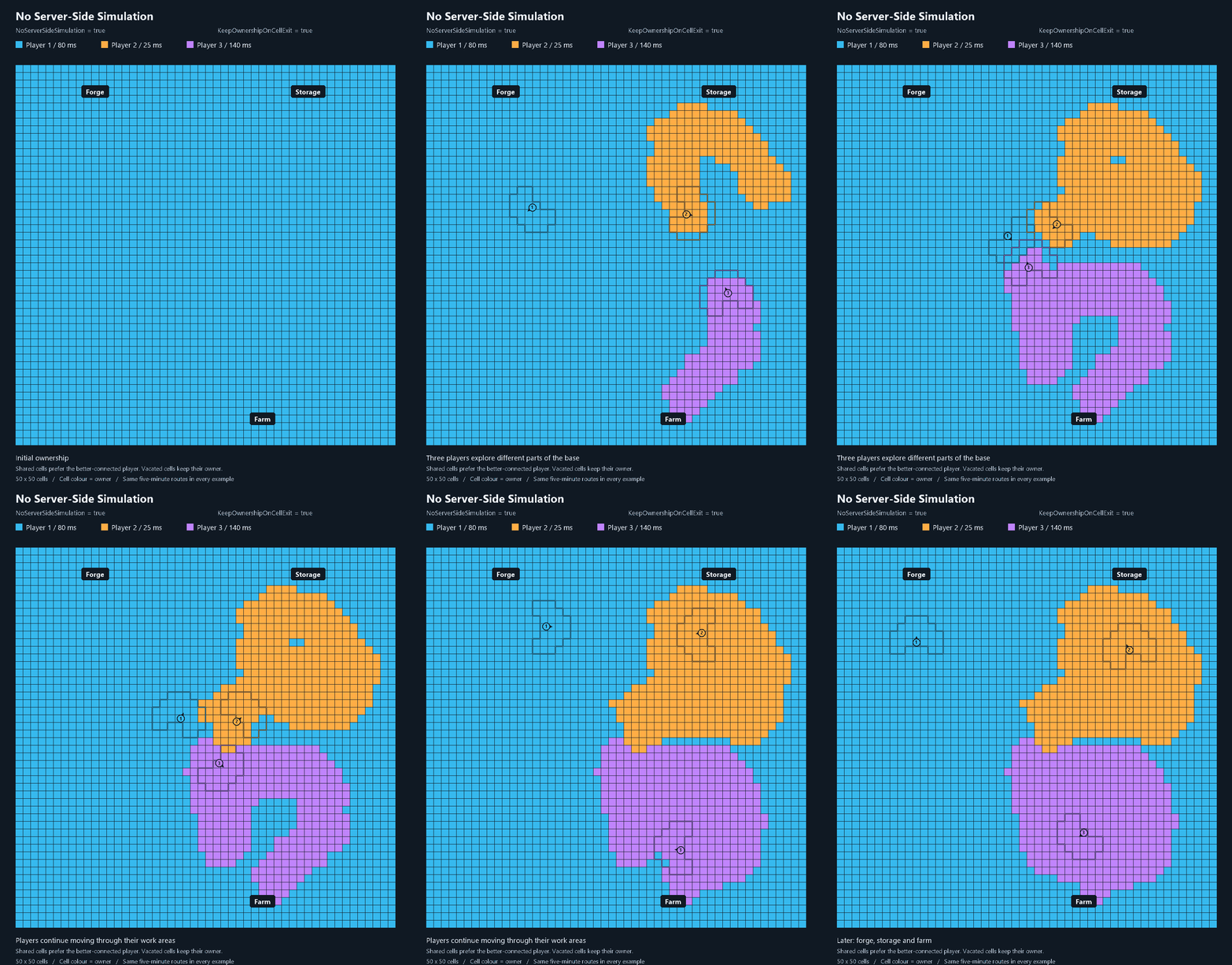
The same three players explore a base in four modes. Cell colours show ownership; white means the server. CPU notes refer to simulation. Click a preview for the full-size animation. Settings are explained in the Wiki.
| Default settings — CPU: mostly clients | Max server ownership: keep — CPU: shared |
|---|---|
 |
 |
| Max server ownership: return — CPU: mostly server | No Server-Side Simulation — CPU: clients |
 |
 |
Configuration
Defaults should work well. Find configuration, admin commands and compatibility details in the Thunderstore Wiki. Gameplay settings are configured on the server.
AutoConfigureFiresGhettoNetworking=true provides automatic quick-start setup. Set false on the server only if you will configure the required FiresGhettoNetworking settings on server and clients yourself; TML ownership patches and safeguards remain active. Restart required.
How it works and what to expect
With the default Server-Side Simulation mode, nearby objects run locally before you interact with them. Shared fields use the server, and Hostile Mobs normally follow their player target's ownership.
Outside the two cases below, the goal is to eliminate all connection-related lag from supported interactions, making multiplayer feel like single-player.
Your own very poor connection can still be felt in these situations:
- Close to other players: overlapping fields run on the server, so interactions can reflect your own latency.
- Fighting the same mob together: when it targets someone else, its simulation runs elsewhere and your connection can delay what you see. If an ordinary Hostile Mob targets you, it normally runs locally; above the configured ping limit (200 ms by default), another eligible player within 6 metres of the mob triggers server fallback once the source-state and active-use safeguards allow it. Both values are configurable. Bosses have separate shared-combat rules in the Wiki.
With a very poor connection, give other players space when fighting the same enemy.
Report bugs and ideas
Real-world testing is still limited. Please share bugs and ideas through GitHub Issues.