
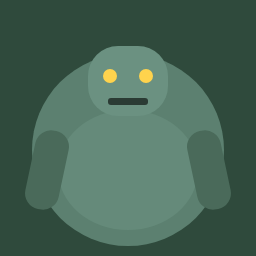
FatEnemies
Makes every enemy fat and slow. Pick any creature in the pause menu and tune belly, arms, legs, head, width and speed with sliders.Fat Enemies
A BepInEx mod for Valheim that makes every enemy look like it has been skipping leg day, and meals.
Greydwarves, Trolls, boars, bosses: anything that isn't a player gets a big round belly, wider arms and a comically small head. Fat creatures also move and animate slower, so they waddle.
Features
- In-game panel. Open the pause menu and click Fat Enemies (bottom-left). Pick any creature from the list and drag sliders for its belly, arms, legs, head, width, height, move speed and animation speed. Changes show up on living enemies immediately.
- Per-creature settings. Make Trolls enormous and Greylings only slightly chubby. Creatures with their own settings are marked with a star in the list. "All enemies" edits the default for everything else.
- Round, not just big. The spine bone is inflated while the head is scaled back, so enemies look like they gained weight instead of simply growing.
- Slower. Movement and animation speed are both reduced (this also slows attack wind-ups, so you get more time to dodge).
- Remembers your settings. Saved automatically; you can also edit the config files by hand.
Install
Install with r2modman or the Thunderstore app. It pulls in BepInExPack_Valheim for you. Then launch Valheim, press Esc and click Fat Enemies in the bottom-left corner.
Using the panel
- Press Esc to open the pause menu and click Fat Enemies (bottom-left).
- Choose All enemies (default) or a specific creature in the list. Use the search box to filter, and Refresh list after loading a world.
- Drag the sliders. Enemies that are already spawned update live.
- Click Reset to default to drop a creature's custom settings. Click Save, or just close the panel, to persist your changes.
The panel is on the left side of the screen so it stays clear of the pause menu's buttons. If the pause-menu button doesn't appear on your game version, the log says so and F8 opens the panel instead.
Configuration files
Edit with the game closed.
BepInEx/config/com.example.fatenemies.cfgholds the master switch and the defaults for all enemies.BepInEx/config/com.example.fatenemies.creatures.txtholds per-creature settings written by the panel (name|belly|arms|legs|head|width|height|speed|anim).
| Section | Setting | Default | What it does |
|---|---|---|---|
| General | Enabled |
true |
Turns the mod on or off. |
| General | AffectTamed |
false |
Also change tamed creatures. |
| General | AffectBosses |
true |
Also change bosses. |
| Default | BellySize |
2.2 |
Torso inflation. 1 is normal. |
| Default | ArmSize |
1.8 |
Arm thickness across the arm, not its length. |
| Default | LegSize |
1.8 |
Leg thickness across the leg, not its length. |
| Default | HeadSize |
1.0 |
Head size. |
| Default | BodyWidth |
1.4 |
Whole-body sideways and front-to-back stretch. |
| Default | BodyHeight |
0.9 |
Whole-body height multiplier. |
| Default | SpeedMultiplier |
0.6 |
Movement speed. 1 is vanilla. |
| Default | AnimationSpeedMultiplier |
0.6 |
Animation playback speed. 1 is vanilla. |
If you update from v1.x, delete the old .cfg so the new layout is generated.
How it works
Harmony patches Character.Awake to tag each non-player creature with a small component. Every frame (after the Animator runs) that component applies the creature's current profile:
- Scales the topmost "spine" bone (falling back to "hips" or "pelvis") by the belly value.
- Cancels that inflation on everything hanging off the torso, then re-applies your arm, leg and head sliders. Arms and legs are thickened across the bone only, so they get fat without getting longer.
- Applies the whole-body width and height, the movement speed and the animation speed.
Bones are found by name, so an unusual skeleton may not match. The log reports what was found for each creature type, for example Troll: belly bone 'Spine', 1 counter-scaled, or no spine/hips bone found, belly effect skipped if nothing matched.
Known limitations
BodyWidthalso widens hitboxes, so fat enemies are easier to hit (and may get stuck in doorways).- The effect is client-side. In multiplayer, everyone who wants to see it needs the mod.
- The look depends on each creature's skeleton and skin weighting, so some models will look better than others.
Source
https://github.com/bshayler/valheim-fat-enemies
Troubleshooting
Send BepInEx/LogOutput.log when reporting a problem. Look for the line Loading [Fat Enemies ...] to confirm the plugin loaded, and for lines starting with [Error or [Warning.
Disclaimer
Unofficial fan mod, not affiliated with Iron Gate or Coffee Stain. Valheim updates can change internal names and break the mod.