

MoonforgedEventManager
Host races with live scoreboards, saved event history, horns whit sounds and banners. Track server deaths on a carved memorial stone.Moonforged Event Manager
Bring races and community competitions to your Valheim server with Viking-style gates, banners, horns, runes and live scoreboards. Keep past results on the event board, and remember your fallen Vikings on a carved Death Note stone.
Use Event Manager, Death Note, or both. Each can be enabled separately in the configuration.
Video Tutorial
Watch the showcase and tutorial to see race setup, event controls, scoreboards and Death Note in action.
Watch the Moonforged Event Manager tutorial on YouTube
Event Grounds
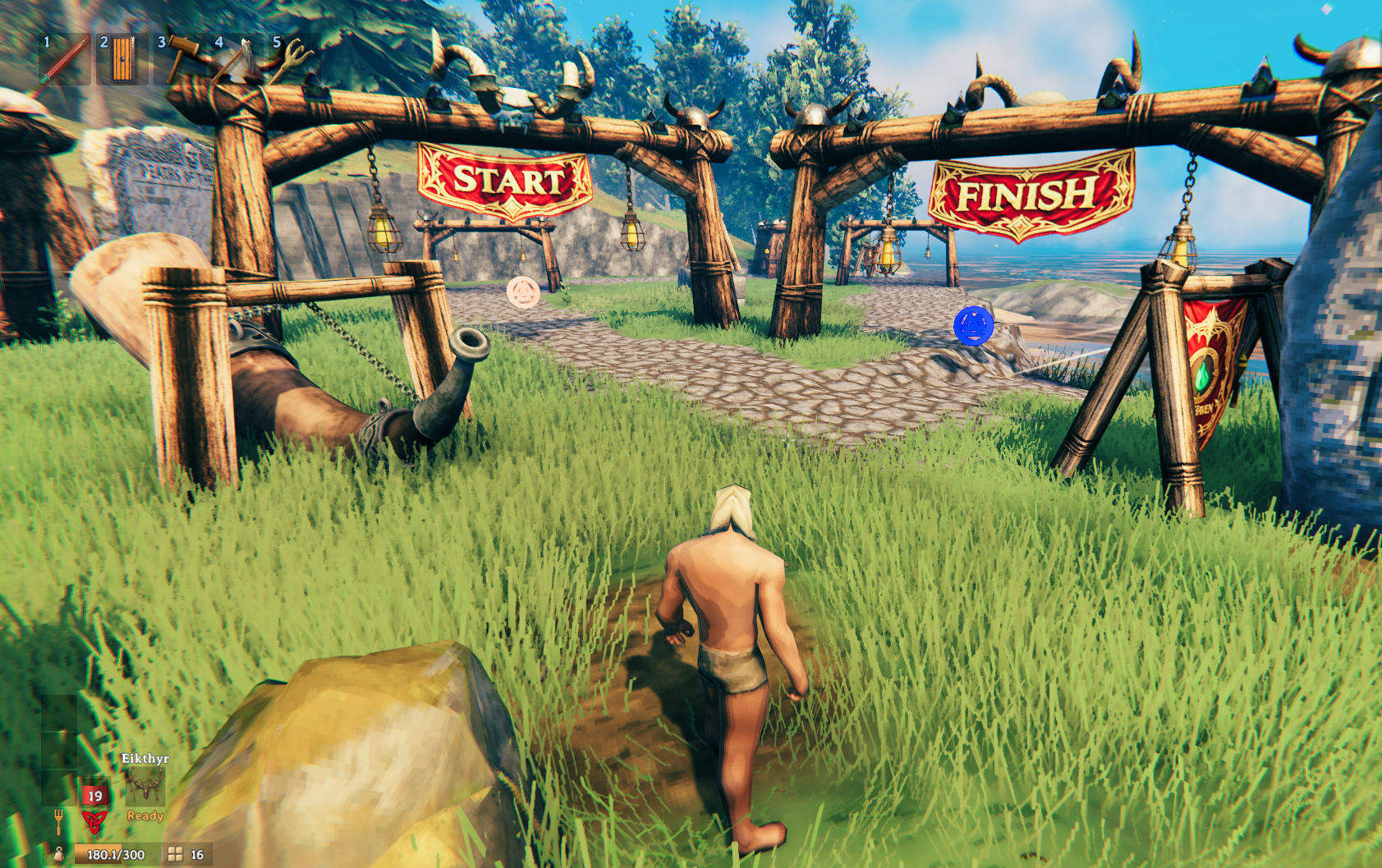
- Start and finish gates with lanterns that light up at night.
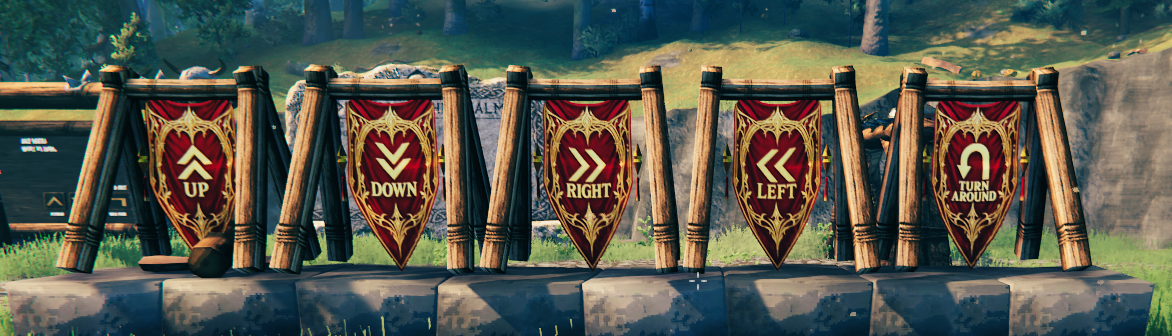
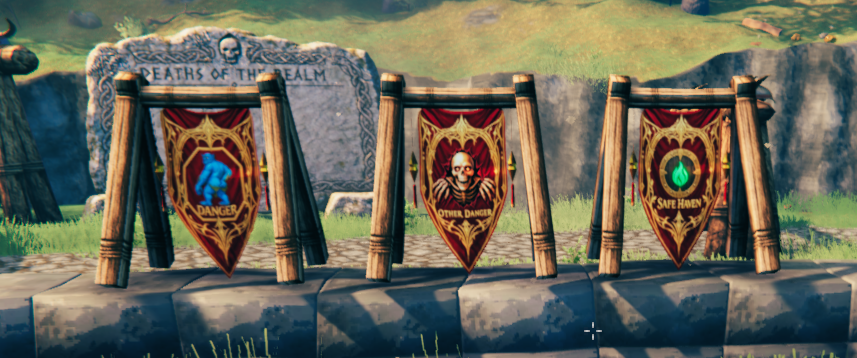
- Direction, danger, safe-haven and welcome banners.
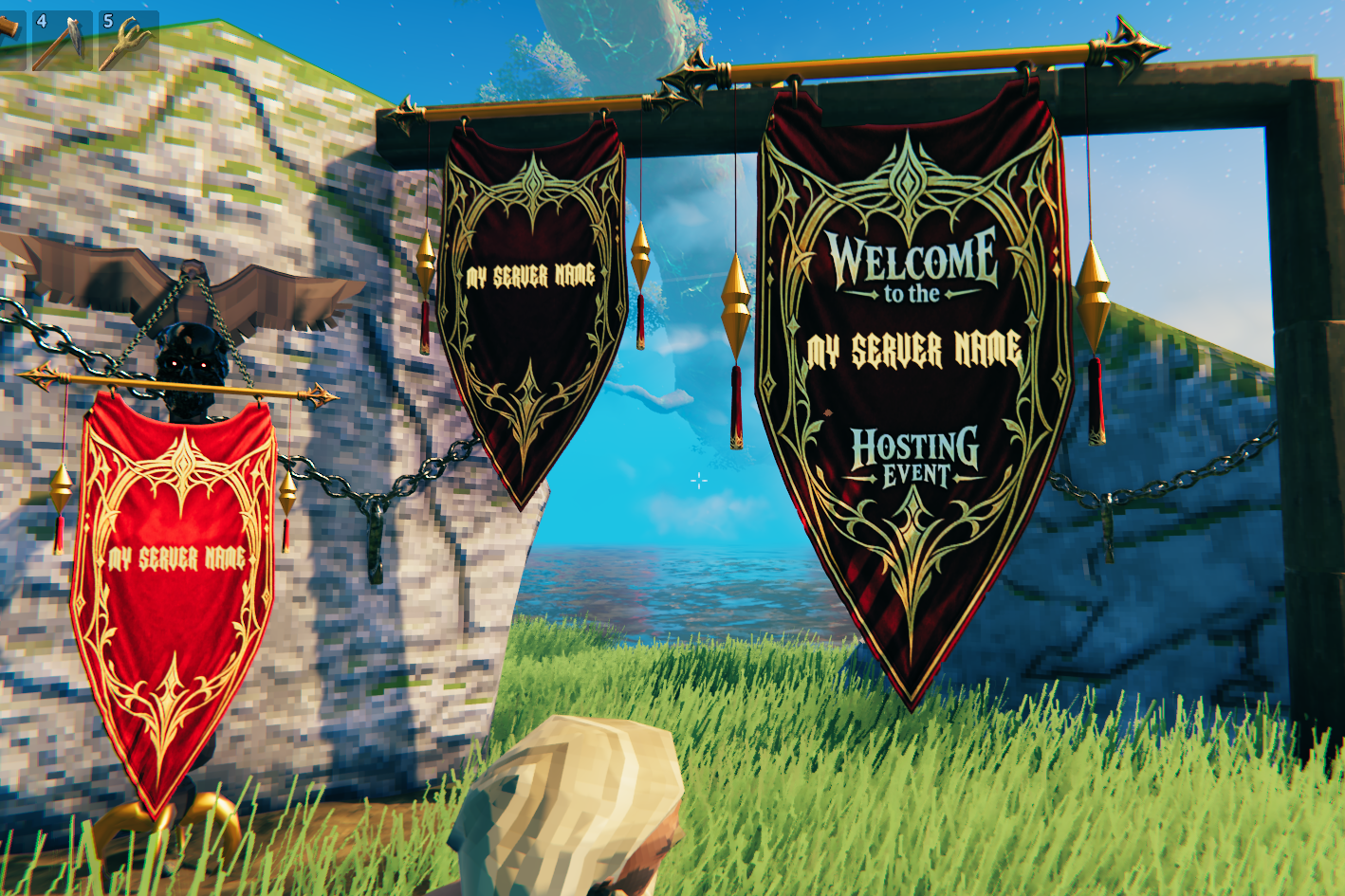
- Personalized banners for your server name.
- Registration and finish runes.
- An event horn with separate start and finish sound choices.
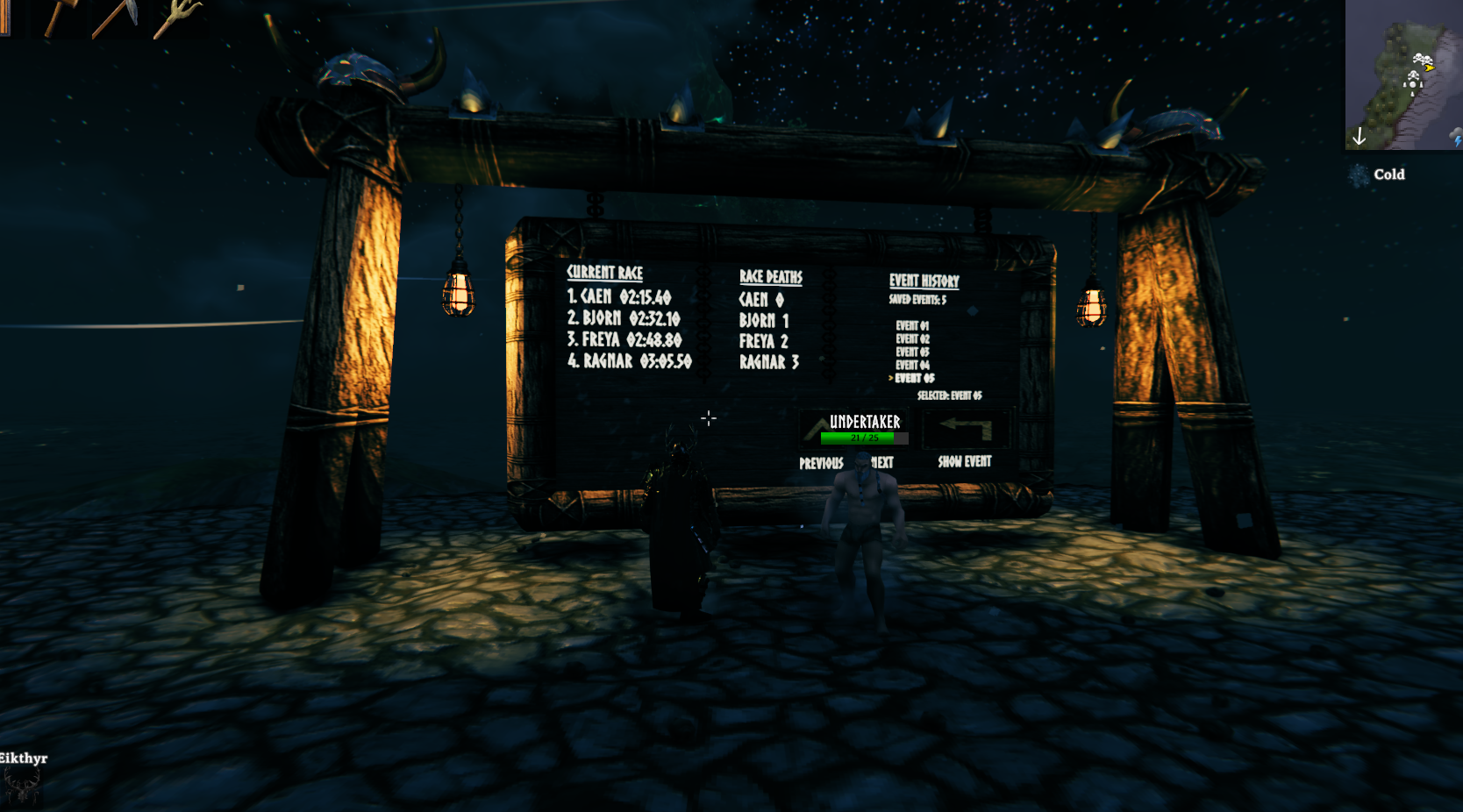
- A wooden event scoreboard with Current Race, Race Deaths and Event History columns.
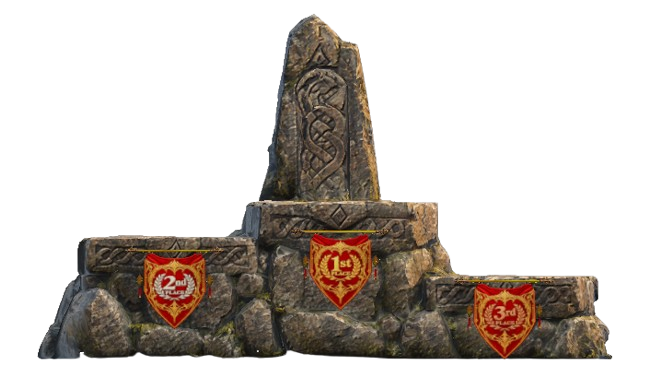
- A stone winner's stand for your event grounds.
Pieces appear in the Moonforged Event Manager Hammer category. Change General → CustomHammerTab to use another category name.
Start and Finish Gates
Mark your course entrance and finish line.
Direction Banners
Guide racers around the course with directional markers.
Danger and Safe-Haven Banners
Mark hazards and safe areas along the route.
Personalized Banners
Welcome players with your server name, set through the banner configuration.
Winner's Podium
Give your first-, second- and third-place racers a place to celebrate.
How to Run a Race
- Build a course with a Start Rune, Finish Rune, Event Horn and Event Scoreboard.
- Add the organizers' in-game character names to
AdminPlayerNamesin the configuration. Separate multiple names with commas. - Players use the Start Rune to register.
- A configured race admin uses the horn to start the event. The horn finishes playing before the countdown begins. Wait for GO! before racing.
- Each racer uses the Finish Rune to record their finish time.
- When the last registered racer finishes, the event ends automatically. Everyone receives EVENT FINISHED, and the selected finish horn plays regardless of distance. Rankings stay on the board.
- A configured race admin uses the Start Rune to reset and reopen registration for the next race.
Example race-admin setting:
AdminPlayerNames = Caenos,AnotherCharacter
Race organizers do not need Valheim server-admin status to run races when their character names are configured. Changing protected server settings and using the data-clearing buttons requires server-admin access.
Cancel an Interrupted Race
A configured race admin can Shift + Use the Start Rune twice within five seconds to cancel and reset the current event. This stops the horn/countdown and reopens registration. Saved event history and world death totals are preserved.
Browse Event History
Completed events are saved per world. The history column shows the number of saved events and a selectable event list.
- Previous / Next: move the selection.
- Show Event: display the selected event's results.
- Either arrow while viewing results: return to event selection.
Only configured race admins can change the selection. The displayed selection and results are shared with players on the server.
Death Note — Deaths of the Realm
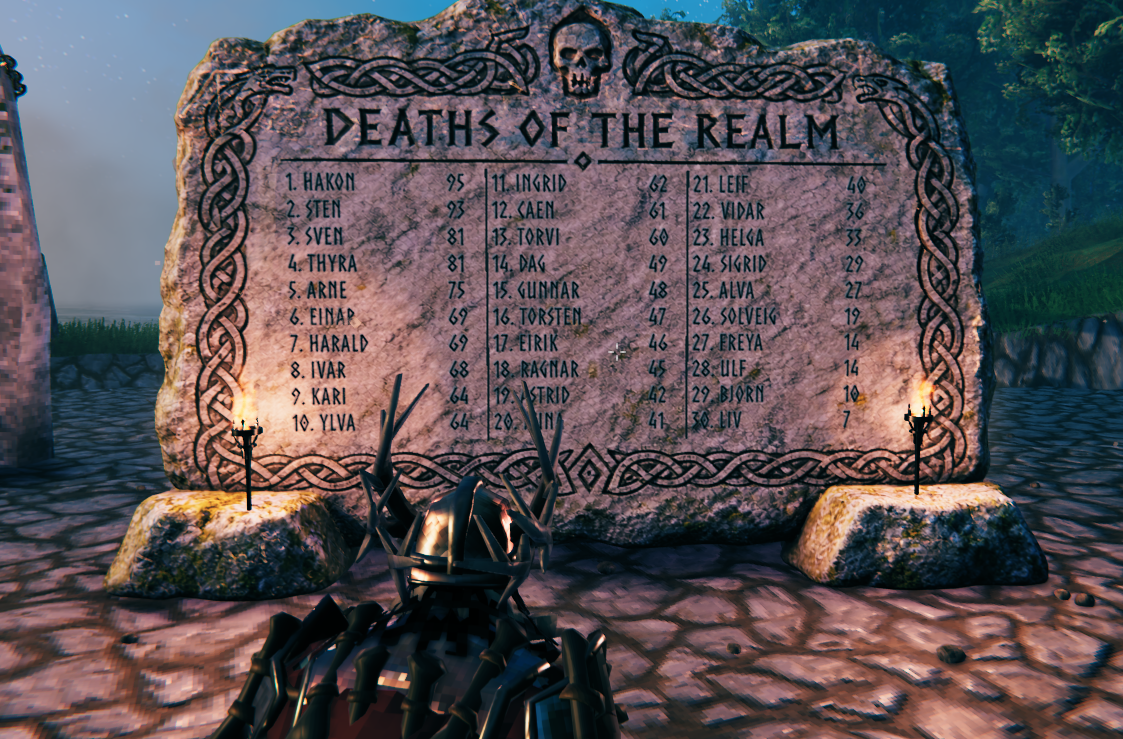
A carved memorial stone displays player names and world death counts in three columns, with up to 30 players per page. Longer names shrink to fit their space, while death counts have their own reserved area. Additional pages rotate automatically.
- A player's name is added on their first recorded death.
- World totals persist between sessions and are sent to joining players.
- Deaths can show a top-screen announcement with the player name, cause and total. Creature names are included when the attacker can be identified.
- On the first recorded death, the stone plays an Obliterator-style visual lightning effect without damage. The player's name glows blue before returning to the carved appearance.
- Registered racers can also have their deaths counted for the current race.
Counting begins when the feature is enabled; the mod does not reconstruct earlier deaths. Disabling Death Note preserves its saved totals. Race-only death counts remain part of Event Manager.
Configuration
Launch the mod once to create:
BepInEx/config/Caenos.MoonforgedEventManager.cfg
Use an in-game Configuration Manager or edit the file while the game/server is stopped.
General
- EventManagerEnabled: enable events and their Hammer pieces. Switching it off cancels the current race and preserves saved history.
- DeathNoteEnabled: enable world death tracking, its board, announcements and sound.
- CustomHammerTab: choose the Hammer category name.
Disabled features hide their pieces from the Hammer. Already-built objects are not deleted.
Server admins also have two buttons beside the feature toggles:
- Delete Events: clears the current race, saved event history and saved race results.
- Clear Death Names: clears all world death names and totals. A player's next recorded death becomes their first again.
Click a clearing button a second time within five seconds to confirm. The server backs up existing saved files before clearing and sends the reset to players. These controls also work when the corresponding feature is disabled.
Sounds and Announcements
- Choose the start and finish horn sounds independently: Viking War Horn 1, 2 or 3, or Fart Echo.
- Default start sound: Viking War Horn 1.
- Default finish sound: Viking War Horn 3.
- Horn volume defaults to 100%. Local preview buttons let you listen without starting a race.
- Death Note volume defaults to 250%, with a 2-second delay and one playback per death.
- Death announcements last 7 seconds; first-death blue names last 15 seconds.
Existing configuration files retain their saved values when updating.
Layout Previews
PreviewEventBoard and PreviewDeathBoard show sample players locally for checking the layouts. They do not change real saved data. Keep both off during normal play so you see the server's real lists.
Multiplayer and Installation
Install the same mod version and its dependencies on the dedicated server and every participating player's client.
Required dependencies:
Install through a mod manager, or place MoonforgedEventManager.dll inside:
BepInEx/plugins/MoonforgedEventManager/
The asset bundle is included in the DLL. Server-controlled settings synchronize through Jötunn; race state, selected history results and death totals use the mod's built-in networking. A separate ServerSync mod is not required.
Saved world data lives in BepInEx/config/:
MoonforgedEventHistory_<worldID>.json— completed events.MoonforgedDeaths_<worldID>.json— world death totals.MoonforgedTriathlonResults.json— latest race results, unless another filename is configured.
Back up these files when moving a world or server.
Credits and Support
Created by Caenos.
Special Thanks
- Marsarah — mentoring, guidance, testing, advice and friendship.
- TheUndertaker — my brother from another mother :) Testing, ideas and support.