

Carturs Character Select
New character select: your five latest characters gather round the menu campfire on logs by a cooking cauldron, every character is in one menu on the right, and hovering makes them stand and emote. Matches Cartur's UI or RuneUI.Cartur's Character Select
A new character-select screen for Valheim. Your five most recently played characters gather round the menu campfire, with a cauldron cooking over the flames, and every character you have is in one menu on the right.
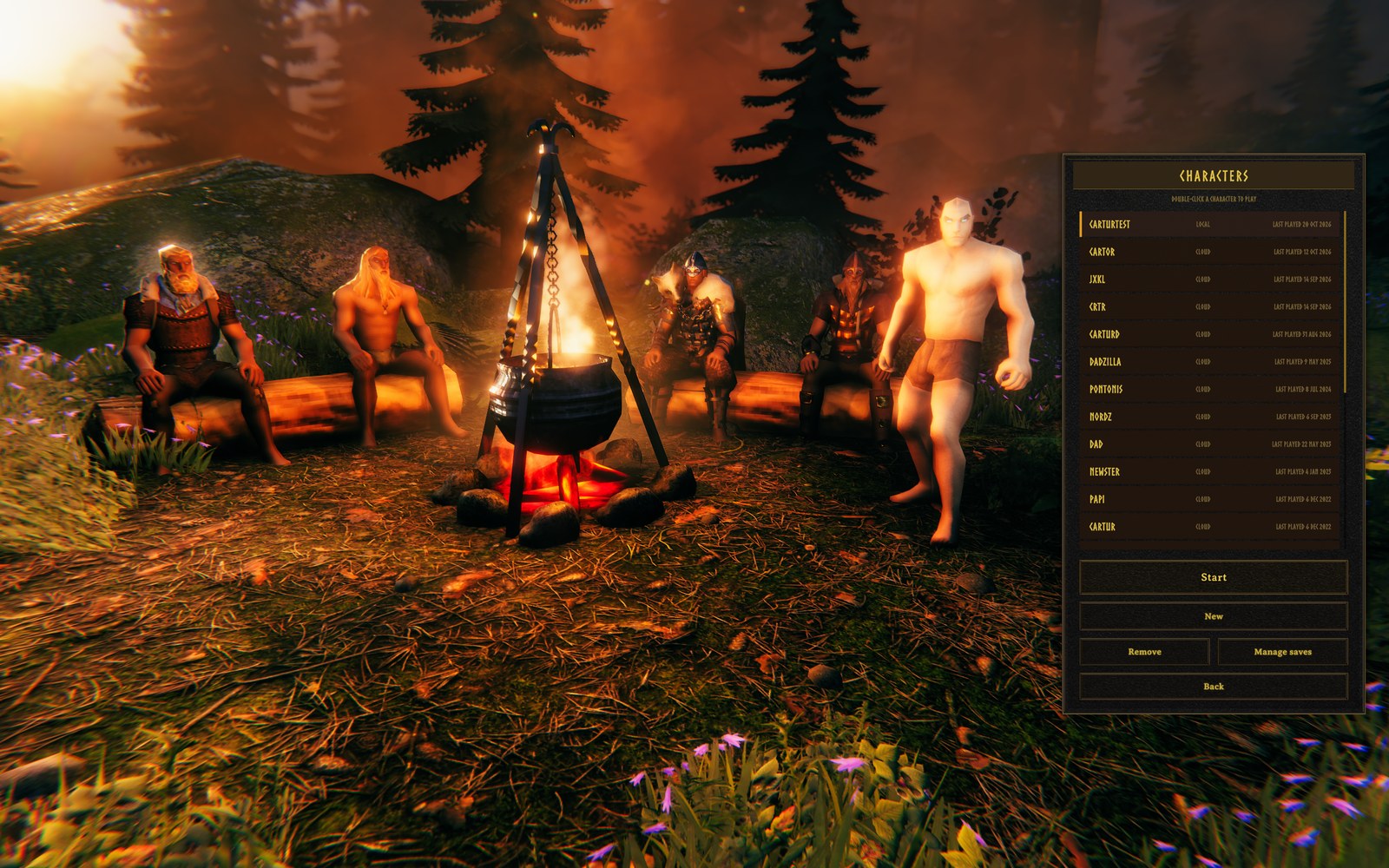 The screen with Cartur's UI: the four sit two to a log, the most recently played stands, and the menu lists every character.
What it does
- One menu. A scrolling list of all your characters, newest first, one line each: name, local or cloud save, and when it was last played. Start, New, Remove, Manage saves and Back sit right under the list in the same panel. The old bottom bar and arrows are gone.
- The last five at the fire. Your five most recently played characters, in their own gear. The newest stands; the other four sit two to a log on either side of the fire.
- A working cauldron. The game's own cauldron hangs from its tripod over the fire, with its water, bubbles, steam, boiling sound and firelight.
- Hover for an emote. Point at a character, or at its name in the list, and it stands up, turns to you and waves, flexes, cheers, bows, roars or headbangs, then sits back down. An emote that is still playing is never restarted or cut off by hovering again.
- Pick and play. Click a name or a character to select it; double-click either to start. The menu says so under its title.
- Gamepad. D-pad up/down moves through the list in its order; the game's own D-pad left/right and button prompts still work.
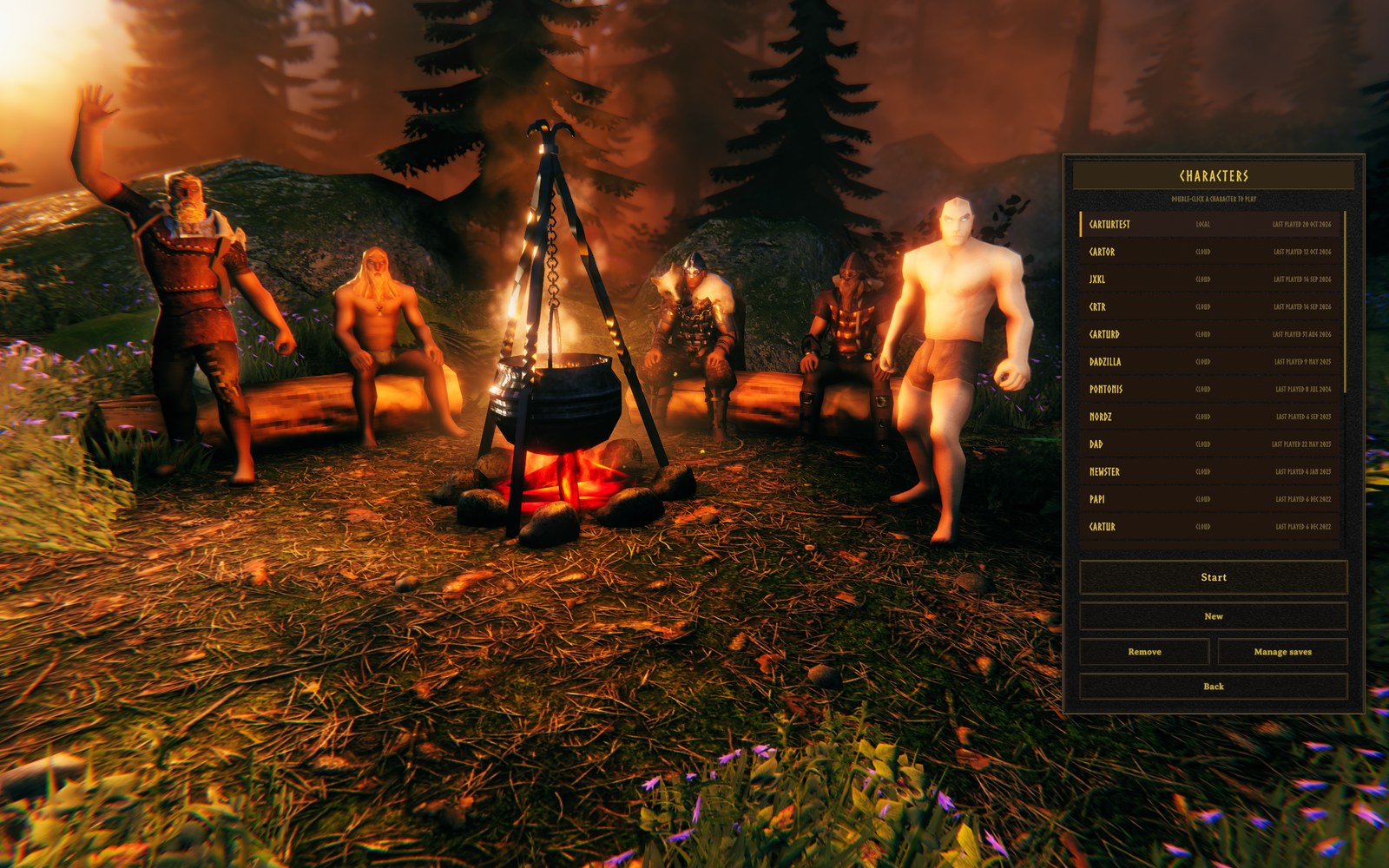 Hovered: the character on the left log has stood up in front of it and waves.
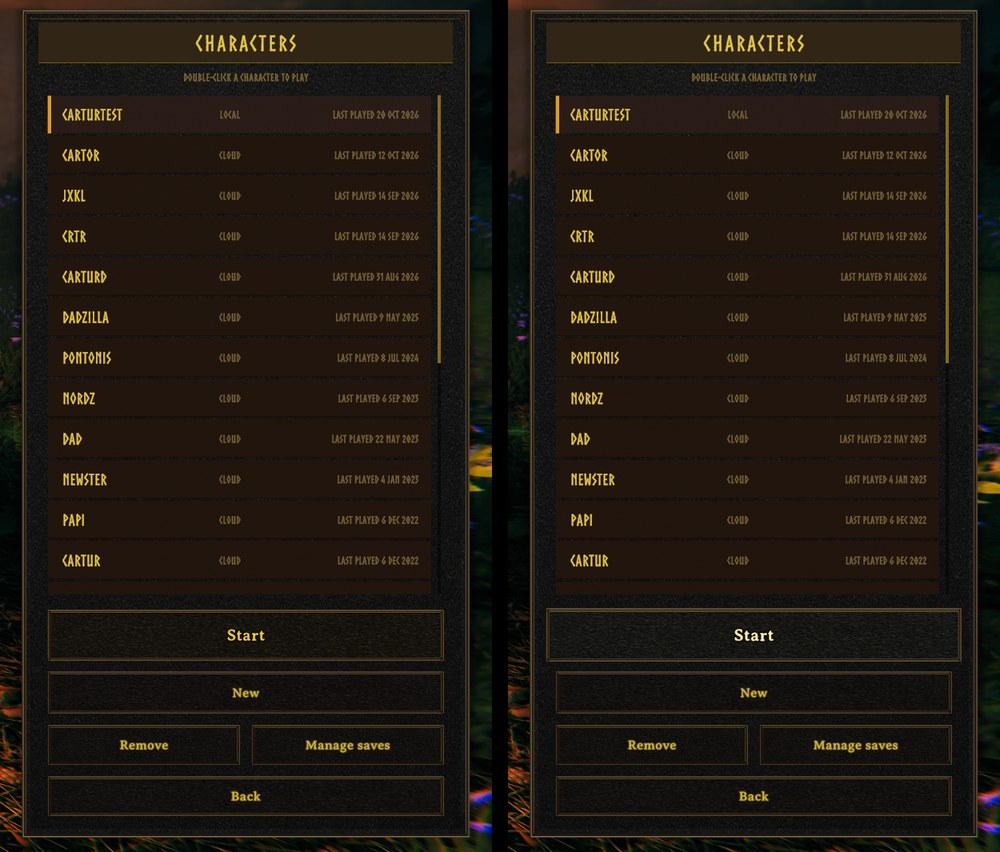 The menu at rest (left) and with Start under the mouse (right).
Two looks
The menu matches whichever Cartur UI you run:
- Cartur's UI: the bronze border and buttons of Cartur's UI.
- Cartur's RuneUI: RuneUI's flat dark style, its accent colour and font, and its wordmark in the corner. Accent changes in RuneUI's settings carry over.
- With neither, it uses the Cartur's UI look.
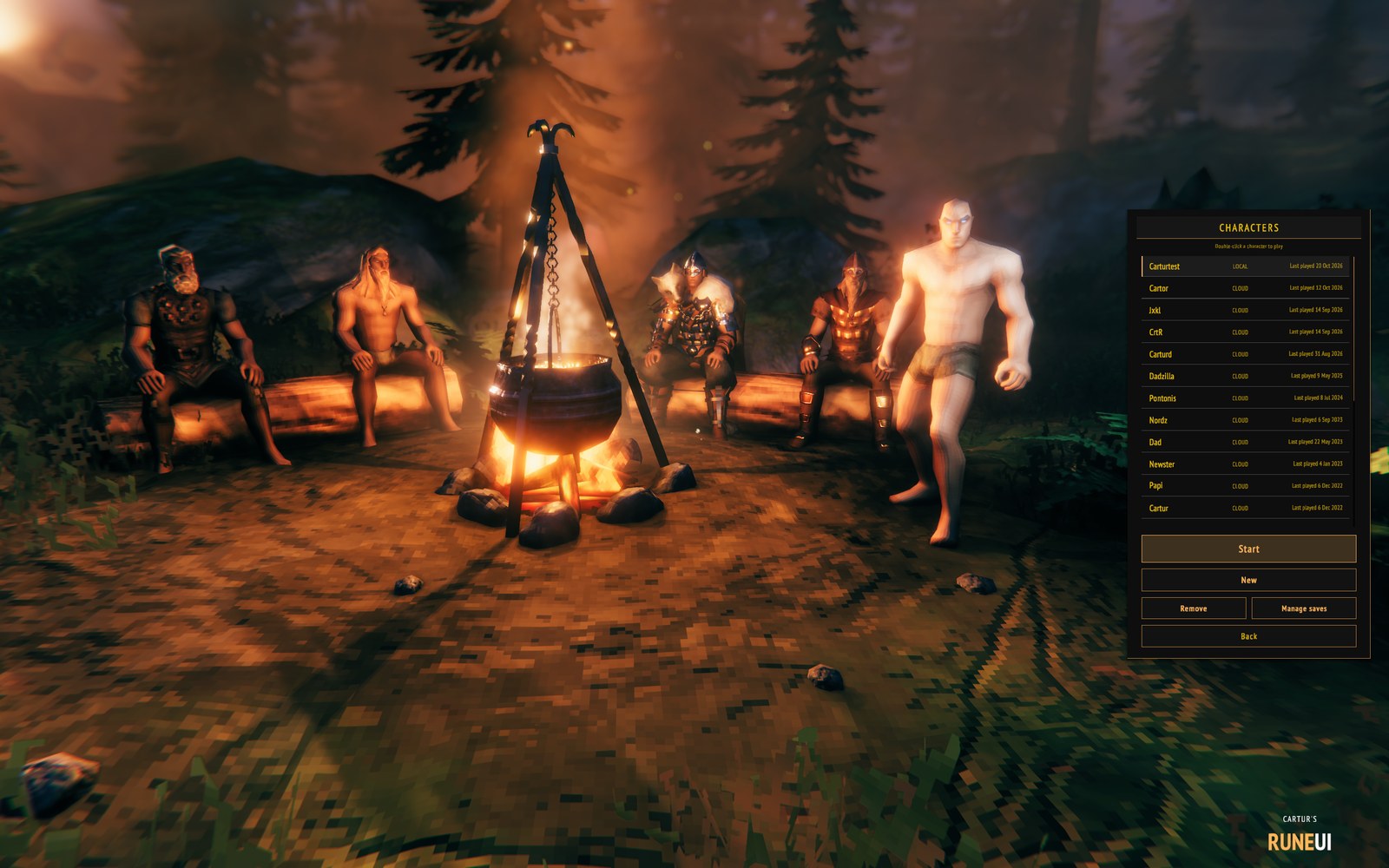 The RuneUI look. This shot was taken without HD texture mods, so the scene itself is plain Valheim.
Cartur's UI already includes this screen, from 1.1.7. Install this mod on its own if you want the new character select without it. If you have both, only one copy runs, so nothing is shown twice.
Compatibility
This replaces the character-select screen, so it will not work with other mods that change that screen (other character-select menus, or mods that move or restyle its buttons and character preview). Use one or the other.
Mods that read the game's own character preview (FejdStartup.GetPreviewPlayer) keep working: the
selected character at the fire is that preview.
To put the cauldron in the menu it switches on the game's full asset catalogue at start-up
(SoftReferenceableAssets.Runtime.MakeAllAssetsLoadable), the same call Jotunn makes.
The lineup size (five) and the positions round the fire are fixed; there are no settings.
Install
r2modman / Thunderstore Mod Manager, or unzip the Nexus download into your Valheim folder so that
BepInEx/plugins/CarturCharSelect/ holds the DLL and its Assets folder. Needs BepInEx 5.
Build
cd src
dotnet build
CharSelect.cs is shared source: Cartur's UI and Cartur's RuneUI compile the same file into their
own DLLs, and Core.Install decides which copy runs (this mod outranks a UI's copy).
Links
Cartur's Mods Discord for help, bug reports and requests.