

You are viewing a potentially older version of this package. View Latest Version
SplitScrollMod
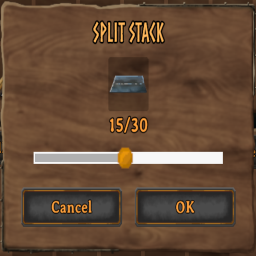
Scroll your mouse wheel to adjust the amount when splitting item stacks.Split Scroll Mod
Scroll your mouse wheel to adjust the amount when splitting item stacks — no more clicking and dragging the slider one item at a time.
Features
- Scroll up/down with the split-stack slider open to increase/decrease the amount by 1 per notch
- Works anywhere the vanilla split dialog appears
- Lightweight — no impact on performance or other systems
Installation
- Install BepInExPack Valheim if you haven't already (handled automatically if installing via a mod manager)
- Install this mod through r2modman, Thunderstore Mod Manager or manually drop the DLL into
BepInEx/plugins/
Usage
- Open your inventory
- Split a stack as normal (Shift+click)
- With the split dialog open, scroll your mouse wheel to adjust the amount
Compatibility
- Client-side only — does not affect server state or require other players to have it installed
- Should be compatible with other inventory/UI mods, since it only modifies the local split dialog's slider value
Source
using BepInEx;
using UnityEngine;

namespace SplitScrollMod
{
    [BepInPlugin("com.celticslayer.splitscroll", "Split Scroll Mod", "1.0.2")]
    public class Plugin : BaseUnityPlugin
    {
        private void Update()
        {
            if (InventoryGui.instance == null) return;

            var splitDialog = InventoryGui.instance.m_splitDialog;
            if (splitDialog == null || !splitDialog.IsActive) return;

            float scroll = Input.GetAxis("Mouse ScrollWheel");
            if (scroll > 0f)
                splitDialog.SliderValue += 1f;
            else if (scroll < 0f)
                splitDialog.SliderValue -= 1f;
        }
    }
}
Changelog
1.0.0
- Initial release
1.0.1
- Fixing Readme Markdown
1.0.2
- More formatting fixes


