

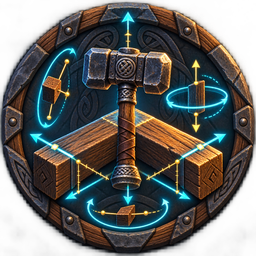
RunicPrecisionBuildTool
Explicit-mode 6DOF building with native-owner undo and bounded area repair, transform matching, and catalog helpers.Runic Precision Build Tool 2.0.1
Runic Precision Build Tool extends Valheim's hammer preview with exact six-degree-of-freedom control while preserving Valheim's normal placement validation and commit path.
The mod is independently installable. Its only runtime requirement is BepInExPack Valheim 5.4.2333; it has no Runic Core, Persistence, Transactions, Permissions, Inventory, or shared-library dependency.
Precision placement
Equip the Hammer, enter its build mode, select a build piece, and press P to enter precision mode for the current placement session. P is ignored everywhere else, including ordinary gameplay and other tools' placement modes. Press P again or leave Hammer placement to restore ordinary controls. When precision mode is off, the mod does not change the placement transform.
| Default control | Action |
|---|---|
| Wheel / Alt + Wheel | Yaw / pitch |
| Shift + Wheel or Alt + Shift + Wheel | Roll |
| Add V to a wheel chord | Fine rotation |
| Alt + Left/Right | Sway |
| Alt + Up/Down | Heave |
| Alt + PageUp/PageDown | Surge |
| Add V to a movement chord | Fine movement |
| Hold G | Piece-local axis guides |
| F10 | Reset the complete Runic transform |
Normal rotation is 22.5 degrees and fine rotation is 1 degree by default. Every yaw, pitch, and roll
increment uses the pending piece's current local Y, X, or Z axis. Thus Alt + Wheel pitches a yawed
beam around the beam's own X axis. Normal movement is 0.25 m and fine movement is 0.05 m.
Movement.ReferenceFrame=World keeps new movement steps on world axes; Local rotates each new
movement step by the pending piece orientation. Earlier movement never orbits when the piece rotates
later.
An untouched preview follows Valheim's candidate and surface orientation. An explicit Runic rotation or rotation match holds the resulting world rotation. Valheim's ordinary yaw input still composes from that held orientation.
Match, repeat, search, and readout
| Default control | Action |
|---|---|
| Keypad0 | Match exact rotation |
| Keypad1/2/3 | Match pitch/roll/yaw |
| Keypad4/5/6 | Match world X/Y/Z position |
| Keypad7 | Match complete position |
| Keypad8 | Match position and rotation |
| Keypad9 | Match the last current-generation completed snap side |
| KeypadPeriod | Repeat the last two-placement relative transform |
| Shift + Keypad1-Keypad6 | Reset one rotation or movement axis |
Matching copies coordinates and rotation only. It never copies prefab, creator, ownership, scale, health, access, or structural state. Exact position may skip automatic snapping, but every later native collision, ward, location, resource, station, support, and placement check still runs.
While the piece menu is open, F6 selects the next unlocked search result, F7 toggles a favorite,
F8 selects the next unlocked favorite, and F9 selects the next unlocked recent piece. When
Build Catalog.SearchQuery is empty, F6 cycles all currently unlocked pieces instead of showing an
error. Catalog work is bounded to 256 available entries, 1,024 inspections, 64 favorites, 16
recents, and a 64-character query. It cannot unlock a piece.
The selected-piece panel adds Runic world position, movement delta/reference frame, pitch/roll/yaw, increment, target distance, snap host, and short match feedback. Its own rows hide while the piece menu is open; Valheim retains its normal panel and lifecycle.
Native-owner undo and area repair
F11 and F12 are available only while precision mode is active and the piece menu is closed.
F11 keeps one in-memory record of the most recent eligible placement in the current hammer session.
It removes the piece once only when the local player is still its creator, its loaded ZNetView is
currently locally owned, its position and rotation are unchanged, it is full-health and inert, no
loaded structure depends on it, and fresh ward, range, no-build, and native removal checks pass. The
record is cleared before native removal begins, preventing a second key press from duplicating
drops after a partial callback failure.
F12 uses a fixed 256-collider discovery buffer and aborts without changes if that buffer saturates.
It retains at most 64 deterministic candidates and repairs at most the configured count (16 by
default). Every candidate is reread immediately before repair and must be created by the local
player, in native range, permitted by the current ward/no-build checks, eligible under the native
hammer policy, and currently owned by the local peer. Hammer durability is charged once per
successful WearNTear.Repair() call and the inventory change notification is sent once at the end.
These paths work in solo, a listen host, or on a dedicated-server client whenever Valheim has given
the local peer current ownership of the exact loaded piece. If another peer or the server currently
owns it, that candidate is skipped. The mod never calls SetOwner or ClaimOwnership and sends no
undo or repair RPC. There are no gameplay journals, durable roots, recovery loops, inventory locks,
grave custody, or quarantine states; failure releases only the current key action.
Multiplayer and compatibility
Placement transforms remain client-side preview state and use Valheim's normal networked placement commit. The plugin does not add a protocol handshake or require other gameplay mods to load.
Harmony ordering remains explicit where preview responsibilities overlap: Precision reads after Runic Build Camera, begins placement capture before Runic Crafting, and finalizes its ghost before Runic Agriculture observes it. Those mods are optional. If PerfectPlacement free rotation is enabled, or the installed Valheim 0.221.12 method/IL contract does not match the audited seams, Precision disables its hooks and leaves vanilla building available.
Performance and installation
Ordinary input and pose composition are allocation-free in the focused tests. Catalog, target, repair, and structural scans are bounded and occur only at their documented sampling rate or on an explicit action. Relative history stores two transforms and undo stores one session-only record. Favorites and recents are bounded configuration strings; safe utilities create no persistent data.
Install BepInExPack Valheim 5.4.2333, then place RunicPrecisionBuildTool.dll under
BepInEx/plugins/RunicPrecisionBuildTool/. Configuration is generated at
BepInEx/config/chazman.RunicPrecisionBuildTool.cfg. Version 2.0.1 supports keyboard and mouse; it
does not promise controller bindings.
Community: https://discord.gg/7HKHTCdFqY
Runic Precision Build Tool is an independent mod and is not affiliated with Iron Gate Studio.


