

PerfectBlock
学习每只怪物的攻击节奏,在命中前自动按下格挡触发原版完美格挡;不改伤害结算与格挡判定,挥刀时不会抢你的攻击。Perfect Block — up to a 90% perfect-block rate
A block assist mod: it watches each enemy's attack, learns the exact moment the hit lands, and presses block for you just before it. Nothing in the damage pipeline is modified — the mod feeds the same block key and lets the game run its own perfect-block rule.
Measured 90.3% perfect blocks across 145 resolved hits (131 perfect / 10 ordinary / 4 missed, default settings); 91% with 0 misses in hold mode (the game's "Toggle Block" accessibility option turned off).
This mod has to learn before it can perfect-block. Each attack of each creature needs its own samples (5 by default, landing-point spread ≤ 5%) before the mod starts pressing for you. A creature you never fought will not be blocked — watching the wind-up is part of the deal.
Best feel: turn OFF the game's "Toggle Block" accessibility option and use hold-to-block. Measured: 0 misses in hold mode, vs ~4% in toggle mode (the toggle path flips on key edges and can turn the raised shield back off).
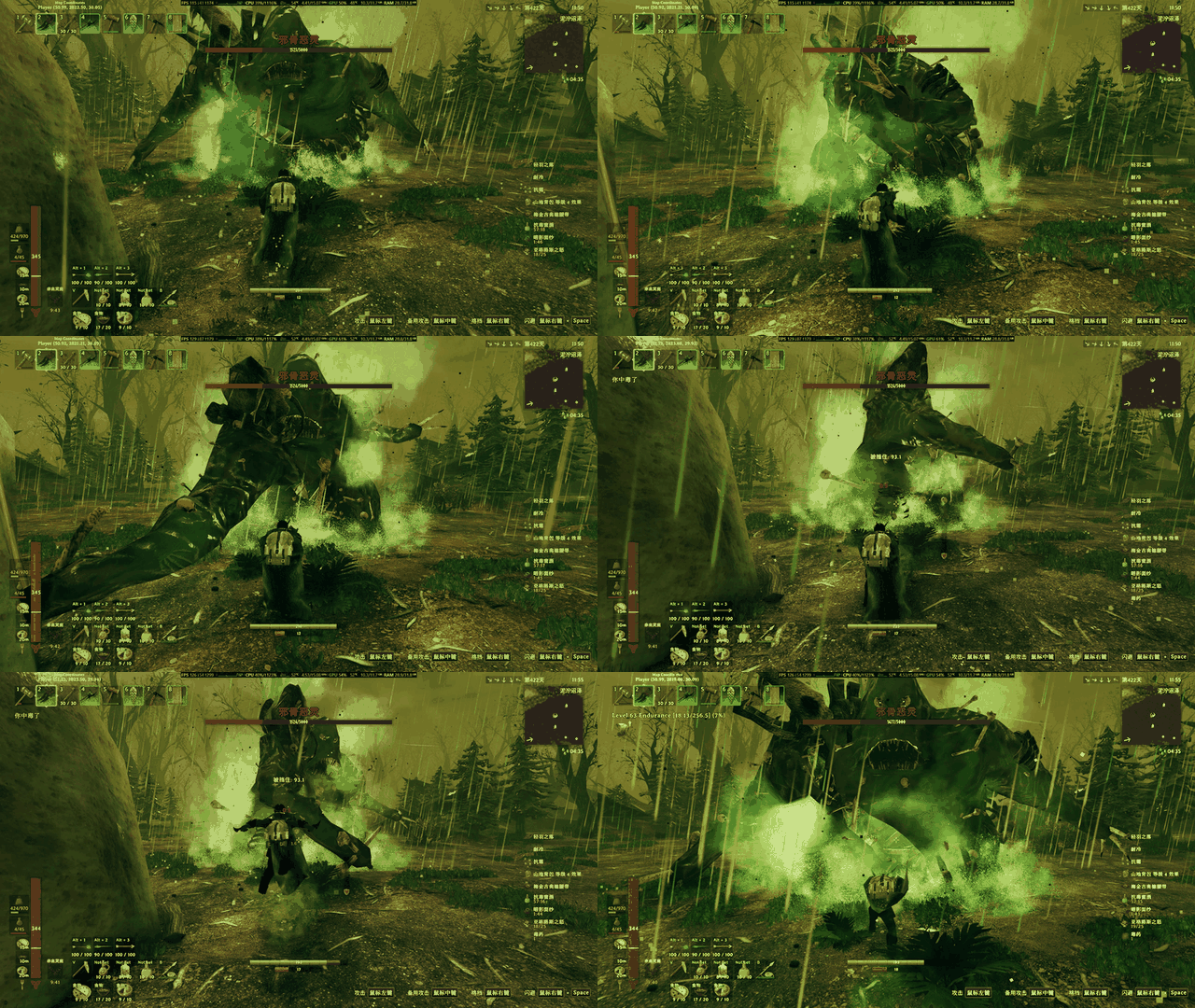
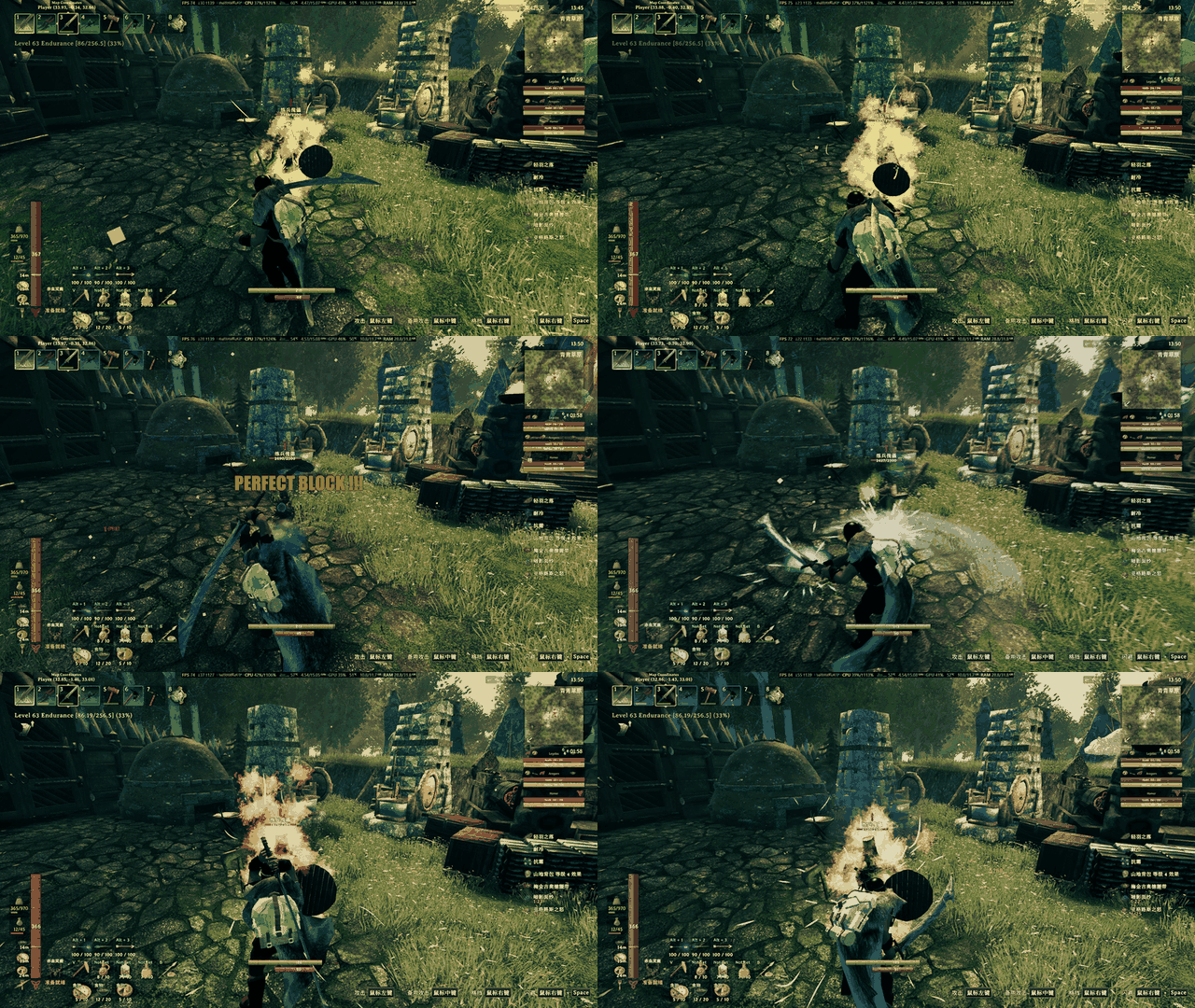
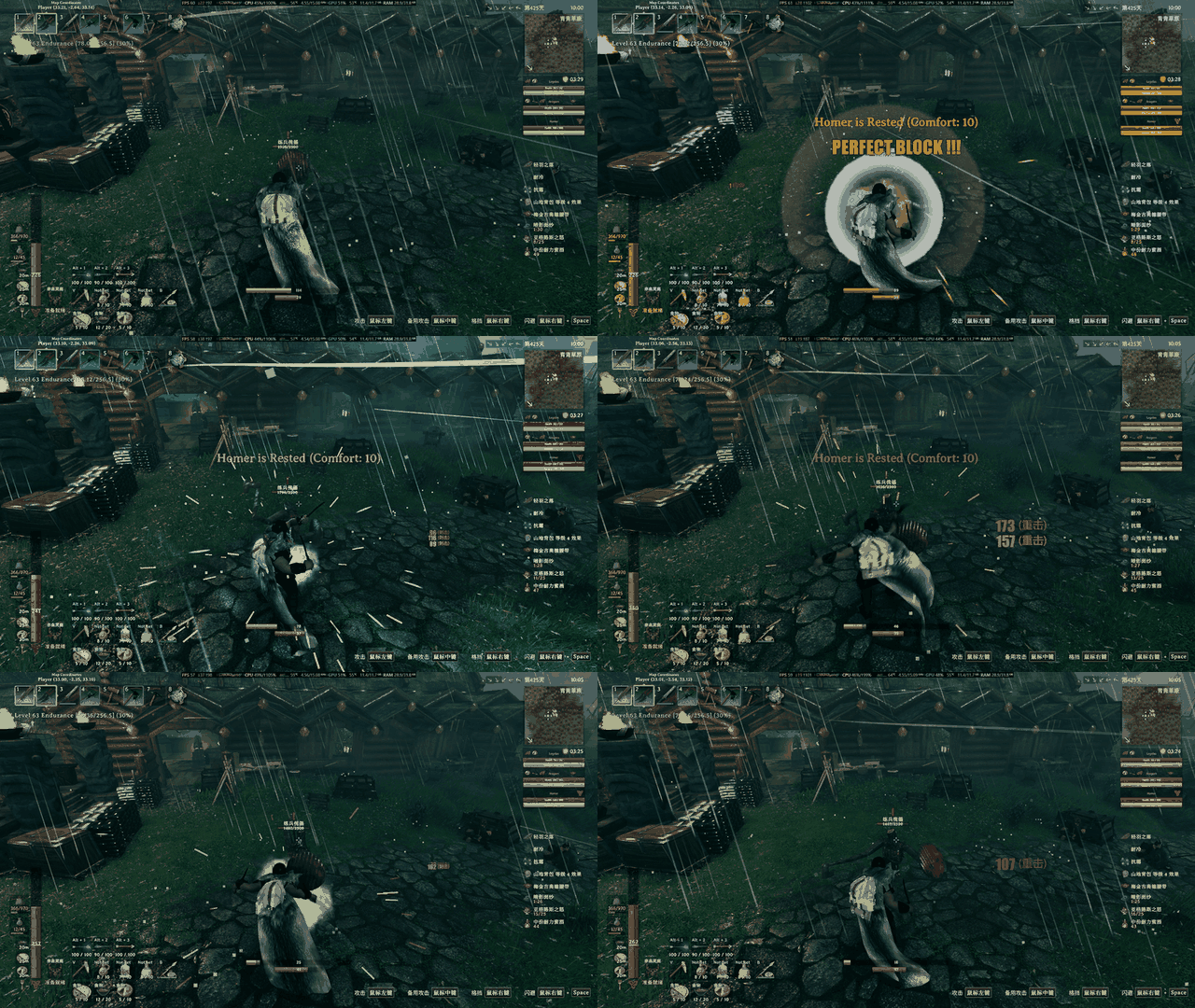
Why it deliberately does not block while you are swinging
This is a self-imposed handicap, not an unfinished feature. An assist should not eat the player's attacks or every fight would play itself. Cancel Swing On Manual Block therefore only reacts to a block you press; the automatic press never interrupts your swing.
What it does
- Learns
(prefab, animation state) → animation progress at the moment damage fires, stored inBepInEx/config/PerfectBlock/learned.json - Presses block
Lead Ms(70) before the learned landing point and keeps it down forPress Tail Ms(150) after it - Works with both block modes; hold mode is the recommended one
- Optional: manual-block swing cancel, Reliable perfect block (no guard break on a perfect), on-screen
PERFECT BLOCK !!! - Floating combat numbers:
weapon icon 78 (Pierce), red for damage taken (left), yellow for damage dealt (right); position / size / font adjustable
Measured (2026-11-03, v0.3.x, defaults)
| Block mode | Resolved | Perfect | Ordinary | Missed | Perfect rate |
|---|---|---|---|---|---|
| Hold (Toggle Block off) | 45 | 41 | 4 | 0 | 91% |
| Toggle (Toggle Block on) | 100 | 90 | 6 | 4 | 90% |
| Total | 145 | 131 | 10 | 4 | 90.3% |
Install
Requires BepInEx 5.4.x. Drop ChineseCanFly.PerfectBlock.dll and both PerfectBlock.*.yml into BepInEx/plugins/ChineseCanFly-PerfectBlock/, start the game once, then edit BepInEx/config/ChineseCanFly.PerfectBlock.cfg (or use Configuration Manager).
Limitations
- Learning is per prefab + animation state, so a new creature or a new attack starts at zero samples.
- No auto block while you are swinging (by design).
- Toggle-block mode misses ~4% of hits; hold mode does not.
- Landing points come from animation progress, so lag or knockback can shift them; a late press is an ordinary block, never a free hit.
Config
[General]
| Key | Default | Meaning |
|---|---|---|
| Enable Auto Block | true | Master switch. When off the mod only learns and logs |
| Detect Range | 5 | Only watch enemies within this many metres |
| Log Learning | true | One log line per recorded landing point |
| Log Attempts | true | One log line per simulated press (tuning) |
| Force Block Test | false | Diagnostic: hold the block key every frame |
[Learning]
| Key | Default | Meaning |
|---|---|---|
| Lead Ms | 70 | Press this many ms before the learned landing point. Fixed, no adaptation |
| Press Tail Ms | 150 | Keep pressing this long after the landing point |
| Min Samples | 5 | Samples needed before an attack counts as learned |
| Max Spread | 0.05 | Max spread of the landing points; wider = ignored |
[Feedback]
| Key | Default | Meaning |
|---|---|---|
| Reliable Perfect Block | true | Ignore the guard-break rule on a perfect block |
| Cancel Swing On Manual Block | true | Blocking mid-swing cancels the swing (manual presses only) |
| Release Block On Attack | true | Drop the forced block the moment you attack |
| Hold After Perfect (ms) | 500 | Must be 500. Upgraders: change it by hand, 0 makes blocking fail |
| After Perfect Block | Release | Release = let go after the hold; Keep = hold until you attack or tap block |
| Show Perfect Flash | true | PERFECT BLOCK !!! in the middle of the screen |
[Combat]
| Key | Default | Meaning |
|---|---|---|
| Show Combat Text | true | Draw our own damage numbers |
| Show Vanilla Numbers | true | Keep the game's floating numbers |
| Font | Impact | Number font (same as the PERFECT BLOCK flash) |
| Label Font | Microsoft YaHei | Font for the bracketed damage type, must carry Chinese glyphs |
| Base Font Size | 27 | Normal number size |
| Big Hit Scale | 2.4 | Size multiplier for heavy / finisher hits |
| Show Weapon Icon | true | Draw the weapon icon in front of each number |
| Taken / Dealt Position X/Y | 0.2/0.6, 0.7/0.6 | Screen-ratio anchors |
| Test Combat Text | false | Diagnostic: always draw three sample numbers |
完美格挡(成功率高达 90%)
一个辅助模组:观察每只怪物的攻击动作,学出它真正命中的那一刻,然后在命中前替你按下格挡。不修改伤害结算,也不改写格挡判定——按下去的是同一个「格挡键」,剩下的交给游戏自己判。
实测完美格挡率 90.3%(145 次结算:完美 131 / 普通 10 / 漏挡 4,默认参数,训练假人 + 哥布林);其中关闭「切换格挡」的长按模式 91%、0 漏挡。
先说明一点:这个模组对抗打击的完美格挡是需要学习的,并不是一上来就能完美格挡。 每只怪物的每套攻击动作都要单独攒样本(默认 5 次、命中点离散度 ≤ 5%),凑够了才会开始替你按。没打过的怪,它不会挡——先看清招式,是这个模组的一部分。
最佳手感:关闭游戏「辅助功能」里的「切换格挡」,用长按模式。 实测长按模式 0 漏挡,切换模式因为靠按键边沿翻转,约 4% 的几率会把盾关掉(见下面的实测数据)。
设计意图
- 不做代打。 目标是「提升格挡效率」,不是「替你打赢」。完美与否由原版
Humanoid.BlockAttack的 0.25 秒规则判定,我们没有把这个窗口改长,也没有让伤害凭空消失。 - 让学习成为进度。 每种怪、每套招式单独学:命中动画进度、样本数、离散度。样本够了才开始替你挡。
- 帮玩家建立节奏感。 提前量固定 70ms、按压尾巴固定 150ms,刻意不做自适应:你能从屏幕和日志里看出自己该在哪一刻抬手。
为什么挥刀时故意不自动格挡
这是刻意留下的缺口,不是没做完:
- 不抢玩家的主动权。 玩家的攻击是玩家的事;每一刀都被系统接管,人就只是站在旁边看血条。
- 辅助的意义在于「时机」,不在于「覆盖」。 如果连挥刀途中都能自动打断你去完美格挡,它就不再是学习节奏的辅助,而是一个无敌开关。
- 所以
Cancel Swing On Manual Block只作用于你手动按下的格挡。 自动格挡永远不会取消你的挥击,也永远不会在你挥刀时抢按键。
功能
| 功能 | 说明 |
|---|---|
| 学习 | hook 非玩家实体的 OnAttackTrigger,记录 (预制体, 动画状态) → 命中瞬间的动画进度,存 BepInEx/config/PerfectBlock/learned.json |
| 自动格挡 | 命中点前 Lead Ms 按下、命中后按满 Press Tail Ms,敌人中途被打断也会按完尾巴 |
| 两种格挡模式 | 自动识别游戏的「切换格挡」设置;长按模式效果最佳 |
| 手动格挡取消挥刀 | 挥刀途中按格挡 → 立即断招起盾(等价 AttackCancel) |
| Reliable Perfect Block | 只在完美格挡那一下忽略「大伤害破防」规则 |
| 完美提示 | 屏幕中央 PERFECT BLOCK !!!,连续触发向上叠加 |
| 战斗数字 | 武器图标 78 (刺击),承伤红色在左、输出黄色在右;位置/字号/字体可调 |
实测数据
2026-11-03,v0.3.x,默认参数(Lead 70 / Tail 150),对象:训练假人 + 哥布林(Goblin / Goblin Shaman / Goblin Brute Bros)。
| 格挡模式 | 结算次数 | 完美 | 普通格挡 | 漏挡 | 完美率 |
|---|---|---|---|---|---|
| 长按(关闭「切换格挡」) | 45 | 41 | 4 | 0 | 91% |
| 切换(开启「切换格挡」) | 100 | 90 | 6 | 4 | 90% |
| 合计 | 145 | 131 | 10 | 4 | 90.3% |
- 4 次漏挡全部出现在切换模式,且命中时
blockTimer = -1(盾根本没举起来):切换模式靠「按键边沿」翻转,极端时序下会把已经开着的盾再关一次。所以推荐关闭「切换格挡」。 - 长按模式那 4 次普通格挡里有 3 次的
blockTimer在 0.02–0.04s(完美窗口内),说明不是按早了,是当时手里的东西没有招架加成(游戏自己就不给完美)。
安装
- 先装好 BepInEx 5.4.x(Valheim 1.0.x 用 5.4.2360 即可)。
- 把压缩包里的
ChineseCanFly.PerfectBlock.dll和两个PerfectBlock.*.yml放进BepInEx/plugins/ChineseCanFly-PerfectBlock/。 - 启动游戏,配置在
BepInEx/config/ChineseCanFly.PerfectBlock.cfg,也可以装 Configuration Manager 在游戏里调。
配置
[General]
| 键 | 默认 | 说明 |
|---|---|---|
| Enable Auto Block | true | 总开关。关掉时只学习、只写日志 |
| Detect Range | 5 | 只观察这个距离(米)内的敌人 |
| Log Learning | true | 每次学到命中点写一行日志 |
| Log Attempts | true | 每次模拟按压写一行日志,调参用 |
| Force Block Test | false | 诊断:每帧强制按住格挡键 |
[Learning]
| 键 | 默认 | 说明 |
|---|---|---|
| Lead Ms | 70 | 命中前多少毫秒按下。固定值,不做自适应 |
| Press Tail Ms | 150 | 命中后继续按多久,兜预测误差 |
| Min Samples | 5 | 同一动作要几次样本才算学会 |
| Max Spread | 0.05 | 命中点离散度上限,太散的动作不采用 |
[Feedback]
| 键 | 默认 | 说明 |
|---|---|---|
| Reliable Perfect Block | true | 完美格挡无视破防规则 |
| Cancel Swing On Manual Block | true | 手动格挡取消挥刀(自动格挡永不触发这条) |
| Release Block On Attack | true | 完美后你一攻击就立刻松盾 |
| Hold After Perfect (ms) | 500 | 完美命中后额外按住多久。必须是 500;从旧版本升级的玩家请手动改(旧 cfg 里可能是 0,会导致挡不住) |
| After Perfect Block | Release | Release = 按住上面那段时间就松;Keep = 一直挡到你攻击或再按格挡 |
| Show Perfect Flash | true | 屏幕中央 PERFECT BLOCK |
[Combat]
| 键 | 默认 | 说明 |
|---|---|---|
| Show Combat Text | true | 显示我们自己的伤害数字 |
| Show Vanilla Numbers | true | 保留游戏自带浮动数字(会和我们的重叠) |
| Font | Impact | 数字字体(与 PERFECT BLOCK 同一套) |
| Label Font | Microsoft YaHei | 括号里伤害类型的字体,必须有中文字形 |
| Base Font Size | 27 | 普通数字字号 |
| Big Hit Scale | 2.4 | 重击/连段末击的放大倍数 |
| Show Weapon Icon | true | 数字前画武器图标(承伤用攻击者的武器) |
| Taken / Dealt Position X/Y | 0.2/0.6、0.7/0.6 | 屏幕比例锚点,0~1 |
| Test Combat Text | false | 诊断:常显三个示例数字,用来定位并确认渲染 |
已知限制
- 学习按「预制体 + 动画状态」区分:同一只怪的不同招式分别计数,所以会看到
samples慢慢涨到learned。 - 挥刀途中不会自动格挡(见「设计意图」)。
- 切换格挡模式偶发漏挡(约 4%),长按模式没有这个问题。
- 命中点由动画进度推算,网络延迟或怪物被击退时可能偏;偏晚的代价是普通格挡,不会白挨。
日志怎么看
搜索 Perfect Block:
attempt: … press at 57 ms before the learned hit— 这次按压的起点[diag] perfect block #N/ordinary block (blockTimer …)/hit landed while NOT blocking … blockTimer=…— 三种结果[stat] N blocks: perfect=… ordinary=… late=…— 每 10 次结算一行,完美率直接看这行
有问题或建议:https://github.com/tutu8420/PerfectBlock/issues