
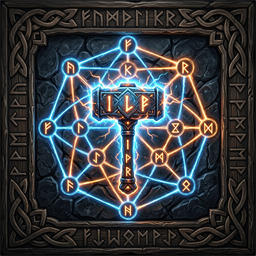
DFGHub
DFG hammer tab, a DFG Hammer that sorts those build pieces into one category per mod, and the Alt+T board for Blue Collar, Earl, TradeWind, Sea Route, and Bounties.Changelog
All notable changes to DFGHub.
1.5.4
- The DFG Hammer mesh starts turned out of the hand instead of back up the arm. While it is equipped, http://127.0.0.1:8782/hammer moves it live.
1.5.3
- The DFG Hammer lists build pieces that are on the vanilla Hammer's DFG tab even when Jotunn did not keep them in its piece registry.
1.5.2
- Right-click on the DFG Hammer opens the build menu again. A piece whose cost item had no item data was throwing inside the menu before it was shown.
1.5.1
- The DFG Hammer is the hammer.glb model in the hand and on the ground.
1.5.0
- The DFG Hammer is crafted at a workbench from 4 Wood and 2 Stone. Its build menu lists the same pieces as the DFG tab, one category for each mod.
- The vanilla hammer still has the single DFG tab.
1.4.3
- Main Menu Draugr Forged Gaming logo with centered multi-column active DFG mod list and live count.
- Configurable logo margins, scale, font size, and column width.
- Core shared piece category and dependencies across all DFG mods.
1.4.2
- Alt+T opens one in-game board for Blue Collar, Earl, TradeWind, Sea Route, and Bounties. The world behind it does not take movement or look input, and the cursor stays free.
- The header can shrink the board to the left 30% of the screen or restore it to 80%, and the title can be dragged. A− and A+ scale the open tab from 80% to 160%.
1.4.1
- Expanded piece routing for all latest DFG collection mods including Freyja's Feeder, Viking Vault, Blue Collar Trolls, and Harvest Turrets.
- Dynamic web hub dashboard optimizations.
- Automatic piece discovery and category reparenting under the unified "DFG" tab.
1.0.0
- Initial release.
- Dedicated custom hammer category tab "DFG".
- Eliminates hammer clutter by gathering all custom mod pieces under one clean menu.