

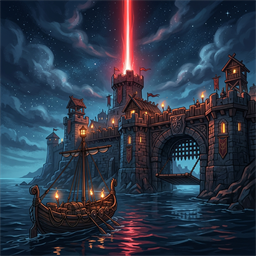
OdinsEye
Norse CCTV surveillance system. Build authentic steampunk Norse cameras and an ice-monitor control console with PTZ controls, threat radar, and external web browser room.Report a bug or buy us a coffee at dfgaming.net.
Odin's Eye
Odin's Eye introduces an authentic Norse CCTV surveillance and early-warning system for your Valheim base.
Mount handcrafted steampunk Norse surveillance cameras (cam.glb) onto walls or posts, and monitor your base from the Odin's Eye Console (console.glb) — a wooden and stone control desk featuring an ice monitor with live video projection and an amber-glowing analog control box! Smoothly swivel and zoom cameras with PTZ controls, scan for approaching hostile threats, and monitor your base from an in-game HUD or an external local web browser!
Features
- Custom Norse CCTV Cameras (
cam.glb): Mount handcrafted surveillance cameras on walls or posts. Optionally infuse cameras with any monster trophy from your inventory for extra vigilant presence! - Surveillance Console Desk (
console.glb): Build the authentic Norse surveillance console in your great hall or guard tower. Its framed ice screen projects live in-world video feeds with soft atmospheric glow! - Full-Screen Interactive Surveillance HUD: Walk up to the console and press
[E]to take direct command of your camera feeds with an authentic Viking CCTV HUD, scanlines, telemetry, time of day, and live threat radar. - PTZ (Pan-Tilt-Zoom) Camera Control:
- Pan & Tilt: Use mouse look or keyboard controls (±75° horizontal pan, -50° to +40° vertical tilt).
- Zoom: Scroll the mouse wheel to adjust FOV from wide-angle down to telephoto zoom.
- Physical Swivel: The camera head in the world physically turns and tilts in 3D space to match your angle!
- Early Warning Threat Radar: Cameras scan their field of view for approaching aggressive hostiles (Trolls, Greydwarfs, Wolves) and flash alerts on your screen.
- Camera Naming: Press
<Shift> + [E]on any camera to name it (e.g. "Main Gate", "Dock Approach", "Boar Pen"). - Local Web Surveillance Room (Port 8794): Open
http://127.0.0.1:8794/on your second monitor, tablet, or mobile phone to view a live MJPEG stream, switch cameras, and steer PTZ angles from your browser.
Crafting & Build Pieces
All pieces are found in the build Hammer under the DFG category:
| Piece | Build Materials | Description |
|---|---|---|
| Odin's Eye Camera | 4 Fine Wood, 2 Bronze Nails, 1 Surtling Core | Steampunk Norse CCTV camera mount for wall or post mounting. |
| Odin's Eye Console | 6 Fine Wood, 4 Stone, 2 Copper, 2 Crystal, 1 Surtling Core | Wooden & stone surveillance desk with live ice monitor and glowing control panel. |
| Odin's Eye Screen | 4 Fine Wood, 2 Iron Nails, 1 Crystal | Compact wall-mounted surveillance monitor (1.3m) with live video projection. |
| Odin's Eye Screen (Large) | 8 Fine Wood, 4 Iron Nails, 2 Crystal | Wide wall-mounted surveillance monitor (2.3m) for watchtowers and guard rooms. |
| Odin's Eye Screen (Huge) | 16 Fine Wood, 8 Iron Nails, 4 Crystal | Monumental Great Hall surveillance screen (4.2m) for fortress command centers. |
Controls
In-Game Surveillance View
- Mouse Look: Pan (Yaw) & Tilt (Pitch)
- Mouse Scroll: Zoom (Field of View)
[Q]/[E]or Arrow Keys: Switch to previous / next camera[R]: Center camera angle[Space]or[Esc]: Exit Surveillance View
Console & Screen Interaction
[E]: Enter full-screen surveillance HUD<Shift> + [E]: Cycle to next camera feed<Alt> + [E]: Configure camera feed directly (type camera name or 1-based number)
Camera Mount Interaction
[E]: Mount or swap trophy from inventory<Shift> + [E]: Rename camera<Alt> + [E]: Dismount trophy and return to inventory
Planned Features & Roadmap
- Multi-View Security Wall: Split-screen and quad-view monitor displays allowing simultaneous observation of multiple camera feeds across your stronghold.
- Auto-Sweeping Patrol Mode: Automated pan-sweeping back and forth across configurable angle sweeps, turning static cameras into scanning sentries.
- Proximity Motion Detection: Audio chime alerts and visual warnings when creatures cross user-designated tripwires or entry zones.
Support
If this mod has made your journey through the Tenth World a little better, consider tossing a coin into my Ko-fi jar: https://ko-fi.com/draugrforgedgaming. Your support keeps the forge hot and the mead flowing! Skål!