

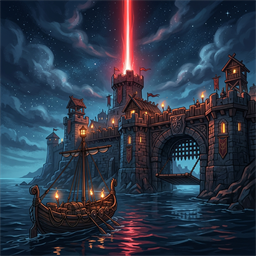
OdinsEye
Norse CCTV surveillance system. Build authentic steampunk Norse cameras and an ice-monitor control console with PTZ controls, threat radar, and external web browser room.Changelog
All notable changes to Odin's Eye will be documented in this file.
[1.1.0] - 2026-10-20
Added
- Wall-Mounted Surveillance Monitors (
DFG_OdinsEyeScreen): Standalone wall-mountable Norse CCTV monitors in 3 size tiers: Standard (1.3m, 512p), Large (2.3m, 768p), and Huge (4.2m, 1024p) Great Hall centerpiece displays. - Direct Camera Configuration: Press
<Alt> + [E]on any screen or console to open a text modal to lock directly onto a camera by custom name or number. - Quick Camera Cycling: Press
<Shift> + [E]on any screen to cycle forward through all connected cameras. - Persistent Feed Locking: Feed assignments persist across saves and zone loads by camera name (
DH_TargetCamName). - Custom Build Menu Icons: Custom hand-crafted transparent icons for the Camera, Console, and Screen hammer build pieces.
Fixed
- Stripped vanilla
CraftingStationand station extension components from cloned pieces so monitors and cameras never require a roof or report being exposed to weather. - Added runtime sanitization ensuring existing screens and cameras in saved worlds are cleaned automatically on load.
[1.0.0] - 2026-10-13
Added
- Odin's Eye Camera (
DFG_OdinsEyeCam): Craftable steampunk Norse CCTV camera piece (cam.glb) for wall and post mounting. Supports optional monster trophy infusion. - Odin's Eye Console (
DFG_OdinsEyeOrb): Custom 3D surveillance control desk (console.glb) with live video projection on an ice monitor, coiled copper cabling, stone pillars, and an amber-glowing analog control box. - Odin's Eye Screen (
DFG_OdinsEyeScreen): Standalone wall-mountable Norse CCTV monitor with dark wood frame, iron corner brackets, and live in-world video feed. - Multiple Screen Sizes: Added Large (2.3m, 768p) and Huge (4.2m, 1024p) wall monitor variants for watchtowers and Great Hall centerpieces.
- Direct Camera Configuration: Press
<Alt> + [E]on any screen or console to directly configure which camera is showing by name or number. - Custom Build Menu Icons: Custom hand-crafted transparent icons for the Camera, Console, and Screen hammer build pieces.
- Interactive Surveillance Mode: Full-screen surveillance mode with authentic Viking CCTV HUD, scanlines, camera info banner, time display, and hostile threat radar.
- PTZ (Pan-Tilt-Zoom) Support: Smooth camera swiveling and zooming via mouse and keyboard, with physical 3D camera rotation synchronized across clients.
- Threat Radar: Scans for aggressive hostiles (Trolls, Greydwarfs, Wolves) in front of the camera cone and alerts the player.
- Camera Naming: Press
<Shift> + [E]on any camera to name it. - Local Web Surveillance Room: Embedded HTTP server on port
8794streaming live MJPEG video and remote PTZ steering from any browser or mobile device on home Wi-Fi. - Integrated into shared DFG Hammer category and
Shared/WebNav.csmulti-mod navigation bar.