

Comfortometer
A compact HUD panel that stays up while you move: every piece giving you comfort, its distance, duplicates in range, and what you just walked out of range of, in red.Changelog
0.1.2 — unreleased
- Fixed: after logging out and back in (or reconnecting) with the panel open, the panel came back with no rows and a large resize grip in its middle, and threw a NullReferenceException every refresh. The rebuilt panel was still holding the rows of the old one.
- If the panel ever fails to draw, it is now rebuilt from scratch, and taken down after three failures, instead of staying half drawn.
0.1.1 — 2026-09-26
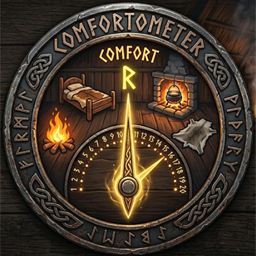
- New icon: a comfort gauge on a rune-ringed shield, with the bed, fire, hearth and rug around it.
0.1.0 — 2026-09-26
First release.
- A compact panel on the HUD, toggled with F4, that stays up while you move around.
- The comfort level in the title, with whether you are sheltered and how long Rested lasts at that level.
- One line per kind of comfort piece in range: its comfort points and its distance, with ×2, ×3 when more than one of the same kind is in range.
- Walk out of range of something and it stays on the list in red, with its current distance, until you are 30 m from it (Forget Beyond).
- Pieces that give nothing because a better piece of the same group is in range are dimmed, with the group named (Show Superseded, off by default).
- An unlit fire is listed in red as unlit.
- With the panel up, F4 frees the mouse to drag the panel by its title, resize it by the grip in its corner, or close it with the x; the placement is remembered. The panel fits its height to the list (Auto Height).
- Options for bold names (Bold Names) and for showing each distance against the 10 m range (Show Range).