

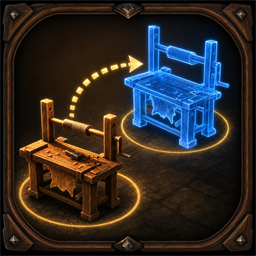
MoveBuildPieces
Move player-built Valheim pieces in World, BuildMenu, or Mixed mode with owner-authoritative multiplayer validation and preserved object state.MoveBuildPieces
Move player-built Valheim pieces without destroying and rebuilding them. The default Mixed mode uses one U hotkey both inside and outside the hammer build menu.
Usage
World: outside build mode, hover a removable player-built piece and press the world hotkey.BuildMenu: equip a build tool, hover a removable player-built piece, and press the build-menu hotkey.Mixed: use one separate mixed-mode hotkey both inside and outside build mode. The mod automatically selects the correct placement context.- Place the blue ghost to move the original object.
- Press the same move hotkey again or
Escapeto cancel. - Press
Ewhile moving to interact with doors without cancelling.
Choose the active behavior with Move mode. New configs default to Mixed. Existing BepInEx config files keep their previously saved mode until you change or remove that value.
Config Defaults
Move mode = MixedWorld mode move hotkey = UBuild mode move hotkey = UMixed mode move hotkey = URequire known piece = falseBlock terrain modifiers = trueBlock dynamic objects = trueMove lock timeout seconds = 45
Existing BepInEx config files keep their saved values. Select Mixed explicitly if an older config still contains World or BuildMenu.
Safety and multiplayer
The object keeps its original ZDO, so inventories and production state stay on the same network object. The current ZDO owner validates and commits the move; the requesting client reports success only after a direct, authenticated server check sees the transaction in the server's authoritative ZDO state.
Version 1.0.21 uses the authenticated move protocol introduced in 1.0.20. Install the same version on the server and all players who can own or move pieces. A leased direct server capability challenge prevents moves through an unmodded or no-longer-responding server. Requests carry a peer-bound player identity and one-time transaction token. Locks, replies, retries, cancellation, owner changes, and the final server commit are checked against that transaction, and a disconnect safety lease prevents permanent locks.
The server's Enabled, Require known piece, terrain/dynamic blocking, and lock-timeout values are authoritative and are sent directly to clients. Hotkeys and the selected input mode remain per-player settings.
A fresh vanilla placement validation runs immediately before commit. During move mode the original object remains available as a snap source, but is excluded from self-spacing, required-connection, overlap, and clipping tests, including rotation in place. The owner separately rechecks distance, ward access for the actual requesting player, no-build zones, base territory, station requirements, static connection rules, finite coordinates, structural support, and unsafe component types.
Pieces with terrain mutation, unsafe dynamics, nested network objects, occupied attach points, active containers, or cached fire/no-monster areas are blocked. Claimed beds can only be moved by their owner, and that player's custom spawn point follows a successful move. Sap collectors, shields, fireplaces, static rotation, biome/roof/lava state, heightmap subscriptions, and WearNTear support caches are refreshed at the new position.
The mod performs placement work only for the local player while move mode is active. It has no recurring scan over every placed object.