

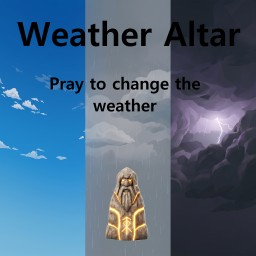
Weather Altar
Build a Weather Altar and pay coins and blood to change the weather worldwide for a limited time. Solo and co-op friendly; server-synced settings.Weather Altar
How it works
- Build the Weather Altar (found beside the vanilla Ward in the hammer menu — it uses the same building materials).
- Interact with it to open the offering menu.
- Choose the weather and press Offer.
- Pay 10 Coins + 10 HP (defaults) — the sacrifice never kills you.
- The weather lasts 10 minutes of real time, then natural weather returns.
Buying a new offering replaces the active one and restarts the duration.
Multiplayer
Works in solo, hosted co-op, and dedicated servers. The mod must be installed on the server and every client. The accepted offering is shared by everyone — one player's offering changes the weather for the whole session.
Server-restart note: the temporary weather effect is session-based and ends when the server/world session ends. The altar itself persists in the save as normal.
Configuration (server-synced)
Settings live in BepInEx/config/com.mous.weatheraltar.cfg under the [Offering] section. On multiplayer servers, values are server-controlled and pushed to all clients (admins only):
| Setting | Default | Description |
|---|---|---|
CoinCost |
10 | Coins required per offering (1–10000) |
HealthCost |
10 | Health sacrificed per offering (1–1000) |
DurationSeconds |
600 | Real-time duration of the effect (10–3600) |
Details
- The altar reuses the vanilla Ward model and building recipe; the ward's protective force field is not part of it.
- Weather is applied through the game's own environment override path: dungeons, scripted events, and indoor areas keep their normal environments. Clear is not daylight — time of day is unaffected.
- Sleeping does not pause or extend the timer; the countdown runs in real time while the session is open.
Tech notes
Built on Jötunn and BepInEx. Offering transactions are quote-validated by the server; prices that change mid-purchase are rejected safely without consuming resources.
Installation
Install via the Thunderstore Mod Manager or r2modman (dependencies are pulled automatically), or manually place WeatherAltar.dll into BepInEx/plugins/.