

HexAutoStorage
Automatically stores bars, flour, eitr, and linen produced by supported production stations in nearby containers.HexAutoStorage
Automatically stores bars, coal, flour, linen thread, and eitr produced by supported vanilla production stations in nearby containers.
⚠️ Important
HexAutoStorage only supports items produced by supported vanilla production stations. Mods that add custom production stations, such as custom windmills or smelters, are not guaranteed to be supported.
Containers must be within the configured storage radius and must have been placed by the same player who placed the production station.
How to Use
HexAutoStorage works automatically. You do not need to tag your containers for the mod to work.
Place a supported storage container within range of a supported production station and HexAutoStorage will automatically try to store produced items for you.
Container tags are optional and are only needed when you want to control where specific resources are stored.
When a supported production station creates an item, HexAutoStorage searches nearby containers in the following order:
-
Matching tagged containers
- A container tagged for the produced item is always preferred.
- Matching tagged containers are checked from nearest to farthest.
-
Untagged containers that already contain the produced item
- If no matching tagged container has room, HexAutoStorage looks for untagged containers that already contain that item.
- These containers are checked from nearest to farthest.
-
Other untagged supported containers
- If no existing-item container has room, HexAutoStorage tries other nearby untagged supported containers.
- These containers can be empty or contain other items.
- These containers are checked from nearest to farthest.
-
Normal Valheim behavior
- If no valid container has room, the production station drops the item normally.
Containers with tags that do not match the produced item are skipped.
Example
You have three nearby chests:
- Chest A is tagged
Iron - Chest B is untagged and already contains Iron
- Chest C is untagged and empty
When a Smelter produces Iron:
- HexAutoStorage tries Chest A first
- If Chest A is full, it tries Chest B
- If Chest B is full, it tries Chest C
- If Chest C is also full, the Iron drops normally
If none of the chests are tagged, HexAutoStorage still works.
For example, if Chest B already contains Iron, it will be preferred over Chest C. If no untagged container already contains Iron, HexAutoStorage will use another untagged supported container with room.
Features
- Automatically stores produced items in nearby supported containers
- Container tags are optional
- Supports the following production stations:
- Smelter
- Charcoal Kiln
- Blast Furnace
- Windmill
- Spinning Wheel
- Eitr Refinery
- Supports the following storage containers:
- Wood Chest
- Barrel
- Reinforced Chest
- Black Metal Chest
- Personal Chest
- Cart
- Configurable storage radius
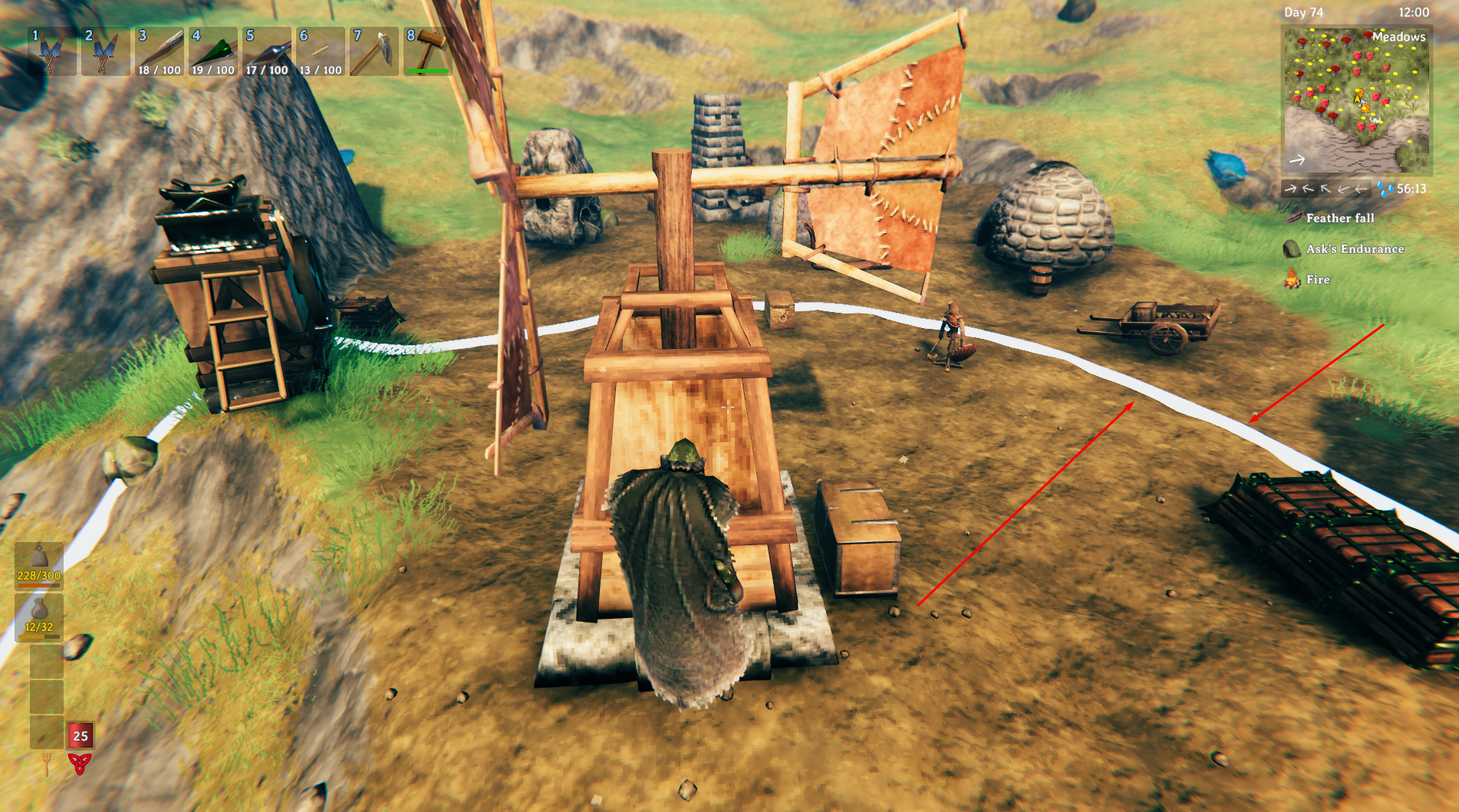
- Optional storage radius visualization when hovering over a production station
- Container tags allow specific resources to be routed to specific containers
- Container hover text displays assigned Auto Storage tags
- Tagged containers take priority over normal storage
- Storage falls back to other valid containers when tagged containers are full
Screenshots
Container Tags
Container tags are optional and allow you to control where specific resources are stored.
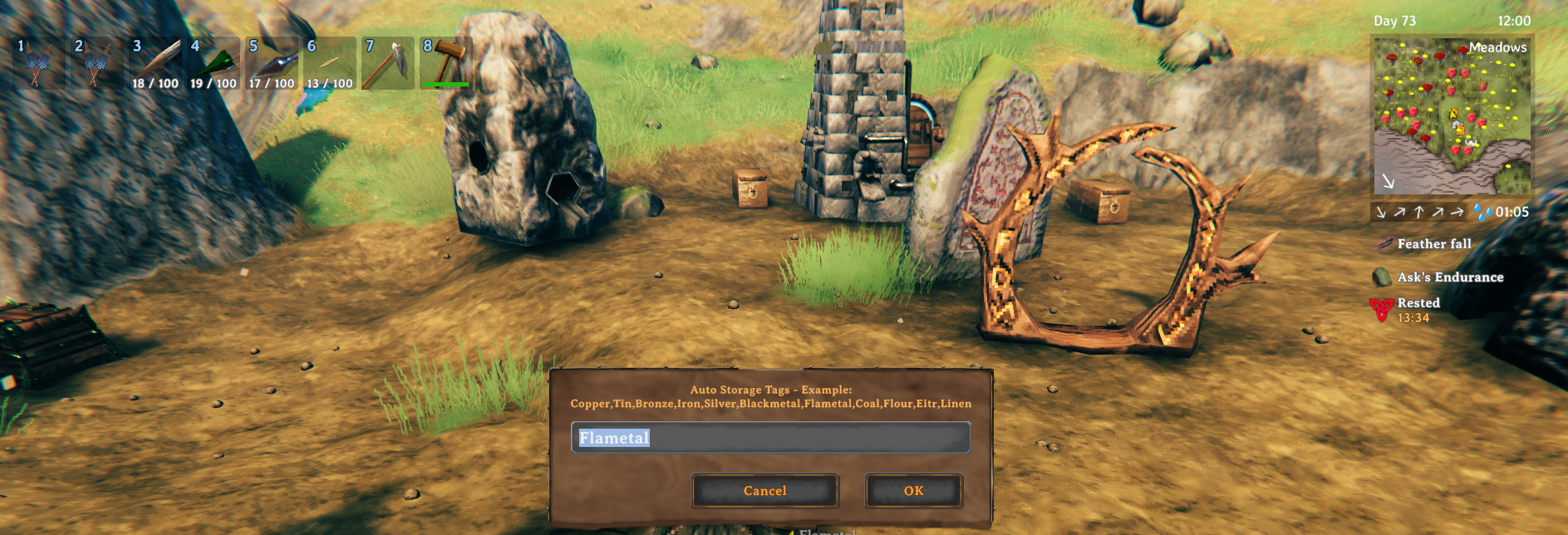
Look at a supported container and use the configured Edit Tags Shortcut to open the Auto Storage tag editor.
Multiple tags can be assigned to the same container by separating them with commas.
Example:
Iron,Copper,Coal
Supported tags:
- Copper
- Tin
- Bronze
- Iron
- Silver
- Blackmetal
- Flametal
- Coal
- Flour
- LinenThread
- Eitr
The internal prefab names do not need to be entered by the player.
Tag Example
A chest tagged:
Iron,Copper
will be preferred whenever a nearby supported production station produces Iron or Copper.
If that chest is full, HexAutoStorage will try another matching tagged container before falling back to an appropriate untagged container.
A tagged container will only accept produced items that match one of its assigned tags. It will not be used as fallback storage for other resources.
Storage Radius
Production stations only search for containers within the configured StorageRadius.
The storage radius can optionally be displayed by enabling:
ShowRadiusVisual = true
When enabled, hover over a supported production station to display its storage radius.
Configuration
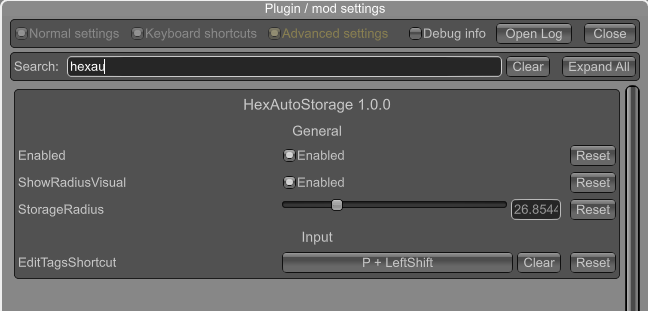
Configuration options are available in:
BepInEx/config/com.hex.autostorage.cfg
Current configuration options include:
- Enabled — Enable or disable HexAutoStorage
- StorageRadius — Radius in meters used to search for nearby storage
- ShowRadiusVisual — Display the Auto Storage radius while hovering over a supported production station
- EditTagsShortcut — Keyboard shortcut used to edit container Auto Storage tags
The EditTagsShortcut configuration description also contains the list of supported tag names for reference.
Multiplayer
HexAutoStorage is a client-side mod.
HexAutoStorage uses the creator of the production station when searching for nearby storage.
Only supported containers placed by the same player who placed the production station are considered valid Auto Storage destinations.
Installation
r2modman / Thunderstore Mod Manager
Install HexAutoStorage through your preferred Thunderstore mod manager.
Manual Installation
-
Install BepInEx for Valheim.
-
Download HexAutoStorage.
-
Copy
HexAutoStorage.dllinto:BepInEx/plugins/HexAutoStorage/ -
Start Valheim.
Source Code
Source code is available on GitHub:
https://github.com/guillenjgg/valheim-hex-autostorage
Issues / Suggestions
For bug reports, suggestions, or feedback, join the Discord: