
LinkedStorage
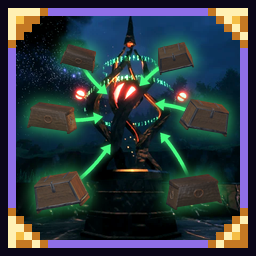
Reach your base's chests from anywhere. Build a Storage Hub at your base and Storage Links elsewhere: every pillar shows the items in the chests around the hub, to take or store.LinkedStorage
Reach your base's chests from anywhere.


Build a Storage Hub at your base: it scans every chest/storage within 100 m. Then build Storage Links anywhere else. Using the hub or any link opens one window with everything in those chests, with search, sorting and category tabs.
There are two kinds of link:
- Stone Storage Link: take items only; like portals, no ores or metals (unless your world allows them).
- Molten Storage Link: take and store anything.
With AzuCraftyBoxes, crafting and building near any pillar can use your base's chests too. It's not required, but they work great together.
Chests in the hub's range show its icon next to their name. To keep the hub from storing new kinds of items in one, hold Left Alt and press E on it. Works with vanilla chests, carts, ships and SimpleItemDrawer; private chests and wards still apply.
All three are built with the hammer at a Stonecutter (Storage tab):
- Storage Hub: 50 Stone, 10 Surtling cores
- Stone Storage Link: 25 Stone, 5 Surtling cores
- Molten Storage Link: 25 Black marble, 5 Molten cores
Settings
You can set the hub's range (the host's setting counts), the key to block deposits and the hum's volume, in-game with a config manager (F1) or in BepInEx/config/Iteravio.LinkedStorage.cfg.
Compatibility
- Everyone needs the mod, or they can't join.
- Tested with AzuCraftyBoxes, AzuAutoStore, AAA Crafting, SimpleItemDrawer and BetterUI.
Credits
- The pillars' hum is "Brass02.wav" by moneykube (https://freesound.org/s/24481/), CC0.