

Norse Sense
See what Valheim hides: spawn, repair and comfort overlays, map layers for wards and portals, why pieces won't place. Freecam building, planting grids, area harvest and a cartography marker manager. Client-side, vanilla-balanced.Norse Sense - Building, Base and Farming QoL
Norse Sense shows you things that Valheim keeps hidden: where mobs can spawn and which pieces need repair. Building helpers included for precise building, freecam building and planting grids, and it even has a cartography table manager.
Client-side, vanilla-balanced and fully customisable.
Installation
- Mod managers: automatic install
- Manual: put the DLL file in \Steam\steamapps\common\Valheim\BepInEx\plugins
Base view
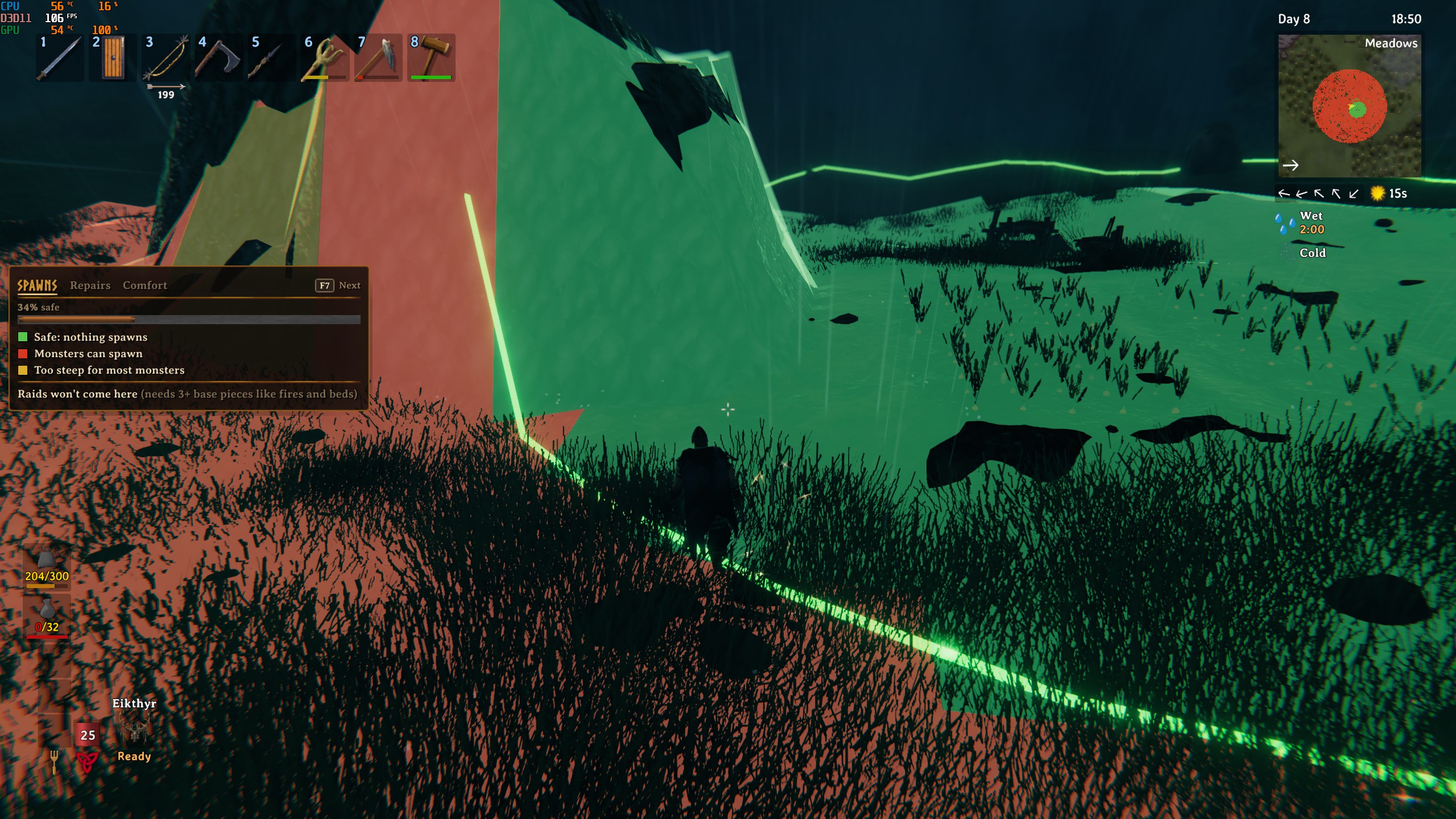
- Spawns: see where mobs can and can't spawn, on the ground and on the map
- An outline around your protected area, nests and spawners marked
- Raid check: can raids target you here?
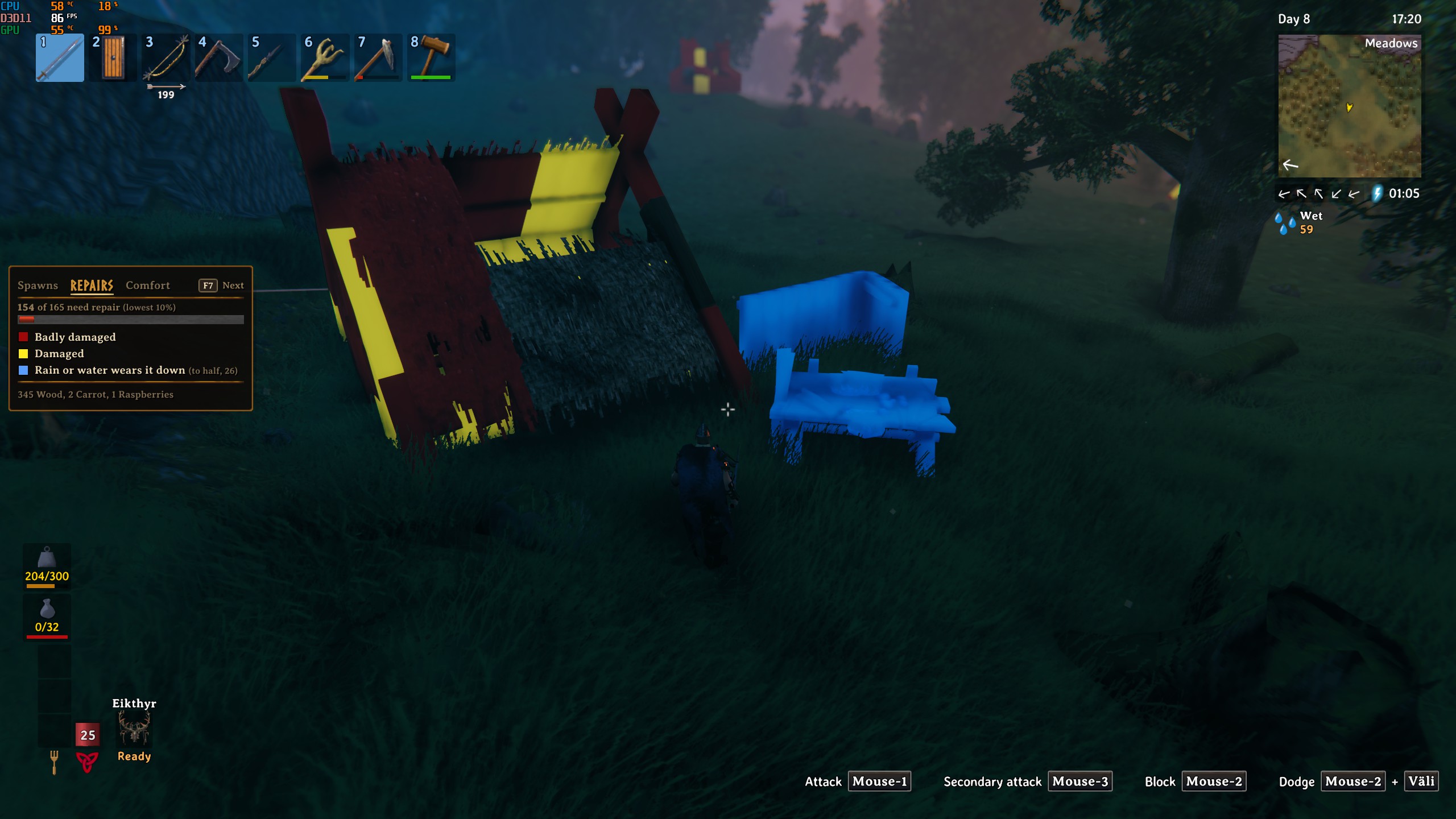
- Repairs: damaged pieces glow yellow or red under 50%, pieces with no roof or in water are marked
- Comfort: the floor is coloured by how much comfort you'd get standing there, and the best spot for your bed is ringed
- Map layers: ward areas (green where you may build, red where you can't), workbench ranges and lines between your portals, with toggles on the large map
Building
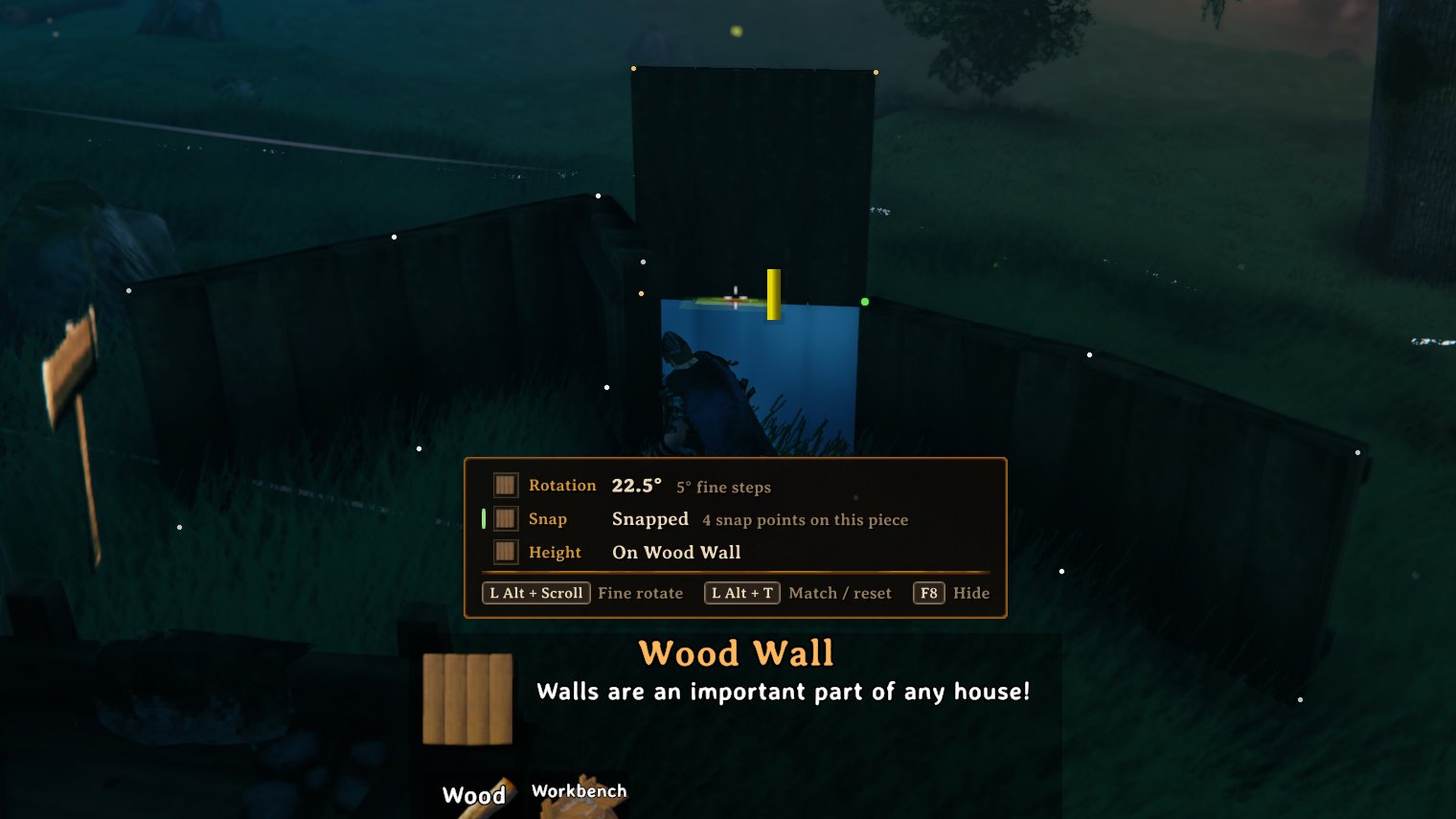
- Fine rotation: Rotate pieces with precision, or copy an existing ones rotation
- Freecam building: fly the camera around your build and place pieces from there, stays within 25 m of you and the workbench rules still apply, Fly through walls for easier building (optional, off by default)
- Placement reasons: tells you why a piece can't be placed, like what it overlaps or that the ground is too steep
- Crafting stations: shows the level, which extensions count and which are too far or doubled up
- Comfort preview before you place a chair, banner etc.
- Shelter, support and terrain readouts: which sides are open, when a piece falls, how deep you can dig
- Removal lock: no more deleting your build by accident
- Hold Left Alt: snap points, how high the piece sits and which pieces would fall if you removed the one you aim at
- Layout mode: drag the panels where you want them
Farming, portals and fires
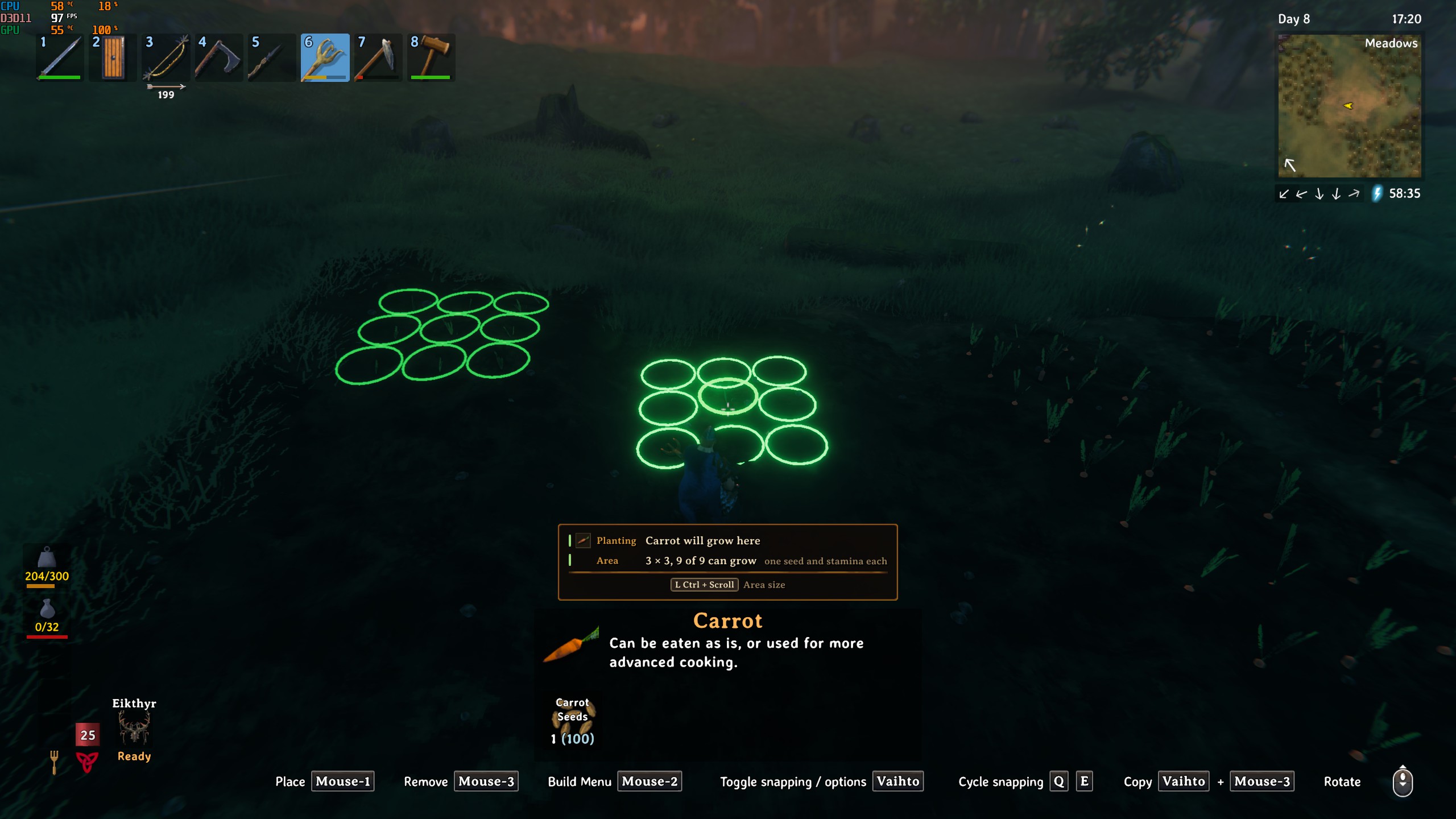
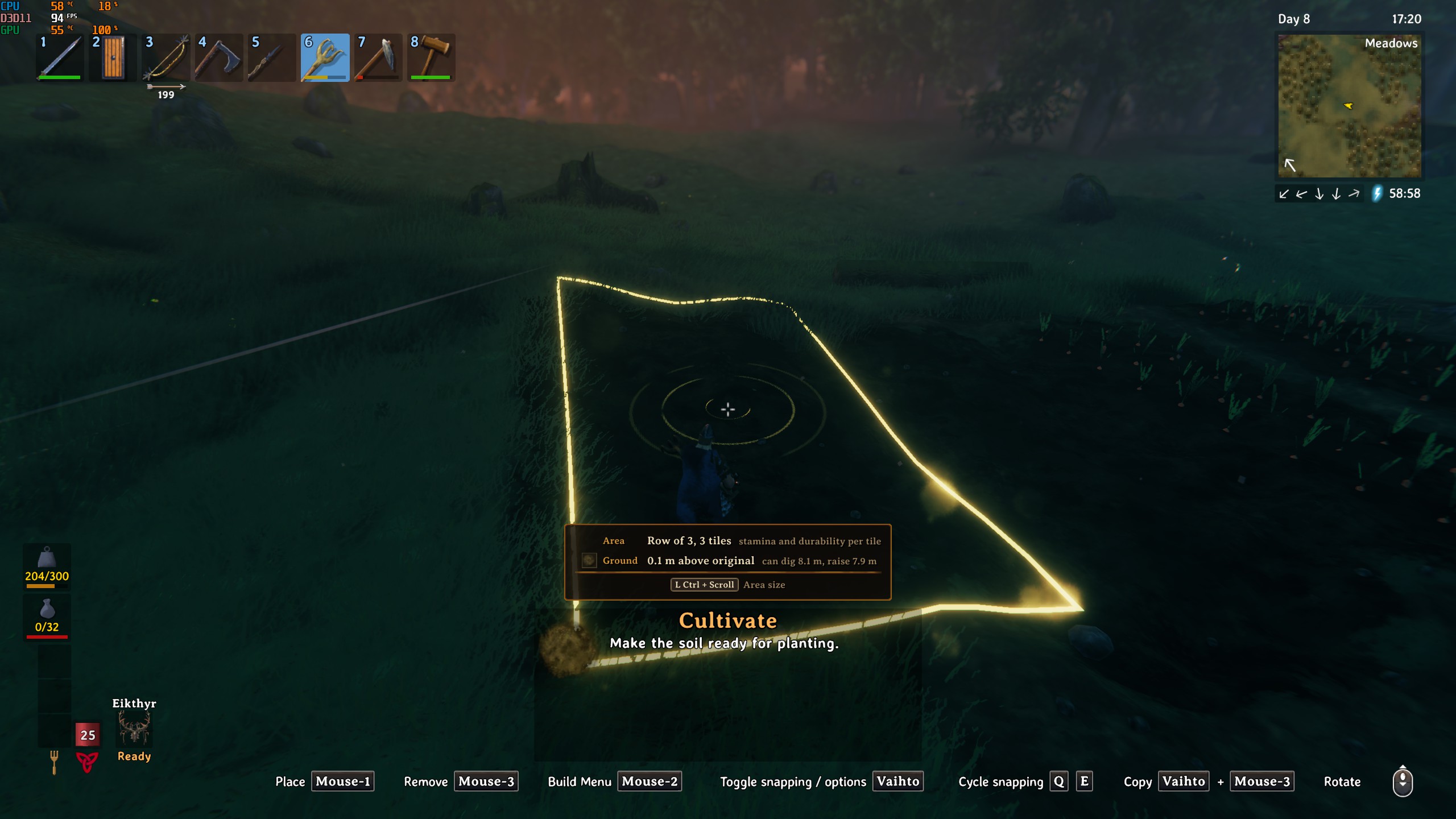
- Planting preview: will the seed grow here, and if not, why
- Area tools: Left Ctrl + scroll plants a row or grid of seeds in one click, or levels, paths and cultivates a bigger area.
- Raise ground in a grid too, it comes out flat, and a 1x3 strip for paths
- Farm check: with the cultivator out every crop shows if it's growing and why not
- Harvest an area: Left Alt + E picks the whole patch, and replants it if you carry a cultivator and seeds
- Comfort breakdown while sitting: what adds comfort and what doesn't count
- Portals: where the portal leads, why it isn't connected and the items stopping you from teleporting
- Fires: tells you why a fire won't burn
Cartography table
- Skip crossed-out and duplicate markers when reading a table
- Left Shift + E: edit, rename, cross out and delete the table's markers
Optional(off by default)
- Customisable building and planting stamina, longer build distance and pickup range
- Server limits: server owners can cap freecam, area sizes, stamina and so on for everyone with the mod
Every feature can be turned on/off and fully tuned.
No mod conflicts from my experience, mods changing same things might clash.
Default keys
- F6 removal lock
- F7 base view (Spawns, Repairs, Comfort)
- F8 build info
- F10 freecam building
- Left Alt + scroll fine rotation
- Left Alt + T match rotation
- Left Ctrl + scroll area size (cultivator and hoe)
- Left Shift + E at a cartography table
- Left Ctrl + L layout mode
- Hold Left Alt while building: snap points, height and removal preview
- Left Alt + E on a crop: harvest the area
Requirements
- BepInEx
- Valheim Configuration Manager (optional, but highly recommended for config)