

CreatureMarker
Puts a colored arrow above nearby creatures, traders, fish and birds, or at the edge of the screen when they're off-screen, with optional name, star level and distance, and a matching dot on the map.Puts a colored arrow above nearby creatures, traders, fish and birds. Creatures that are off-screen get an arrow pinned to the edge of the screen, pointing toward them.
- Separate colors for passive creatures, hostile creatures, creatures that are targeting you, bosses, fish, traders and your tamed pets
- Marks traders like Haldor, Hildir and the Bog Witch, and their pets like Halstein
- Optional name, level and distance label on each marker, leaving out the name and level while the game shows its own above the creature
- A matching colored dot on the minimap and the large map for each marked creature
- Choose which creatures are marked - passive ones, hostile ones, or creature by creature, with separate switches for fish and birds and a lowest level for creatures and fish
- Includes creatures added by other mods
Screenshots
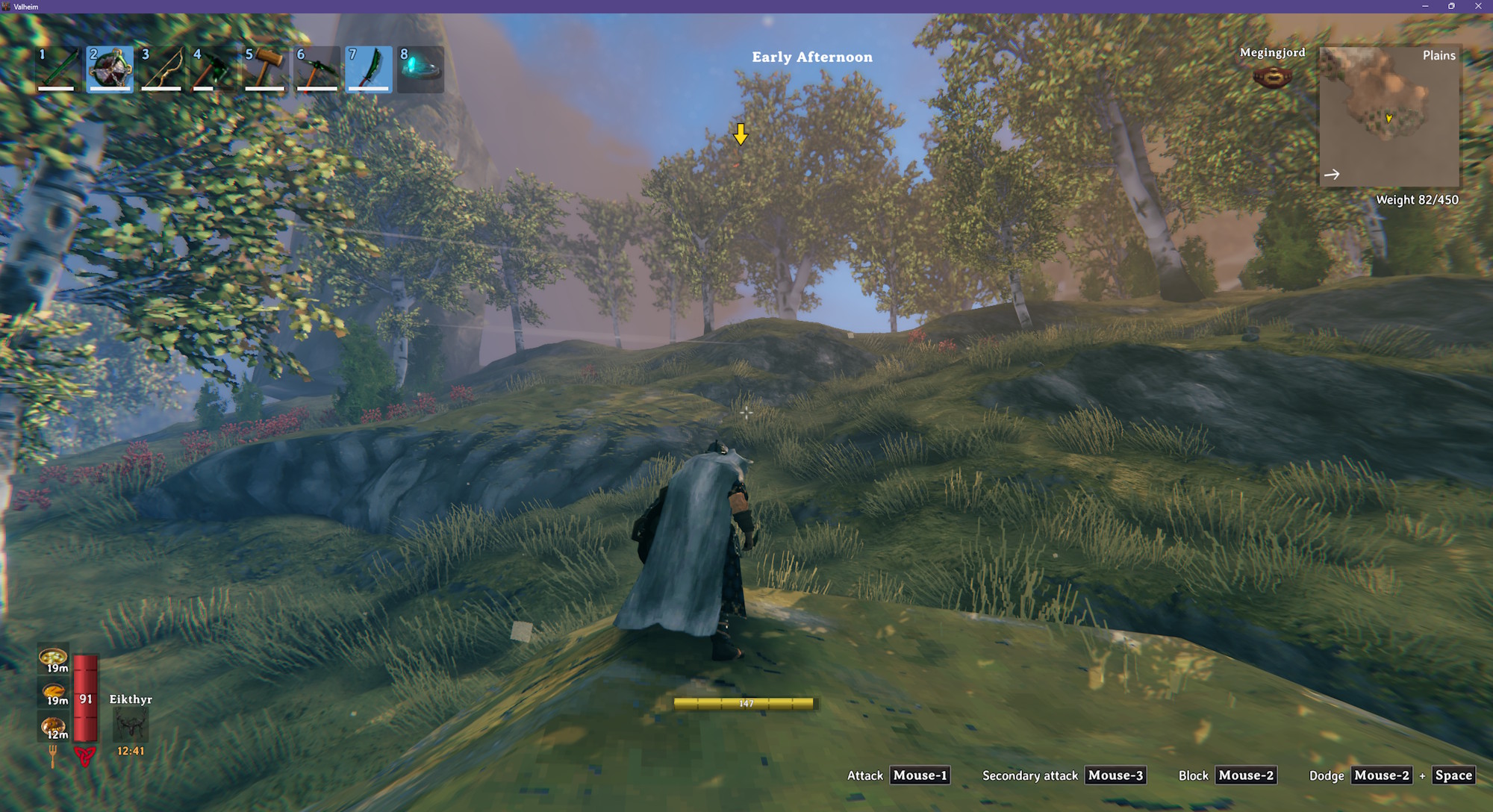
An arrow appearing above a Deathsquito
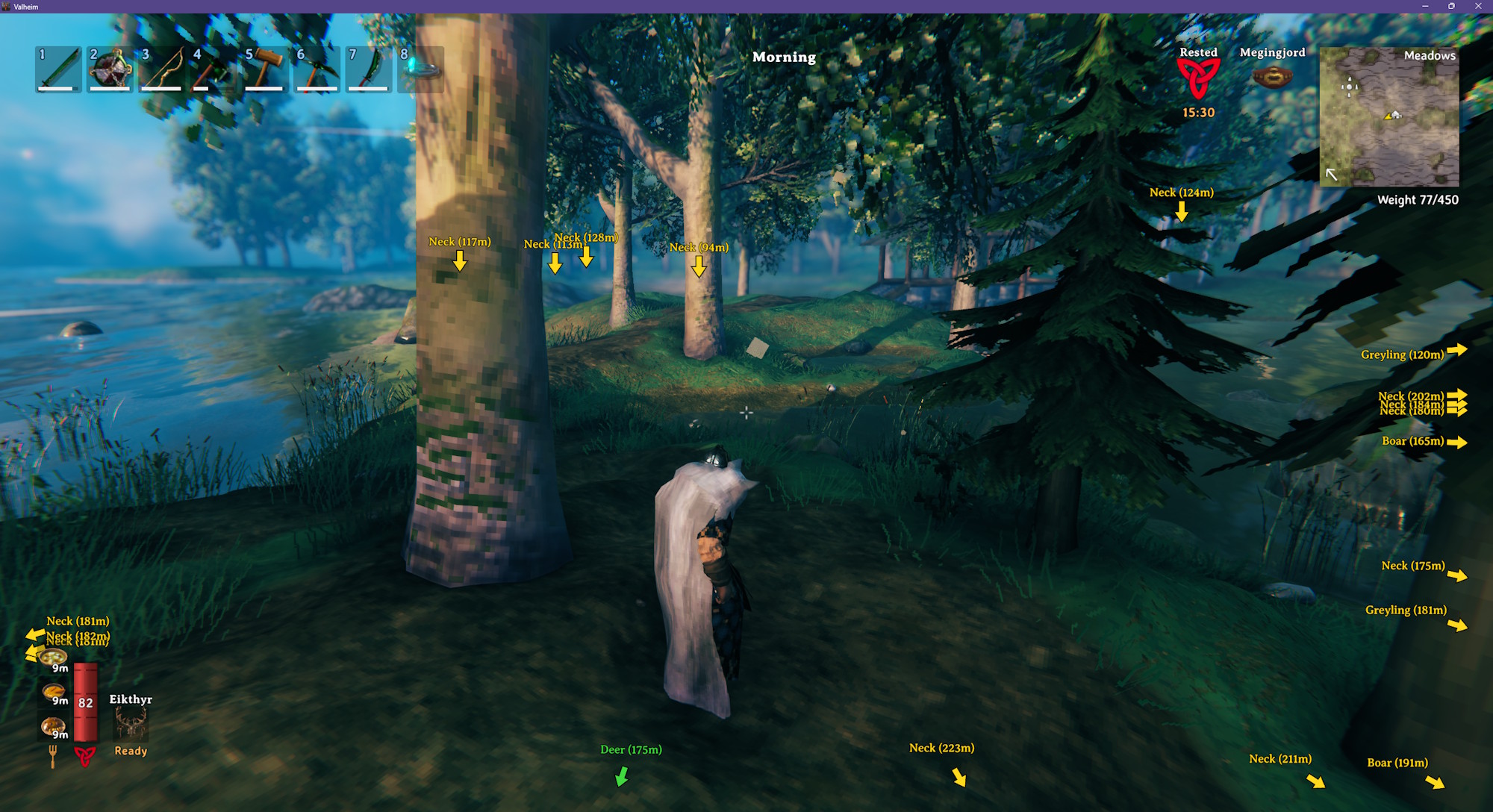
Showing names, distances, fish, and birds
Configuration
BepInEx\config\kriona.CreatureMarker.cfg is created when you first load a world with the mod, and changes take effect as soon as the file is saved. You do not need to restart Valheim or rejoin the world.
| Setting | Default | Description |
|---|---|---|
| Show On Screen | true | Shows an arrow above each marked creature, pinned to the screen edge when it is off-screen |
| Show On Map | true | Shows a dot on the minimap and the large map for each marked creature, except while you are in a dungeon |
| Max Distance | 50 | How far away, in meters, a creature can be and still get a marker (5 - 500) |
| Far Distance | 50 | How far away, in meters, a creature has to be for its marker to be drawn at Far Scale (5 - 500) |
| Far Scale | 0.66 | Size of the arrow and label of a creature beyond Far Distance (0.2 - 1). 1 keeps every marker full size |
| Bob Height | 0 | How far, in pixels, an on-screen arrow bobs up and down (0 - 30). 0 disables bobbing |
| Show Name | false | Shows the creature's name with its marker |
| Show Distance | false | Shows the creature's distance with its marker |
| Show Level | false | Shows a ⭐ for each of a creature's stars, and a fish's level like Perch[3], after the name. Creatures without stars and level 1 fish show nothing |
| Passive Color | #40D940 | Marker color for creatures that won't attack you, including birds |
| Hostile Color | #FFD91A | Marker color for creatures that will |
| Angry Color | #FF801A | Marker color for hostile creatures that are targeting you - see Multiplayer |
| Boss Color | #FF3333 | Marker color for bosses |
| Fish Color | #33CCFF | Marker color for fish |
| Pet Color | #FFF | Marker color for creatures you have tamed |
| Trader Color | Marker color for traders like Haldor, Hildir and the Bog Witch. Leave it blank to use Passive Color. Their pets, like Halstein, always use Passive Color | |
| All Passive Creatures | false | Marks every creature that won't attack you, including traders and their pets |
| All Hostile Creatures | true | Marks every creature that will attack you |
| All Fish | false | Marks every fish |
| All Birds | false | Marks every bird |
| Min Creature Level | 0 | Lowest level a creature needs to get a marker, which is its number of stars (0 - 9). 0 marks every creature, and 1 marks only creatures with stars. Traders and their pets aren't affected |
| Min Fish Level | 1 | Lowest level a fish needs to get a marker (1 - 5). 1 marks fish of every level |
Every creature, trader, fish and bird also gets its own line, Prefab = inherit/true/false ## Name. inherit follows the All switches, while true or false always shows or hides that one's marker. A trader's pet, like Halstein, gets its line the first time you come near it.
Colors can be #RRGGBB or a color name like red, yellow, green, cyan or magenta.
Multiplayer
In multiplayer, each creature's AI runs in one player's game, usually the player who was nearby first, and only that game knows who the creature is targeting. Creature Marker shares that target with the other players, so Angry Color only goes to creatures that are targeting you, not ones chasing another player, a tamed creature or a deer.
When the player whose game runs a creature doesn't have the mod, nothing shares its target, and its marker uses Angry Color whenever it is alerted and after anyone - you, another player or another creature. If a player with the mod ran the creature earlier, the target they shared is kept until the creature calms down, so for a while it can still be the creature's old target.
Installation
With a mod manager, install Creature Marker from Thunderstore using r2modman or the Thunderstore Mod Manager (which install BepInExPack for Valheim), or from Nexus Mods using Vortex.
By hand:
- Install BepInExPack for Valheim from Thunderstore or Nexus Mods
- Extract the zip into your Valheim folder, or copy
CreatureMarker.dllintoBepInEx\plugins
Client-side only - other players and the server don't need it, though Angry Color is only exact for creatures run by players who have it (see Multiplayer).
Other Mods By Me
See all my mods on Thunderstore.
Source
The source code is on GitHub.