

SnapPoints
Gives chests, resource stacks, tables, benches, banners, armor stands, item stands and portals snap points. Any other build piece can be given snap points (or have its snap points taken away) via config.Gives chests, resource stacks, tables, benches, banners, armor stands, item stands and portals snap points, so they line up with each other the way walls and floors do. Any other build piece can be given snap points (or have its snap points taken away) via config.
- A snap point is added at each corner of the build piece - chests can be placed side by side in neat rows
- The top corners let you stack build pieces that can be built on, like tables and metal bar stacks, or lay a floor over a row of chests. Chests and piles can't be built on each other, so they don't offer to snap on top of one another
- Works with wood stacks, stone and coal piles, metal bar stacks and the other resource stacks, so storage walls line up
- Tables snap end to end for long banquet tables, with benches lined up beside them
- Banners snap by their wooden hanger as well as their cloth, so the cloths can hang edge to edge
- Armor stands snap 1m apart with room for the armor, as well as close together by their bodies
- Item stands line up in rows and grids on walls and floors, and snap to the corners of walls and floors
- Portals snap side by side by their frames, so a portal hub lines up in a neat row
- Cycle through the corners by hand with the game's snap point key (E) to pick which corner snaps
- You can disable snap points (hold Left Shift) to let you free-place a piece.
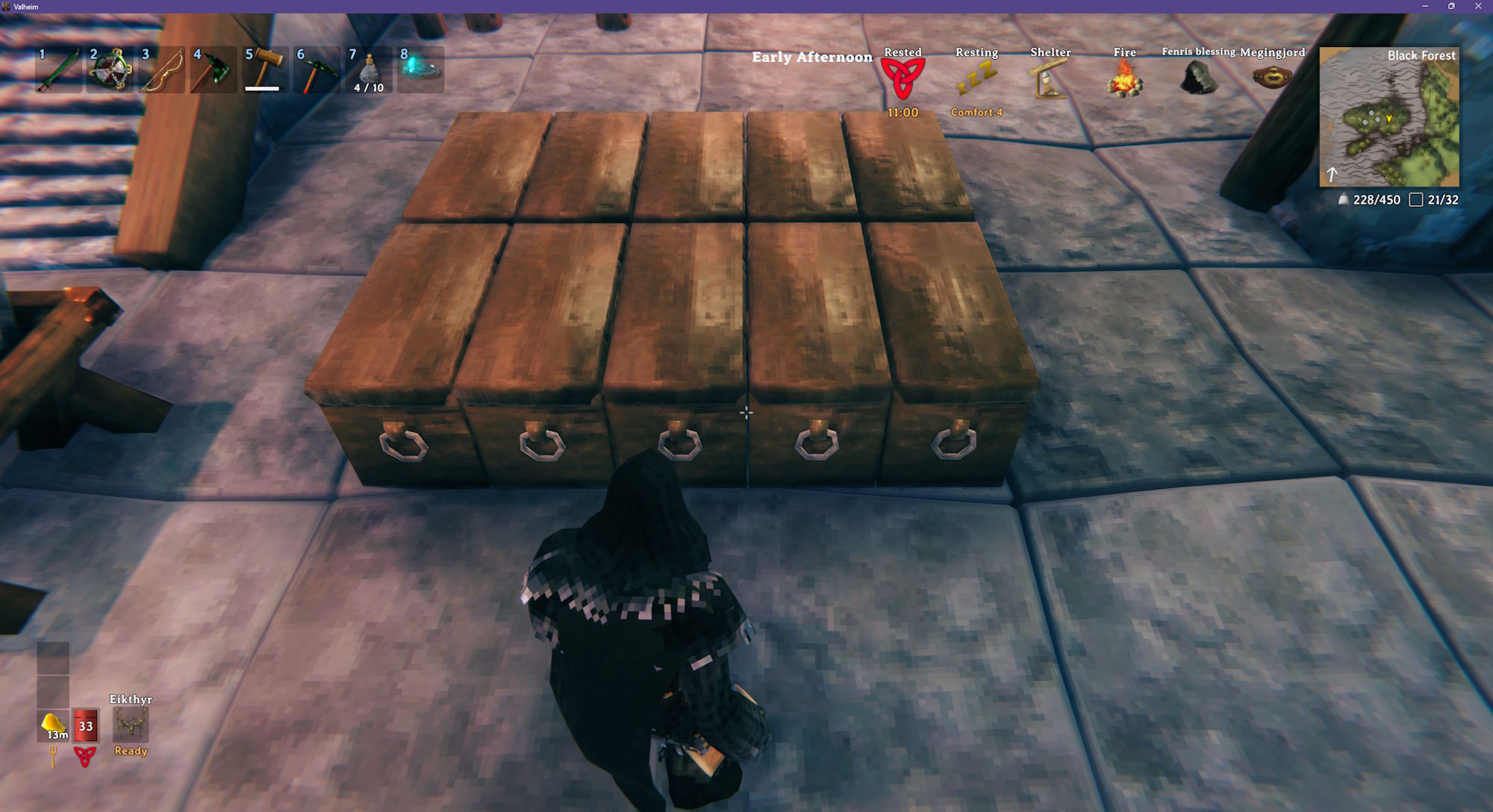
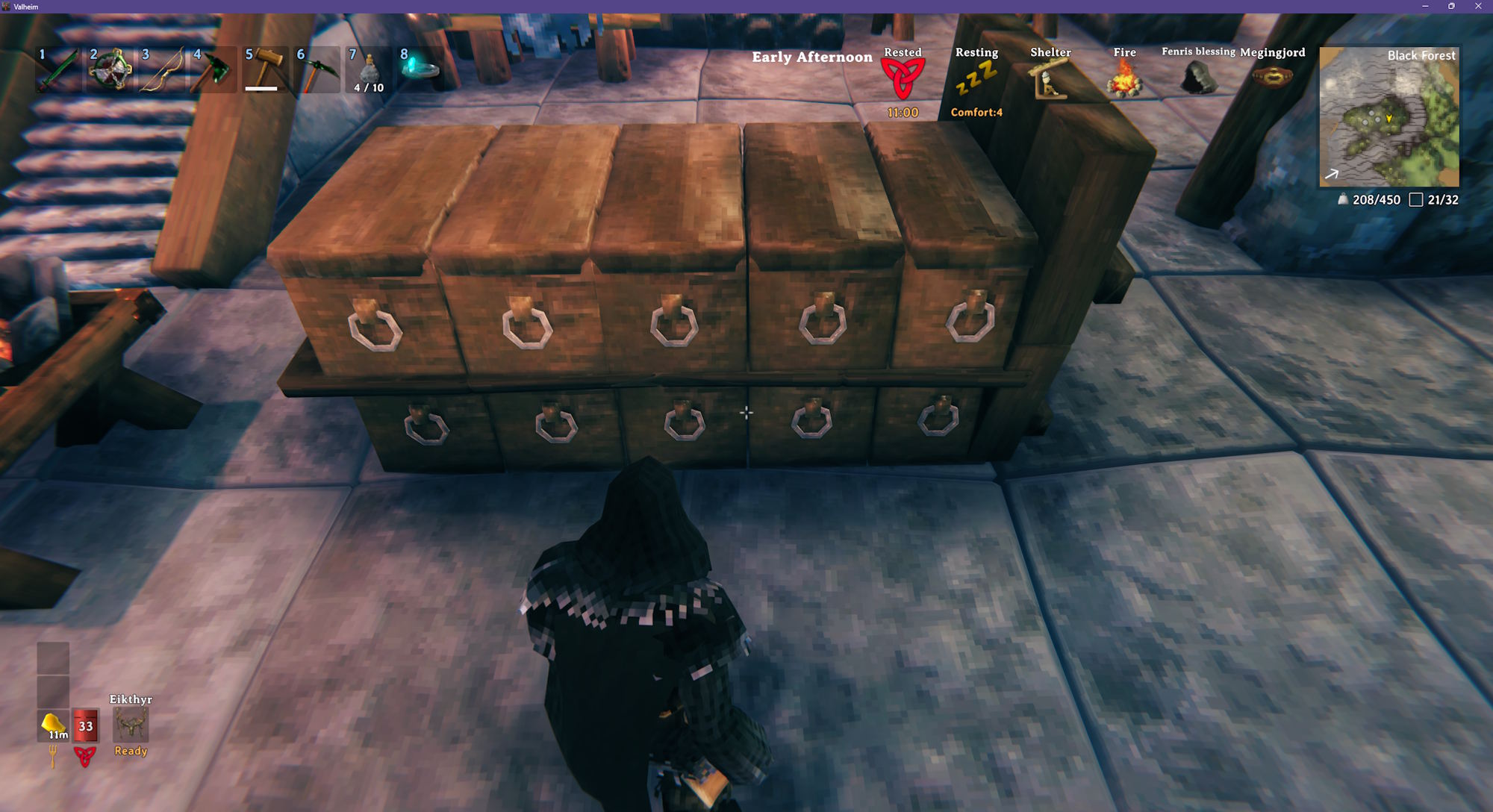
Snapping Tricks
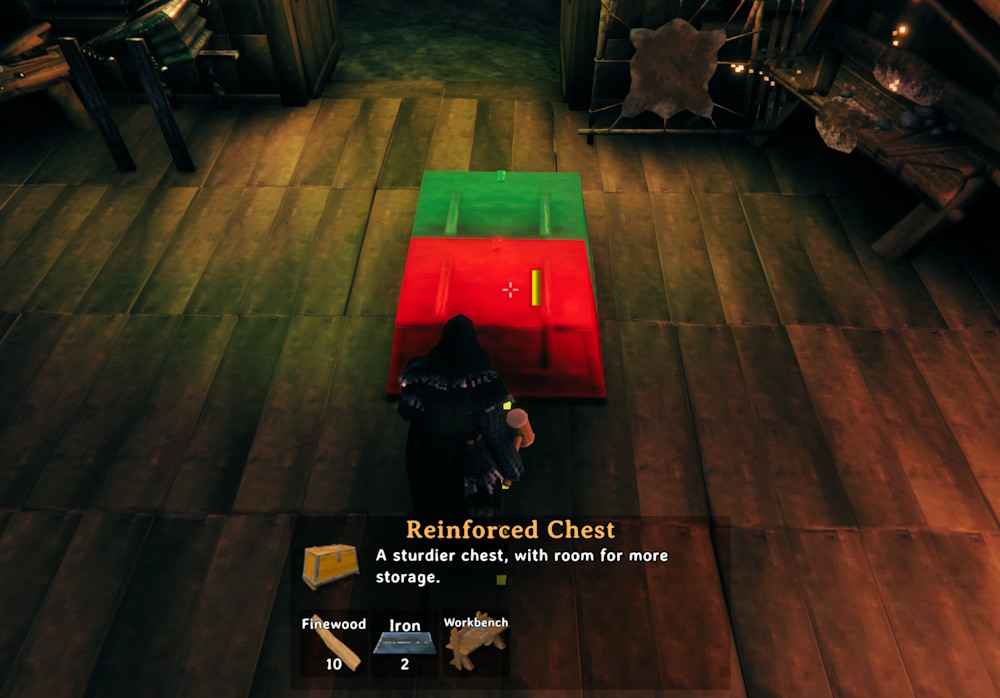
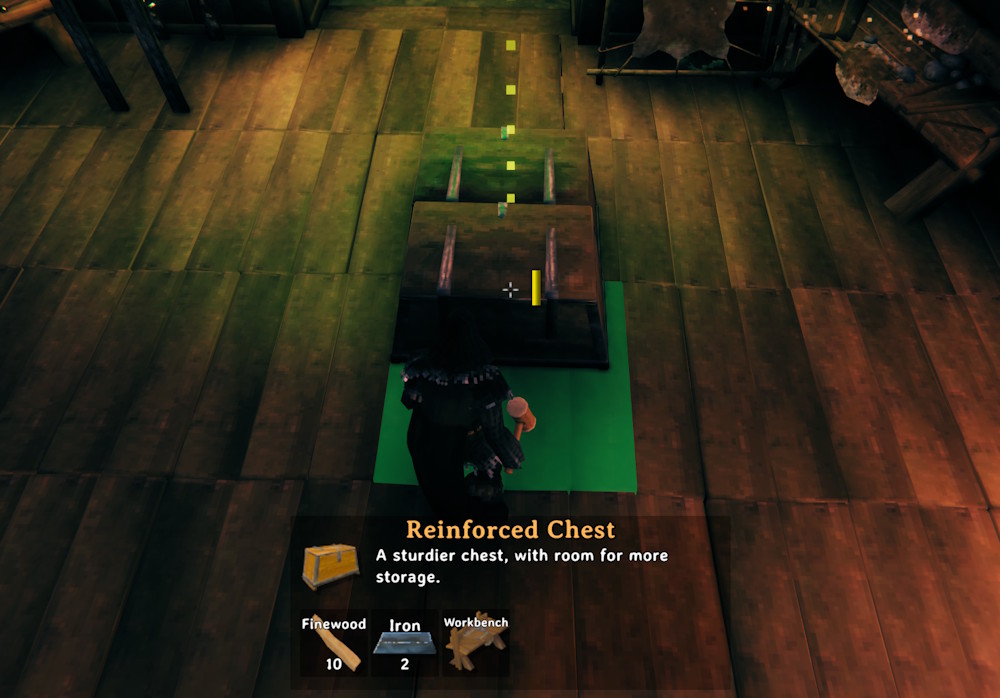
When placing two chests, you cannot snap a chest by attempting to snap to the side of the chest. This is because chests don't support other build pieces, so you can't try to support it on the side of the chest. You must look at the floor, which will snap to the side of the chest but will attempt to use the floor as support (and succeed).
❌No:
✅Yes:
Configuration
BepInEx\config\kriona.SnapPoints.cfg is created the first time you load a world, and changes take effect as soon as the file is saved. You do not need to restart Valheim or rejoin the world.
Build pieces only appear in Configuration Manager once a world is loaded.
The file has one line per build piece, grouped by the tool that builds it, with the piece's name in game after ##:
piece_chest_wood = true ## Chest
rug_wolf = inherit ## Wolf rug
piece_chest_private = false ## Personal chest
true- adds a snap point at each corner of the piece, keeping any snap points it has from the gamefalse- takes away all of the piece's snap pointsinherit- leaves the piece's snap points as the game's default
Every chest, the resource stacks and piles, the tables, the benches, the banners, the armor stands, the item stands and the portals start as true, and everything else starts as inherit.
Build pieces added by other mods are added to the file when Valheim loads.
Installation
With a mod manager such as r2modman or the Thunderstore Mod Manager, install Snap Points - it installs BepInExPack for Valheim too.
By hand:
- Install BepInExPack for Valheim from Thunderstore or Nexus Mods
- Extract the zip into your Valheim folder, or copy
SnapPoints.dllintoBepInEx\plugins
Client-side only - other players and the server don't need it.
Other Mods By Me
See all my mods on Thunderstore.
Source
The source code is on GitHub.