
FocusFollowedPlayer
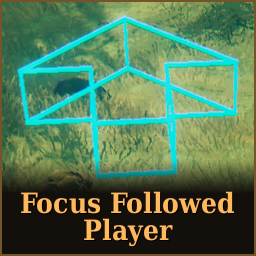
Follow one player: hide other players' health bars. Focus on the followed player, follow the arrow and glow of the player. Get notified when they use a portal.FocusFollowedPlayer
Version 1.0.0
Valheim BepInEx mod: follow one player, hide the other players' health bars, show a glow on the followed player and an arrow pointing at them when they are far away. Get notified if the followed player uses a portal.
Requirements
- BepInExPack_Valheim 5.4.2351
- Jotunn 2.30.2
- Everybody needs the mod:
[NetworkCompatibility(EveryoneMustHaveMod, Minor)](Jotunn). The server must have it too.
In-game menu (F6)
- Players - live list of the other players online (nearby / map position, distance). Click a player to follow them, click again (or "Stop following") to stop. Long lists are paged.
- Options - Enabled, show health of all players, map position sharing, verbose logging.
- Glow / Arrow - look and feel.
- Alerts - portal notification settings.
The window is always 70 % of the screen height, whatever the resolution or aspect ratio. Pages that are taller
than that scroll (mouse wheel, or drag the thin bar on the right edge). While the menu is open the mouse wheel
only scrolls the menu: it never zooms the game camera (src/Patches/ScrollBlockPatch.cs).
Every slider has a number box (type a value, Enter). Menu changes are a preview: they are written to the
config only when the menu closes (F6 / Esc). Revert changes (bottom, only visible when something changed) restores the
values the config had when the menu was opened (the followed player is not reverted).
The F8 toggle saves immediately.
Player options
[General] Enabled(default ON, F8 toggles it) - master switch of the mod for you. OFF = no health bar hiding, no glow, no arrow, you cannot start following anybody (menu click / follow is refused with a message), no follow pings are sent, and nobody can follow you: a follow request is answered with "does not allow being followed" and your map position is not forced on. Portal alerts are neither sent nor shown. The followed name stays saved and works again when you switch it back ON.[General] ShowHealthOfAllPlayers(default OFF) - OFF: while you follow somebody (and they are online) the health bars of all other players are hidden. ON: every health bar is shown as usual. With nobody followed nothing is hidden either way.[Privacy] AllowFollowAndShare(default ON) - others may follow me / turn my map position on. OFF = a follower gets "does not allow being followed" and the follow is cancelled.[Arrow] ForcePublicPosition(default ON) - ask the followed player (must have this mod) to turn their map position sharing ON. The followed player's mod turns it OFF again about 20 seconds after the last follower stopped (or as soon as they set[Privacy] AllowFollowAndShareto OFF). Sharing that the player switched on or off themselves is never touched.
Glow
- The glow is shown up to
[Glow] MaxDistance.[Glow] Intensityis limited to 0.1 - 1, default 0.5 (it also applies to the arrow, whichever arrow color is used). [Glow] AllowGlowAtAnyDistance(default OFF) - ON: the followed player glows at any distance, ignoring[Glow] MaxDistanceand the sync setting. The arrow is not affected: it keeps using its distance (the shared one with sync ON,[Arrow] MinDistancewith sync OFF). The glow can only be drawn while the player is loaded in your game (Valheim only loads nearby players).- The outline uses 3 clones per renderer (stencil bit 64): Clear (queue 3099, wipes the bit around the player), Mask (3100, writes it) and Hull (3101, draws only where the bit is not set). The Clear step is needed because anything that already set bit 64 on screen makes the hull fail everywhere.
- With
[Logging] Verbose = truethe plugin writesGlowDiag:lines every 10 s (pipeline, camera, per-renderer visibility of the clones).
Arrow
- The arrow points at the followed player beyond
[Arrow] MinDistance(25 - 200 m, default 100). [Range] SyncActivationPoint(default ON) uses one shared distance, so the glow stops exactly where the arrow starts. OFF = each has its own distance. With sync ON, changing either slider changes both.[Arrow] Size(0.5 - 1, default 1): slider "Size" in the Arrow tab, shown in percent (50 - 100%).[Arrow] FollowVertical(default ON): the arrow tilts up/down toward the target, so a target high above or far below you gives an arrow pointing up/down and ahead. The arrow is placed horizontally toward the target. A target straight above/below shows an arrow.[Arrow] ArrowSeeThrough(default OFF) - ON: the arrow is drawn as thin borders only (the 21 edges as thin beams), the inside is see-through. Same color and intensity. Border thickness:EdgeThicknessconstant insrc/Arrow/ArrowManager.cs(0.03 m).
Portal notifications
When a player takes a portal, their mod broadcasts the portal's name (the tag; "(unnamed portal)" if empty).
- Notification on the right side of the screen for the followed player: "Followed player <player> used portal <portal>"
(portal name bold) in a box with dark background, gold border and 10 px padding around the text.
Settings (menu tab Alerts, config
[Notifications]): on/off, distance from the right edge (px, in 1920x1080 reference pixels, scales with the screen), height (% of screen), text size, seconds shown. Drawn with UI Toolkit (own panel under the menu, never blocks input). While the Alerts tab is open an example line is drawn so you can place it. - Menu (Players tab): the portal a player took is shown on their row and in the "Following" line, until you take a portal with the same name (case-insensitive). Cleared when you leave the world.
- Not sent when
[Privacy] AllowFollowAndShareis OFF or the mod is disabled by the server. - Harmony patch:
TeleportWorld.Teleport(local player only; counts only if the teleport really started). RPC:FocusFollowedPlayer_PortalUsed.
Server
kydldev.FocusFollowedPlayer.cfg -> [Server] ModEnabled (default ON). Admin-only setting, synced to all
clients by Jotunn. Admins (and the host / the player in single-player) can change it in the in-game menu
(Options -> Server) or in the config manager (F1); everybody else sees it locked.
It is only written to disk by the machine that owns it: a dedicated server, the host, or a single-player game.
A client connected to somebody else's server never saves the server's value.
OFF = no hiding, no glow, no arrow, no follow requests for anybody.
Logging
Log lines are written through the plugin's own BepInEx log source, so they look like
[Warning:FocusFollowedPlayer] message (the mod name is not repeated inside the message).
- Default: only warnings and errors go to the BepInEx log.
- Set
[Logging] Verbose = trueinkydldev.FocusFollowedPlayer.cfg(or toggle it in the in-game menu) to log everything. It can be switched at runtime, no restart needed. - With Verbose on, the plugin writes the list of every asset found inside the bundle
(
ShaderProvider: asset: ...) - use it to check the Unity asset names.
Note
Mod made on request from Nothgierk in the Valheim community. Please report any issues in Threads, will fix as soon as possible.