
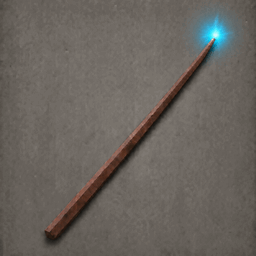
UniversalWand
One wand for twelve vanilla staffs and optional Fracturing variants. Remember spell unlocks and levels, switch with configurable keys, and enable optional Lumos and Telekinesis.Universal Wand
Cast twelve vanilla staff spells from one wand. Select an unlocked spell with configurable keys while keeping the wand equipped. Optional Staffs of Fracturing support adds Iolite, Jade and Bloodstone variants.
- Built-in alternate casting: Protection on secondary attack, or Trollstav with Dead Raiser selected.
- Optional extra spells: Lumos and Telekinesis, cycled with Numpad +.
- Remembered progression: unlock staff spells as you acquire their originals; the wand remembers each staff's highest level.
Built-in alternate casting inspired by MagicTweaks by Gaakrin. MagicTweaks is not required or bundled.
Staff controls
Equip the wand, select a spell, then left-click to cast. All selection keys can be changed in the config.
| Default key | Selects |
|---|---|
| Numpad 0 | Protection |
| Numpad 1 | Frost |
| Numpad 2 | Embers |
| Numpad 3 | Fracturing; press again to cycle supported variants |
| Numpad 4 | Dundr |
| Numpad 5 | Staff of the Wild |
| Numpad 8 | Dead Raiser |
| Numpad 9 | Trollstav |
| Numpad Enter | Cycle unlocked Deep North staffs |
| Numpad + | Cycle enabled custom spells |
Numpad 6/7 are unassigned. Enter cycles Echo Spike → Spirit Caller → Northern Vengeance → Lightning Strike. Number keys or Enter leave custom mode.
Unlocks: acquire, craft or use an original staff to unlock its spell for your character. The wand remembers each staff's highest level, including later upgrades. Locked keys say Not yet unlocked. Original staffs remain usable; trading a wand does not transfer unlocks. Requests made during an attack apply when it ends; changing to another wand cancels that pending request.
Built-in alternate casting
Enabled by default. Primary attack keeps casting your selected spell:
| Selected staff spell | Secondary Attack casts |
|---|---|
| Dead Raiser | Trollstav |
| Any other staff spell | Protection |
Alternates need their own unlock and use their own recorded level, costs and restrictions. Set [Casting] Enable Alternate Casting = false to restore normal staff secondary attacks.
Optional custom spells
Off by default. Enable them in BepInEx/config/com.universalwand.valheim.cfg:
[Custom Spells]
Custom Added Spells = On
Numpad + cycles Lumos → Telekinesis. Enabling the setting unlocks both wand spells together.
| Spell | What it does |
|---|---|
| Lumos | A wisp-like tip light. Primary throws a light; secondary places one. Cast lights last 30 seconds. The tip light disappears on switching/unequipping. Does not clear mist. |
| Telekinesis | Lift, move, pull and throw creatures or objects. Controls below. |
Spirit Orb and custom Lightning Strike are disabled.
Use Valheim's configured Primary Attack, Secondary Attack and Block bindings, including controller bindings. Secondary Attack and Block are separate actions.
How to use Telekinesis
- Aim and press Secondary Attack to grab an eligible target.
- Move or look around to carry it at the same chosen distance. Looking up/down steers it too.
- Hold Secondary Attack to keep raising it. Release after holding and it stays floating.
- Hold Block to pull it closer.
- Primary Attack / left-click violently throws it. For a natural fling, swing it with your movement, then quick-tap Secondary Attack to release its current momentum.
Releasing the initial grab button does not drop the target. A later secondary tap shorter than 0.20 seconds releases it; a longer hold raises it. Switching spells or putting the wand away releases the hold.
Grab hostile creatures, dropped items and movable logs. Players, bosses, tamed creatures, buildings, ships and carts are excluded. Throws can damage creatures and trees. Eitr: 10 to grab · 2/second to hold · 15 to throw.
Multiplayer
| Where you play | What works |
|---|---|
| Local world | Choose whether custom spells are On or Off. |
| Server with Universal Wand | The server controls the custom-spell setting for modded clients. |
| Server without Universal Wand | Unlocked vanilla staff spells work client-side. Custom spells stay Off. |
Modded viewers see your wand; others see the selected vanilla staff. Custom visuals need the mod. Update participating modded clients and servers to 0.7.x together; an unmodded server may remain unmodded.
Crafting and installation
Craft at a Galdr table: 10 Core wood, 5 Fine wood, 2 Silver and 1 Black core. Upgrades use only Core wood, Fine wood and Silver. Wand quality goes up to 4; spell levels are recorded separately.
Already own an old wand? Bring it into your inventory to receive one old base-recipe refund per eligible character: 20 Yggdrasil wood, 30 Refined eitr, 5 Black cores and 2 Red gemstones. You keep the wand. Materials go into available inventory space, with overflow dropped at your feet; the confirmation appears only in your chat.
The wand's recorded crafter/upgrader must match your character. Newly crafted wands and previously claimed or cheated items do not qualify. Collect the refund before upgrading an old wand. Preserve BepInEx/config/UniversalWand/recipe-refunds when updating. An interrupted refund never retries automatically; see the detailed reference for recovery limits.
Import the release ZIP with a Thunderstore-compatible mod manager. Requires BepInExPack Valheim 5.4.2350+ and Jotunn 2.30.0+. For manual installation, put UniversalWand.dll in BepInEx/plugins. Replace the previous DLL and keep only one copy installed.
Appearance
The default SilverCore look has a wooden shaft, shiny silver base and a faintly glowing purple Black core tip, with the same shape and size. Select the original ClassicWood look using [Visuals] Wand Appearance in the config. Changes apply immediately on your client.
Compatibility and credits
- MagicTweaks by Gaakrin: alternate-casting inspiration. Remove broken MagicTweaks 1.0.0 and restart; Universal Wand does not fix that separate DLL's global attack errors.
- Staffs of Fracturing by L4zerShark_Team: optional Iolite, Jade and Bloodstone variants on Numpad 3, with separate unlocks/levels. Use a compatible source-mod version and follow its client/server installation requirements; remote variants require it on the server.
0.7.2 targets Valheim 1.0.16. It fixes queued spell selections carrying over to a different wand. Missing-source warnings wait for gameplay item registration to finish. Recipes, spell balance and saved progression are preserved.
Startup, source registration and automated casting/refund checks have passed. These checks do not cover every live combat or multiplayer interaction. The source archive includes TEST_REPORT.md for test scope and docs/REFERENCE.md for detailed behavior and migration notes. The current wand appearance is unchanged in this release.