

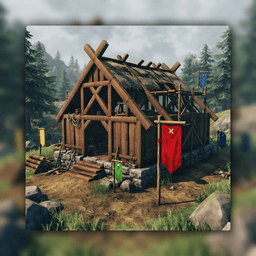
BuildingInspector
A Valheim mod with six free, customizable inspection flags and editable notes. Mark problems, areas to review, completed inspections, and more.Building Inspector 0.3.0
A minimal BepInEx plugin for Valheim that adds six free inspection flags to Hammer → Inspection:
- 🔴 Problem — marks an issue
- 🟡 Review — marks something that needs review
- 🟢 Verified — marks an inspected area
- 🔵 Other — marks another category
- 🟣 Structural — marks structural work that needs attention
- ⚪ Finish — marks finishing work that needs attention
You can customize each flag's label, description, and color in the mod configuration. Flags align to the surface you are aiming at, with the pole base anchored at the surface. Use the mouse wheel to rotate around the surface normal.
Flag tilt
While a flag placement ghost is active:
- I / K — tilt forward or backward
- J / L — tilt sideways
- Insert — reset the tilt
Each key press applies the configured tilt step, up to the configured maximum angle.
Flag notes
Aim at a placed flag and press N to add or edit its note. Notes are saved with the flag and appear when you look at it. Only the player who placed the flag can edit its note.
Placement and support
Flags follow Valheim's building support system and collapse when unsupported. The six standard flags block one another within the configured spacing(0.2m by default). The optional test flag does not affect their placement spacing.
Configuration
Key bindings and tilt angles are in BepInEx/config/Lanoz.BuildingInspector.cfg, under [Flag Rotation]. Flag labels, descriptions, and colors are under [Flag Labels], in slots 1–6. Colors use hex notation, such as #FF0000. Restart the game after changing labels.
To test label settings separately, enable [Test Flag] and edit its name, description, and color. Restart the game to apply the changes. Remove any placed test flags before disabling the test flag.
The mod does not automatically scan or analyze buildings.
Icon
The mod icon was generated using AI.