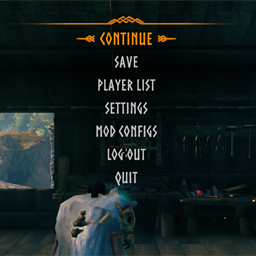
Opening or reopening Mod Configs on a large config no longer freezes the game
Cancel, presets, and Reset load a large config over a few frames instead of all at once
Search stays responsive while a large config is still loading
1.1.0
Search bars have an X button to clear the text
Fixed stuttering while typing in search
Click a selected preset again to unselect it
Right-click a preset to rename it on the game's wood background
Controller support. The D-pad moves through the list, LB/RB switch mods, B is Cancel, and X is OK
Y renames the selected preset, and that button icon shows on the preset
Keybinds can be set to controller buttons. B cancels a rebind
A edits a text box or a slider's number. Left and Right move a slider
Switching mods on large configs no longer lags
Settings use more of the panel's width
1.0.9
Preset tabs stay on screen when the GUI scale is maxed
Removed the Edit button; right-click a preset to rename it
Global preset Save and Delete now sit under the tabs (Delete asks for a second click to confirm)
Back is replaced by Cancel and OK, centered at the bottom: OK keeps your changes, Cancel (or Escape) undoes every change made since opening Mod Configs
Preset names are capped at 20 characters
Deleting a global preset also clears its name and description (new KeepGlobalPresetLabel setting keeps them)
1.0.8
Added presets: every mod gets its own 5 preset slots with Save and Delete, a gold frame on the active preset, and a * when you have unsaved changes (hover the "i" icon for help)
Added global presets: 5 tabs down the left side of Mod Configs that store every mod's settings at once
The OK button is now Save: it stores every mod's settings in the active global preset and keeps the panel open
Presets can be renamed and given a short description (right-click a preset, or use Edit under the tabs)
Mod preset row now reads Delete, then Save
Smaller title bar and Back/Save footer, giving the options list more room
Advanced settings are now shown by default (new installs)
Mouse wheel scrolls a steady step, including while the cursor is over a slider, button, or text field
Fixed Atze's Build Camera (and similar mods that keep their .cfg in a helper class) not showing up; changes apply right away without a restart
1.0.7
Now finds mods that save settings to their own custom .cfg file (e.g. Atze's Build Camera)
Mod Configs opens faster, especially when reopening it
More room for the options list (smaller header, less empty space at the bottom)
1.0.6
Added search for mods and for preset / option dropdowns
Fixed the look of dropdown boxes
Improved scrolling
1.0.5
Fixed empty Mod Configs panel when connected to a multiplayer / dedicated server (should be the final update)
1.0.4
Added a scrollbar to the main settings panel when a mod has a bunch of options (also can grab anywhere and drag up and down)
Opening Mod Configs no longer resets in-game GUI scale to 100%
1.0.3
Fixed enum / preset dropdowns so you can scroll and select options below the fold
1.0.2
Fixed pause-menu Mod Configs for Valheim 1.0
1.0.1
Updated mod description to emphasize changing client-side mod configs (.cfg) in-game, no server install needed