
TidyChests
Quick stack into nearby chests and restock marked slots, food and arrows from them, a Sort button for the open chest (works with MultiUserChest), a find hotkey, Ctrl+O to search nearby chests, and recipes unlocked by team mates' materials.Tidy Chests
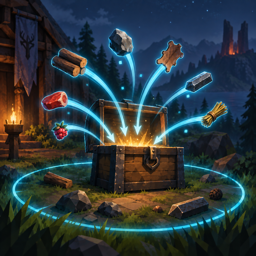
Terraria-style quick stack for Valheim 1.0. A Stash button in the inventory moves your materials, food, ammo and trophies into the nearby chests that already hold that kind of item (10 m by default). Equipment, tools, weapons, equipped items, quest items and the slots of your quick slot mod stay where they are. And when you wonder where you put something, point at it in the inventory and press T: the inventory closes and every chest in range that holds it lights up, with an arrow and the count on screen. Ctrl+O lists everything the chests around you hold, with a search box. And in co-op, the materials your team mates drop in those chests unlock their recipes for you, without hunting down every new stack to touch it. A Restock button does the opposite of Stash: it refills the slots you marked, and the food and arrows in your quick slots and quiver, from the chests around you. A Sort button on the chest panel tidies the open chest, and both work with MultiUserChest, even while another player has the same chest open.
Client-side: install it on every player's game that should use it. Nothing is needed on the server, and players without the mod can play on the same server.
Source, issues and releases: github.com/egor-muindor/ValheimMods.
Features
- Stash button: every stackable regular item in the inventory goes to the
nearest chest within the radius that already contains an item with the same
name. Existing stacks are topped up first, then empty slots are used, and what
is left continues to the next chest. Chests, reinforced and black metal chests,
carts and ship cargo all count. A chest that holds none of your items
is never touched, so your sorting stays yours. A new stack goes to the empty
cell where it fits the chest's sort order (
[Sort] SortOrderandSortLayout), next to the same item when there is room, but nothing already in the chest is moved: only the Sort button does that. - What stays: equipped items; tools, weapons, armour and other equipment; quest items; the hotbar (optional); quick, equipment, food, ammo and misc slots of Extra Slots, every slot of EquipmentAndQuickSlots, the quiver rows of Better Archery; anything in the blacklist; locked items and slots; slots marked for restocking; item types not in the allowed list.
- Locks: point at an item and press
Shift+Lto lock it, and the Stash button leaves that item alone wherever it lies. Point at a slot and pressShift+Kto lock the slot itself, so whatever is put there stays. HoldShiftwith the inventory open to see the locks, a grey padlock on a locked item and a red one on a locked slot, and a tooltip on the slot under the pointer with the keys. Pressing again unlocks. The keys and the locks themselves are in the config, so they survive a restart and can be edited. - Restock button, under the Stash button: tops up slots from the chests
within the stash radius, nearest chest first. Point at a slot and press
Shift+Rto mark it: the first press keeps a full stack there, the second half a stack, the third removes the mark. HoldShiftto see the marks, a green arrow into a tray for a full stack and a red one for half. A marked slot remembers the item it held, so a slot you have emptied is refilled with the same thing, and the Stash button never takes from it. The slots of your slot mod are topped up without marking: food to half a stack, arrows and bolts to a full one, the rest (meads included) left alone, each configurable. Only stacks of the same quality and world level are taken. - Sort button: sorts the chest you have open, and only when you press it. Stacks of the same item are merged, then the items are laid out by their ID (or by name, or by type), every item starting a new column by default. Rows or one gapless run are a config switch away. Chests have no locked slots, so everything in the chest takes part. Presses closer than 0.2 s apart are ignored.
- Works with MultiUserChest: when another player opened the chest first and owns it, the Sort button sends MultiUserChest's own move requests to that player's game, which carries them out in order. If they move something in the same moment, the requests that no longer fit are refused, so the chest may end up partly sorted, but nothing is lost or duplicated. Without MultiUserChest, or when you own the chest, it is rewritten in one go and saved once, which costs no more than moving a single item.
- Find key (
Tby default): with the inventory open, point at an item and press the key. Every chest in range that holds the item gets a pulsing light, an emissive tint and a screen marker with the count and the distance, for 8 seconds by default. The inventory closes so you can look around; if no chest holds the item, a message says so and the inventory stays open. Works for items in an open chest and in the crafting panel too: point at an ingredient of the selected recipe, at the recipe's icon or at an entry of the recipe list to see which chests hold that item. - Chest list (
Ctrl+Oby default): every item in the chests within the scan radius, one row per kind, with the total, how many chests hold it and how far the nearest one is. Type to filter by name; click a row to close the list and light up every chest holding that item, or press Enter to pick the first row. Escape or the same key closes it. While it is open the character stands still and the wheel scrolls the list rather than zooming the camera. The header sorts by name or by count, and the diamond on the left of a row pins the item to the top of the list - where it stays, with a count of 0, even after the last of it is gone. - Learning from chests: the items lying in the chests around you count as
found, so their recipes unlock. Valheim normally unlocks a recipe only once the
material has been in your own inventory, which in a party means hunting down
every stack a team mate gathered. Trophies count too. This cannot be undone:
turning
LearnFromChestsoff later does not lock a recipe again. - Localized: the button label and the messages follow the game language (English and Russian included, English elsewhere).
- Multiplayer: with MultiUserChest items go through its requests, so shared chests behave. Without it, chests that another player has open, carts in use and ship cargo (in multiplayer) are skipped, and the mod takes ownership of a chest before writing to it, like opening it would.
Installation
Requires BepInEx 5.
- With a mod manager (r2modman, Thunderstore Mod Manager): install as usual.
- By hand: unzip the release and copy the
plugins/TidyChestsfolder intoBepInEx/plugins, so the mod ends up atBepInEx/plugins/TidyChests/TidyChests.dll.
The config file BepInEx/config/muindor.TidyChests.cfg is created on first launch.
Configuration
Server
| Key | Default | Description |
|---|---|---|
ConfigPriority |
false |
Server only. When on, this server's settings replace those of every client that also has the mod. |
Install the mod on a dedicated server, or on the machine hosting the session,
and turn ConfigPriority on to give every player the same reach and the same
rules: every client that also has Tidy Chests then runs on the server's values
for Enabled, Radius, IncludeHotbar, ItemTypes, Blacklist,
ScanRadius, ScanInterval and LearnFromChests. They are marked [synced]
in the generated .cfg.
Keys, the Stash button, the panels and the highlights stay each player's own: there is no reason for a server to decide where someone's button sits or which key opens their chest list.
This never makes the mod required on either side:
- Players without it are unaffected. The mod is not part of the game's version check, so it never blocks a connection either way.
- A player with it can still join a server that does not have it, or one that
leaves
ConfigPriorityoff, and keeps their own settings. - The client's
.cfgis never written to. The server's values live in memory for as long as the connection lasts and are dropped when it ends. - Changing a setting on a running server sends it to the connected players right away.
General
| Key | Default | Description |
|---|---|---|
Enabled |
true |
Enable the mod: the Stash button, the find key, the chest list and the learning from chests. |
IsDebug |
false |
Log every item decision and every chest that is considered when stashing. |
Stash
| Key | Default | Description |
|---|---|---|
Radius |
10 |
Chests within this many metres of the player are used, by the button and by the find key, 1 to 20. |
IncludeHotbar |
false |
Also stash items from the first inventory row. |
ItemTypes |
Material, Consumable, Ammo, AmmoNonEquipable, Trophy, Misc, Fish |
Item types that may be stashed. Remove Ammo to keep arrows, add Torch to stash torches, and so on. Valid names are listed in the config file. |
Blacklist |
empty | Items that are never stashed, comma-separated prefab names or item names: Wood, $item_coal, Resin. |
ShowMessage |
true |
Show a message with the result after stashing. |
PlaceInSortOrder |
true |
Put each new stack in the empty cell where it fits [Sort] SortOrder and SortLayout best, next to the same item when there is room. Nothing already in the chest is moved. false: the first empty cell, like the game's own buttons. |
Locks
| Key | Default | Description |
|---|---|---|
RevealKey |
LeftShift |
Hold this key with the inventory open to see the locks and, on the slot under the pointer, a tooltip with the lock keys. None never shows them. |
LockItemKey |
L + LeftShift |
With the inventory open, point at an item and press this to lock or unlock it. A locked item is never stashed, wherever it lies. Modifiers are allowed. |
LockSlotKey |
K + LeftShift |
With the inventory open, point at a slot and press this to lock or unlock it. Whatever lies in a locked slot is never stashed. Modifiers are allowed. |
LockedItems |
empty | The locked items, comma-separated game item names ($item_wood, $item_coal). Written as you press the key; editable by hand. |
LockedSlots |
empty | The locked slots, comma-separated column:row counted from 0, the hotbar being row 0 (0:1, 7:3). Written as you press the key; editable by hand. |
Restock
| Key | Default | Description |
|---|---|---|
ShowRestockButton |
true |
Show the Restock button in the inventory. tidychests restock in the console works without it. |
RestockButtonOffset |
0, -42 |
Position of the Restock button relative to the Stash button, in UI pixels (x right, y up). It has the Stash button's size, [Button] ButtonSize. |
RestockSlotKey |
R + LeftShift |
With the inventory open, point at a slot and press this: a full stack, then HalfPercent of a stack, then no mark. Hold [Locks] RevealKey to see the marks. Modifiers are allowed. |
RestockSlots |
empty | The marked slots, comma-separated column:row=percent, then the item last seen there: 0:1=100:$item_arrow_wood, 3:2=50:$item_cookedmeat. Written as you press the key and as the slots are restocked; editable by hand, any percent from 1 to 100. |
HalfPercent |
50 |
What the second press of the key keeps in the slot, in percent of a stack. |
ModSlotFood |
50 |
Food in a slot mod's slot (Extra Slots quick and food slots, EquipmentAndQuickSlots quick slots) is kept at this many percent of a stack. 0 leaves it alone. |
ModSlotMeads |
0 |
The same for meads and other consumables that do not feed. |
ModSlotAmmo |
100 |
The same for arrows, bolts and other ammo, in Extra Slots' ammo and quick slots and in the Better Archery quiver. |
ModSlotOther |
0 |
The same for any other stackable item. |
Half of a stack is rounded up: a slot kept at 50% of a stack of 25 is filled to
13. A marked slot wins over the slot mod setting. The radius is [Stash] Radius
and the result message follows [Stash] ShowMessage.
Find
| Key | Default | Description |
|---|---|---|
FindKey |
T |
With the inventory open, point at an item (in the inventory, or an ingredient or recipe in the crafting panel) and press this key. Modifiers are allowed, e.g. T + LeftControl. |
HighlightDuration |
8 |
Seconds the found chests stay highlighted, 1 to 60. |
ScreenMarker |
true |
Draw an arrow with the item count and the distance over each found chest, at the screen edge when it is out of view. |
Light |
true |
Light up each found chest with a pulsing light. |
Glow |
true |
Tint each found chest with an emissive glow (only for materials whose shader has an emission colour). |
CloseInventory |
true |
Close the inventory when chests are found. |
Button
| Key | Default | Description |
|---|---|---|
ShowButton |
true |
Show the Stash button in the inventory. tidychests stash in the console works without it. |
ButtonOffset |
41, -56 |
Position of the button relative to the weight display of the inventory panel, in UI pixels (x right, y up). Adjust if another UI mod puts something there. |
ButtonSize |
120, 38 |
Width and height of the button in UI pixels. |
Sort
| Key | Default | Description |
|---|---|---|
ShowSortButton |
true |
Show the Sort button on the chest panel. tidychests sort in the console works without it. |
SortOrder |
Id |
Id: by the item's prefab name (Coal, Stone, Wood), the same in every language. Name: by the name shown in the current language. Type: weapons, shields, tools, armour, ammo, food, materials, trophies, then the rest, each group by Id. The better quality and the higher world level come first within the same item. |
SortLayout |
Columns |
Columns: every item starts a new column, filled top to bottom. Rows: every item starts a new row, filled left to right. Sequential: everything packed left to right with no gaps. With more items than columns (or rows), the rest is packed without gaps. |
SortButtonOffset |
0, 0 |
Shift of the button from its own place, next to the chest panel's "stack all" button, in UI pixels (x right, y up). |
The sort settings are each player's own; a server does not decide them.
Scan
Used by the chest list and by the learning from chests.
| Key | Default | Description |
|---|---|---|
ScanRadius |
50 |
Chests within this many metres are read, 5 to 90. Above roughly 90 m the chests are no longer loaded, so nothing more is found. |
ScanInterval |
5 |
Seconds between two scans, 1 to 60. Chests whose contents did not change are skipped, so a short interval is cheap. |
Knowledge
| Key | Default | Description |
|---|---|---|
LearnFromChests |
true |
Count the items in the chests in range as found, so their recipes unlock. Cannot be undone; see above. |
Browser
| Key | Default | Description |
|---|---|---|
BrowserKey |
O + LeftControl |
Opens and closes the chest list. Modifiers are allowed; set it to None to disable the panel. |
BrowserSize |
520, 560 |
Width and height of the panel in UI pixels. |
Sort |
CountDescending |
Order of the list while the search box is empty: CountDescending, CountAscending, NameAscending or NameDescending. Set by clicking the header, saved here. |
Favorites |
empty | Pinned items, comma-separated, by the game's own item names ($item_wood, $item_coal). Set by clicking the diamond in the list, saved here. |
Sorting and pinning
The list has a header with two clickable columns. Name and Count each
sort by that column; clicking the one that already decides the order flips its
direction, and the active column says which way it is sorted (Count 9-1,
Name A-Z). The list opens with the largest stacks first.
The diamond on the left of every row pins the item. A pinned item sits above everything else, and the pinned block is sorted the same way as the rest. Two things make it more than a bookmark:
- It stays in the list with a count of 0 once no chest in range holds it any more, dimmed, instead of disappearing. That is how you see that the flax ran out rather than noticing it is missing. Such a row does nothing when clicked - there is no chest to light up.
- It survives a restart and a language change: pins are stored by the game's internal item name, not by the name on screen.
Pinning is ignored while something is typed in the search box. A search should answer with its best matches first, not with the pins; the sort still decides the order among equally good matches.
Console command
tidychests stash    # stash now, without the button
tidychests restock  # restock now, without the button
tidychests sort     # sort the open chest, without the button
tidychests scan     # scan the chests in range for items you do not know yet
tidychests status   # show the active settings and where they come from
tidychests reload   # re-read the config file
How it works
Items are moved with the same inventory calls the vanilla "stack all" button
uses (Inventory.AddItem + RemoveItem for whole stacks, the positional
MoveItemToThis of drag and drop for parts of a stack), so chest-sharing mods
that intercept these calls keep working. Which item goes where is decided by a
small planner on snapshots of the inventory and of the chests in range, and the
same rules run in the unit tests.
Reading the chests costs nothing on the network. The game already sends every
client the contents of the chests around it (ZDOMan replicates the ZDO data of
everything in the active area) and re-reads them once a second
(Container.CheckForChanges), so the chest list and the learning only look at
what is already in memory, and a chest whose data revision did not change is not
even re-read. Known materials are local player data, saved in the character file,
not in a network object. Neither feature sends a single extra packet or takes
ownership of a chest; only the Stash button writes.
| Feature | Patched member |
|---|---|
| Container list | Container.Awake and Container.OnDestroyed postfixes keep a list of loaded containers |
| Stash button | InventoryGui.Show postfix clones the "take all" button into the player panel |
| Button label, messages | Localization.SetupLanguage postfix adds the mod's words for the loaded language |
| Restock button | the same InventoryGui.Show postfix clones the "take all" button once more, under the Stash button |
| Sort button | the same InventoryGui.Show postfix clones the "stack all" button of the chest panel |
| Lock and restock marks, their keys | InventoryGrid.UpdateGui postfix draws the badges and reads the keys on the hovered slot |
| Console command | Terminal.InitTerminal postfix |
| Chest list input | Player.TakeInput and PlayerController.TakeInput postfixes stop interacting, walking and the mouse look, GameCamera.UpdateMouseCapture postfix keeps the cursor free, ZInput.GetMouseScrollWheel postfix hands the wheel to the list instead of the camera zoom, ZInput.GetButtonDown prefix keeps the map key in the search box and Enter away from the chat, Menu.Update prefix lets Escape close the list instead of opening the game menu |
Items are learned through the game's own Player.AddKnownItem, a couple per
frame, so trophies, the unlock messages and the recipe list stay vanilla's
business and a storeroom full of unknown materials unlocks over a second instead
of freezing a frame.
The find key is read in a plain Update; the hovered inventory item is found
the way the game finds it for the tooltip, and the crafting panel's ingredient
icons, recipe icon and recipe list entries are tested against the pointer the
same way. If a patch throws, it logs the error and lets
vanilla run.
Compatibility
- Extra Slots, EquipmentAndQuickSlots 3.x, Better Archery: their slots are detected through the mods' own APIs, never stashed, and restocked by the kind of item lying in them.
- MultiUserChest: supported for the Stash, Restock and Sort buttons, see above.
Restocking from a chest another player owns goes through MultiUserChest's own
request, the same as dragging the item out of it; while one request for a
slot waits for the answer, MultiUserChest refuses a second one, so the
Restock button takes one stack that covers the whole shortfall when there is
one, and a slot fed from several small stacks may need a second press. A
chest owned by another player is sorted through MultiUserChest's
ContainerHandler.MoveItemInChest; should a future version drop it, the button says the chest is in use instead. - Craft From Containers: complementary, not overlapping. It spends the resources in nearby chests on a recipe you already know; this mod unlocks the recipe in the first place. Nothing here touches the resource cost of a craft.
- Other quick stack mods (QuickStackStore, QuickerStack, ...) should run alongside; they add their own buttons and hotkeys. Not tested together.
- Auga or other UI replacements without a "take all" button: the Stash button is
not shown; use
tidychests stashor bind it to a key with a hotkey mod.
License
MIT