

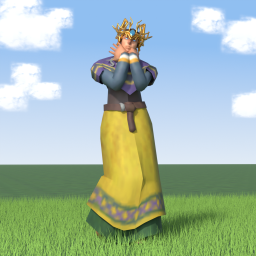
CosmeticArmor
Remember Cosmetic Armor from Minecraft? It's in Valheim now! An ExtraSlots add-on with 6 cosmetic slots. Keep your best armor's stats and flex your fanciest set, even mid-fight.Cosmetic Armor
Remember Cosmetic Armor from Minecraft? It's in Valheim now!
Your best armor is rarely your best look. Wear the Flametal for the stats and show off the Fenris coat, or the troll leather hood you got attached to back in the Black Forest. Fancy sets, even mid-fight.
An add-on for ExtraSlots. It needs ExtraSlots to work.
What it does
- 6 cosmetic slots in their own group under a "Cosmetic" title on the ExtraSlots panel, right of the food slots: helmet, chest, legs, cape, utility and trinket.
- Put any armor piece in and your character shows it instead of the piece you wear. Your worn armor keeps all its stats and effects.
- A colored tag on each slot shows and switches what that part shows (click it):
- Show (gold): the cosmetic item
- Armor (blue): your worn armor, the cosmetic item's icon fades
- Hide (red): nothing at all (no helmet hair, finally)
- Works with ExtraSlots' extra utility slots. The Utility tag covers every utility item you wear, not only the first one.
- No weight. Cosmetic items weigh nothing.
- Kept on death. Cosmetic items stay with you when you die. A config option sends them to your grave instead.
- Everyone sees it. Other players see your look even if they do not have the mod.
How to use
- Install it next to ExtraSlots. The 6 cosmetic slots show up as their own group under a "Cosmetic" title on the ExtraSlots panel.
- Drag an armor piece you are not wearing into its cosmetic slot.
- Click the tag at the bottom of the slot to switch between Show, Armor and Hide.
Config
The file is BepInEx/config/onononoki.CosmeticArmor.cfg. Every setting is your own, nothing is synced.
| Setting | Default | What it does |
|---|---|---|
General.Enabled |
true | Off shows your worn armor again and hides the cosmetic slots |
General.CosmeticItemsToGrave |
false | On sends cosmetic items to your grave when you die (anything that does not fit stays with you) |
Layout.ShowTitle |
true | The "Cosmetic" title above the group. Off removes it, and the panel keeps ExtraSlots' height |
Layout.UseExtraSlotsLayout |
false | Fallback. On lets ExtraSlots place the cosmetic slots itself, in the armor grid (if the group ever looks wrong after an ExtraSlots update) |
Debug.LogLooks |
false | A log line whenever a cosmetic slot changes your look |
Compatibility
- Needs ExtraSlots. Uses 6 of its custom slots.
- Client side. The server and other players do not need it.
- Not together with other look changers (Transmog, Vanity, VanityOutfit, Armoire), they swap the same armor models.
- Removing this mod: ExtraSlots moves the cosmetic items back into your inventory. Removing ExtraSlots: items in any of its slots go missing until you install it again, then its own backup brings them back.
Feedback and bug reports
Found a bug or have an idea? Open an issue on GitHub.