
ShipPins
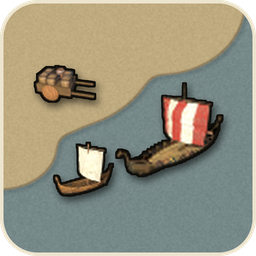
Pins vanilla and modded ships and carts with their build icons. Includes a collapsible map menu with category filters and overlapping label handling. Client-side, standalone, with optional ValheimPlus support.ShipPins
Pins every ship and cart on the map, modded ones included.
Ships and carts from mods such as OdinShip or LoxWagon get a map pin like the vanilla ones. Works on its own, and with ValheimPlus too.
What it does
- Pins ships, carts, wagons, and siege machines built on the game's ship or cart components, using their build icons and in-game names.
- Pins follow their ship or cart every 2 seconds by default. The ship you steer has no pin because your own marker is there.
- Known ships and carts are updated separately from the periodic background search for new objects. The search is spread across frames.
- Pins are never saved to your map.
Map options
Click ShipPins Options above Cartography Table on the large map to expand the category switches. The panel uses the game's map style and opens upward. It starts collapsed whenever the map opens, and category choices stay saved when it closes.
- Vanilla ships includes Raft, Karve, Longship, and Drakkar.
- Modded ships includes every other ship prefab.
- Vanilla carts includes the vanilla Cart.
- Modded carts includes other carts, wagons, and modded siege machines, including Crafty Carts Remake carts using the game's cart component.
- Siege carts includes the vanilla Catapult and Battering Ram.
Overlapping ShipPins labels are hidden by default while their icons remain visible. Zoom in to separate the labels, or turn off HideOverlappingLabels to show every label.
With ValheimPlus
- V+'s displayCartsAndBoats option pins only the vanilla Cart, Raft, Karve, and Longship. With V+ installed, ShipPins switches that routine off and pins everything itself, so each object has one pin. Those four keep V+'s labels.
- It works whatever the server's V+ map setting says.
- If a V+ update changes its pin code, ShipPins leaves V+'s four vanilla pins to V+, pins the rest, and logs a warning. In that fallback, the category switches affect only ShipPins' own pins.
Requirements and config
- BepInExPack Valheim. ValheimPlus is optional.
- Client-side only. It is not needed on the server.
- Ships and carts use the position data available to your client. One that moves while you are far away can keep its last known position until the client receives an update.
- Settings are saved in BepInEx/config/onononoki.ShipPins.cfg.
| Section | Setting | Default | Effect |
|---|---|---|---|
| General | Enabled | true | Enables ShipPins. Off restores V+'s own pins when applicable. |
| General | UpdateSeconds | 2 | Seconds between position updates for known ships and carts. Range 0.5 to 10. |
| General | IconSize | 1.5 | Pin size multiplier. Range 1 to 2. |
| Map | ShowMapToggles | true | Shows ShipPins Options. Off hides the menu while category settings still apply. |
| Map | HideOverlappingLabels | true | Hides colliding ShipPins labels while keeping their icons. |
| Map | ShowVanillaShips | true | Shows Raft, Karve, Longship, and Drakkar pins. |
| Map | ShowModdedShips | true | Shows other ship pins. |
| Map | ShowVanillaCarts | true | Shows vanilla Cart pins. |
| Map | ShowModdedCarts | true | Shows other cart, wagon, and modded siege pins. |
| Map | ShowSiegeCarts | true | Shows vanilla Catapult and Battering Ram pins. |
Compatibility
- Works with mods that build ships and carts on the game's ship and cart components. Checked with OdinShip, LoxWagon, and Crafty Carts Remake carts.
- Safe to add or remove. Pin data is never saved to your map.
Thanks
- aasmall for the client-side mode and two pin fixes, first made in aasmall's fork.
Feedback and bug reports
Found a bug or have an idea? Open an issue on GitHub. The source code is in the GitHub repository.