

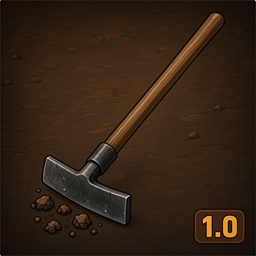
TerrainShaperPlus
Craftable Workbench terrain tool for Valheim 1.0. Level, raise, lower, smooth, reset and paint with radius/sharpness controls.TerrainShaperPlus
Craftable Workbench terrain tool for Valheim 1.0 — raise, lower, level, smooth, reset and paint with typed Height × Width control.
Built with BepInEx + Jotunn.
Support: ko-fi.com/tudoecriativo
How to use
- Craft Terrain Shaper Plus at a Workbench (default min level 1)
- Recipe (default): 10 Wood + 10 Stone (configurable)
- Equip the tool
- Press Ctrl+G → panel Height × Width
- Type values or pick a preset (e.g. 5×2) → Apply (default max 8 m, raise
Height.MaxMetersfor unlimited-height mods) - Select a piece (Raise ground (square) for platforms)
- Place freely; hold Alt to magnetically snap tiles to the grid
- Hold Ctrl + Q/E to rotate the square; Shift + scroll = radius
- Cultivator farm grid: Ctrl + scroll changes grid size
Level vs Raise
| Piece | What it does |
|---|---|
| Level | Flattens to your feet height — does not raise by N meters |
| Raise / Lower | Moves terrain by Height meters from the panel |
Soft edges / “limbo” voids
Square raises in vanilla are hard cliffs (black void). Soft square bevel is on by default (Terrain.SoftSquareEdges). If you still see dark rims, use Smooth or Reset.
Game clamp: vanilla is about ±8 m per vertex. TerrainShaperPlus defaults to 8; set Height.MaxMeters higher (up to 512) if you use an unlimited-height companion mod.
Controls (configurable)
| Action | Default | Config section |
|---|---|---|
| Open panel | Ctrl+G | Panel.ModifierKey + Panel.ToggleKey |
| Grid snap (terrain) | Hold Alt | Grid.HoldKey |
| Rotate square | Hold Ctrl + Q/E | vanilla place-rotate + Grid.FollowPieceRotation |
| Radius | Shift + scroll | Radius.ModifierKey (default Shift) |
| Hardness | Ctrl + scroll | Sharpness |
| Height (Raise/Lower) | Scroll alone | Height |
| Farm grid | Cultivator + seeds | Farm.Enabled |
| Farm grid size | Ctrl + scroll | Farm.SizeModKey |
Panel.ModifierKey = None→ single key (e.g. only G)Grid.HoldKey = None→ always snap when grid is enabled
Panel
| Field | Meaning |
|---|---|
| Height | Meters up / down |
| Width | Brush size (radius / square half-extent) |
| Square | Square brush |
| Presets | 1×2, 5×2, 5×3, 8×3 |
Install (Thunderstore / r2modman)
- BepInExPack Valheim
5.4.2350+ - Jotunn
2.26.1+ - Install TerrainShaperPlus
- Restart the game
Manual: copy plugins/TerrainShaperPlus.dll into BepInEx/plugins/.
Config: BepInEx/config/poneis.valheim.TerrainShaperPlus.cfg
Languages: BepInEx/config/TerrainShaperPlus/lang/ (en.json, pt.json)
Features
- Craftable Workbench tool (Wood + Stone)
- Level / Raise / Lower / Smooth / Reset / Paint pieces (+ square variants)
- Typed Height × Width panel with presets
- Magnetic grid snap while holding Alt (terrain tools)
- Rotatable square (Q/E) — brush, snap grid and preview follow piece yaw
- Cultivator farm grid (FarmGrid-style plant snap + visual grid) — uninstall FarmGrid to avoid conflicts
- Soft square edges to reduce black voids
- Optional stamina drain (
Stamina.*) - Optional workbench-in-range for placing (
Placement.RequireWorkbench, default off — works from boats) - Configurable durability, recipe, keys
- EN / PT / ZH localization (editable JSON; drop more languages in
config/TerrainShaperPlus/lang/) - Repairable at Workbench
Support
If TerrainShaperPlus helps your builds, you can support continued maintenance:
Credits
- Special thanks to NILDEIRA from team PONEIS
- ValheimTooler / Gungnir — Terrain Shaper concepts
- TerrainTools — QoL ideas
- FarmGrid (Sarcen) — cultivator plant grid concepts
- PONEIS — Valheim 1.0 maintenance
Changelog
1.0.18
- Fix crash on load (1.0.17): Harmony patch used wrong parameter name (
settings→modifier) forTerrainComp.DoOperation - Fix Chinese item name on English clients: stop mapping unknown language codes to English (was overwriting EN strings); safer Auto language matching
- If the name is still wrong: set
Localization.LanguagetoEnglishin config / Mod Settings
1.0.17
- Height.MaxMeters no longer hard-capped at 8 (range 1–512). Raise it to use with unlimited-height terrain mods
- Soft-square path uses the same configurable height limit (was hardcoded ±8)
- Chinese (zh) localization shipped; Language config accepts Chinese / any lang JSON in
config/TerrainShaperPlus/lang/ - See
TRANSLATIONS.mdfor adding more languages / Nexus translation packs
1.0.16
- Fix tool stopping after repeated uses: harden TerrainOp ObjectDB registration, recover failed Deserialize hashes, scrub destroyed ops
- Soft-square flag now set on DoOperation (RPC path) so raises keep applying after many places
- Ghost outline no longer disables the entire placement ghost (only
_GhostOnlymesh)
1.0.15
- On-screen / README: Ctrl+Q/E rotate, Shift+scroll radius
- Farm grid size: hold Ctrl (configurable
Farm.SizeModKey) + scroll to changeGridSections - Default radius modifier key set to Shift (existing configs keep their value)
1.0.14
- Fix Q/E square rotation (terrain pieces now have
m_canRotate) - Move controls hint above the hotbar
- Hide vanilla circular ghost/marker while drawing the square outline
- Tip: Farm grid is Cultivator-only (not the Terrain Shaper tool) — gray plant grid while placing seeds
1.0.13
- Config Stamina drain (
Stamina.Enabled/DrainPerUse) - Config Placement.RequireWorkbench (default off) — use from boat / shore without a bench nearby
- Rotate square grid with Q/E (
Grid.FollowPieceRotation, optionalRotationSnapDegrees) - Stronger TerrainOp re-registration to reduce “tool stops working / invalid placement”
1.0.12
- Built-in Cultivator farm grid (snap + visual grid + overlap block), based on FarmGrid ideas — remove the old FarmGrid mod to avoid conflicts
1.0.11
- Craft at Workbench level 1 by default (was level 2 — recipe was hidden on basic benches)
- Hardened TerrainOp ObjectDB registration to reduce intermittent “invalid placement”
- Tip: if you already have a config file, set
Crafting.MinWorkbenchLevel = 1(old installs keep 2)
1.0.10
- Brush outline preview while placing: Width footprint (square/circle) + Height volume for raise/lower, optional inner grid (
Preview.ShowBrushOutline/ShowBrushGrid)
1.0.9
- Soft square raise/lower edges (bevel) — reduces black void / “limbo” cliffs (
Terrain.SoftSquareEdges)
1.0.8
- Magnetic grid snap (pulls near tile centers; less sticky)
1.0.7
- Panel default Ctrl+G; grid snap hold Alt (free aim by default)
1.0.6
- Configurable durability (
MaxDurability800,DrainPerUse0.5)
1.0.5
- Workbench repair fix (stations + repair from WB level 1)
1.0.4
- Reset fix; grid snap; Wood + Stone recipe; max height 8 m
1.0.3
- Height × Width panel, square Raise/Lower, ObjectDB sync
1.0.2
- Scroll height, distinct icons
1.0.1
- ObjectDB TerrainOp registration for Valheim 1.0
1.0.0
- Initial release


