

You are viewing a potentially older version of this package. View Latest Version
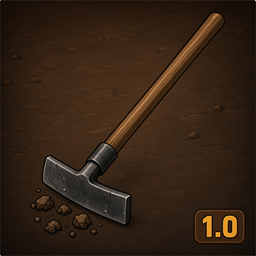
TerrainShaperPlus
Craftable Workbench terrain tool for Valheim 1.0. Level, raise, lower, smooth, reset and paint with radius/sharpness controls.TerrainShaperPlus
Craftable Workbench terrain tool for Valheim 1.0 — raise, lower, level, smooth, reset and paint with typed Height × Width control.
Built with BepInEx + Jotunn.
Support: ko-fi.com/tudoecriativo
How to use
- Craft Terrain Shaper Plus at a Workbench (default min level 2)
- Recipe (default): 10 Wood + 10 Stone (configurable)
- Equip the tool
- Press Ctrl+G → panel Height × Width
- Type values or pick a preset (e.g. 5×2) → Apply (max 8 m)
- Select a piece (Raise ground (square) for platforms)
- Place freely; hold Alt to magnetically snap tiles to the grid
Level vs Raise
| Piece | What it does |
|---|---|
| Level | Flattens to your feet height — does not raise by N meters |
| Raise / Lower | Moves terrain by Height meters from the panel |
Soft edges / “limbo” voids
Square raises in vanilla are hard cliffs (black void). Soft square bevel is on by default (Terrain.SoftSquareEdges). If you still see dark rims, use Smooth or Reset.
Game clamp: about ±8 m of height change per vertex.
Controls (configurable)
| Action | Default | Config section |
|---|---|---|
| Open panel | Ctrl+G | Panel.ModifierKey + Panel.ToggleKey |
| Grid snap | Hold Alt | Grid.HoldKey (free when not held) |
| Radius | Alt + scroll | Radius |
| Hardness | Ctrl + scroll | Sharpness |
| Height (Raise/Lower) | Scroll alone | Height |
Panel.ModifierKey = None→ single key (e.g. only G)Grid.HoldKey = None→ always snap when grid is enabled
Panel
| Field | Meaning |
|---|---|
| Height | Meters up / down |
| Width | Brush size (radius / square half-extent) |
| Square | Square brush |
| Presets | 1×2, 5×2, 5×3, 8×3 |
Install (Thunderstore / r2modman)
- BepInExPack Valheim
5.4.2350+ - Jotunn
2.26.1+ - Install TerrainShaperPlus
- Restart the game
Manual: copy plugins/TerrainShaperPlus.dll into BepInEx/plugins/.
Config: BepInEx/config/poneis.valheim.TerrainShaperPlus.cfg
Languages: BepInEx/config/TerrainShaperPlus/lang/ (en.json, pt.json)
Features
- Craftable Workbench tool (Wood + Stone)
- Level / Raise / Lower / Smooth / Reset / Paint pieces (+ square variants)
- Typed Height × Width panel with presets
- Magnetic grid snap while holding Alt
- Soft square edges to reduce black voids
- Configurable durability, recipe, keys
- EN / PT localization
- Repairable at Workbench
Support
If TerrainShaperPlus helps your builds, you can support continued maintenance:
Credits
- Special thanks to NILDEIRA from team PONEIS
- ValheimTooler / Gungnir — Terrain Shaper concepts
- TerrainTools — QoL ideas
- PONEIS — Valheim 1.0 maintenance
Changelog
1.0.9
- Soft square raise/lower edges (bevel) — reduces black void / “limbo” cliffs (
Terrain.SoftSquareEdges)
1.0.8
- Magnetic grid snap (pulls near tile centers; less sticky)
1.0.7
- Panel default Ctrl+G; grid snap hold Alt (free aim by default)
1.0.6
- Configurable durability (
MaxDurability800,DrainPerUse0.5)
1.0.5
- Workbench repair fix (stations + repair from WB level 1)
1.0.4
- Reset fix; grid snap; Wood + Stone recipe; max height 8 m
1.0.3
- Height × Width panel, square Raise/Lower, ObjectDB sync
1.0.2
- Scroll height, distinct icons
1.0.1
- ObjectDB TerrainOp registration for Valheim 1.0
1.0.0
- Initial release


