
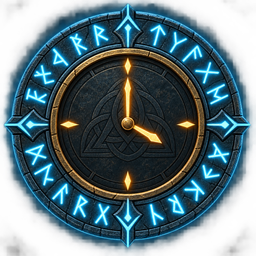
RuneClock
A small client-side clock overlay for Valheim with configurable 12-hour or 24-hour time and placement.Rune Clock
Rune Clock adds a small, readable English clock to the top of the screen while you play Valheim.
Features
- Default position: top center
- Default format:
04:37PM - Optional 24-hour format:
15:00 Dayor00:00 Night - Configurable horizontal and vertical anchors with pixel offsets
- Adjustable font size, weight, color, and shadow
- Client-side only; no world data or server configuration is changed
Installation
- Install BepInExPack Valheim.
- Extract the contents of this package into the Valheim game directory.
- Start Valheim once. The config is created at
BepInEx/config/com.runeclock.valheim.cfg. - Edit the config and restart the game if you change the display format or position.
The plugin file belongs at BepInEx/plugins/RuneClock/RuneClock.dll.
Configuration
The generated config contains these main settings:
General / TimeFormat:12Houror24HourGeneral / ShowPeriodLabel: appendsDayorNightin 24-hour modePosition / HorizontalAlignment:Left,Center, orRightPosition / VerticalAlignment:Top,Center, orBottomPosition / HorizontalOffsetandVerticalOffset: pixel offsets from the selected anchor
For example, to match a European-style display, use:
[General]
TimeFormat = 24Hour
ShowPeriodLabel = true
Time and day/night logic
The displayed time is Valheim's normalized day fraction mapped to a 24-hour clock. Midnight is 0.00, dawn is 0.25 (06:00), noon is 0.50, and dusk is 0.75 (18:00). The Day/Night label uses Valheim's own EnvMan.IsDay() state, so it stays aligned with the game's day check and with other time-cycle mods.
The full cycle length is controlled by the game/world clock. The current Valheim assembly uses a 1200-second (20-minute) base cycle, while older public references describe a 30-minute legacy cycle. Rune Clock does not hard-code either duration: it reads the live fraction, so the displayed clock remains correct when the world or another mod changes the cycle length.
Compatibility
Rune Clock does not patch the world clock and does not change gameplay. It only adds a local overlay. BepInEx is the only dependency.