
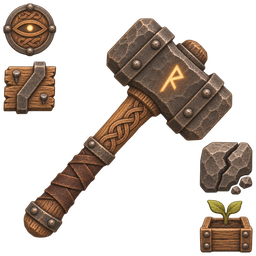
BuildCameraPlus
Builder's Hammer that never wears out: free build camera (B flies you along, Alt+B camera only), area repair, planting in rows, rain/bee growth, build restrictions, longer station range, no collapse.BuildCameraPlus
A craftable Builder's Hammer (1 wood at the workbench) that never wears out. Holding it unlocks everything below. Based on ideas from Let's Build by DezzyCode and BuildCamera by Ymiron; the code is written from scratch.
Features
| Feature | Keys | What it does |
|---|---|---|
| Build camera, character flies along | B | Camera and your invisible character fly together, so you can also pick up scattered pieces. Press again to return to where you started. |
| Build camera, camera only | Alt + B | Only the camera detaches; the character stays put. |
| Camera tools | The camera also starts with any cultivator or hoe (setting WorksWithCultivatorAndHoe). Area repair needs the hammer. | |
| Item pickup | B mode | The flying character picks up lying items (e.g. leftovers of destroyed pieces) within PickupRadius (2-50 m, game default 2 m). |
| Flying | WASD, Space, Ctrl, Shift = faster | Your game key bindings, like BuildCamera. |
| Area repair | repair with the hammer | Repairs every damaged piece around the one you repair (default radius 50 m, 1-500). No crafting station needed. |
| Planting in rows | cultivator + arrow keys | Up/Down = rows, Left/Right = columns. Every plant is paid for with seeds, stamina and cultivator wear. |
| Bulk harvest | Shift + E | Picks every ripe plant within 5 m. |
| Rain and bees | automatic | Plants grow 2x while it rains and 1.5x within 20 m of a working beehive. |
| Build restrictions | automatic | Off by default. Build where the game refuses (overlapping pieces, steep slopes, dungeons, ...). Every rule has its own switch; based on Building Tweaks by DigiTeam. |
| Station build range | automatic | Stations count for building up to 100 m away (1-500): stone walls far from the stonecutter. |
| Station extension range | automatic | Upgrades may be up to 30 m (1-100) from their station and next to each other. |
| No stamina cost | automatic, off by default | Separate switches for building and for removing: no stamina used, and stamina stays full for that action. |
| Station requirements | automatic, off by default | Separate switches: build wooden pieces without a workbench, stone pieces without a stonecutter, iron pieces without a forge. |
| Area destroy | hold [ + middle mouse, off by default | Removes the aimed piece and every piece connected to it (a whole house, up to 300 pieces; also world structures like villages). |
| Auto remove | hold middle mouse, off by default | Holding the remove button removes pieces under the crosshair one after another. |
| Unbreakable structures | automatic, off by default | Stone and other structures never collapse, so you can build in mid-air. |
All keys are configurable. Settings are grouped in numbered sections, each starting with its own Enabled switch, plus a master switch (01 General / Enabled).
Camera limits
- Flight is limited to
MaxDistance(default 250 m, 10-1000) from where you started, in both modes. - You can place, repair and remove pieces up to
PlacementReach(default 10 m) from the camera. - The workbench must be near the piece, not near your character.
- Wards and material costs work as usual. The camera snaps back if you are hit.
Notes
Single player. Needs BepInExPack and Jotunn. Do not use together with Let's Build or BuildCamera.