


AchievementTracker
Achievement window (F7): what you can do now and what's missing, full requirements with guides, achievement and skill tracking, progress popups and stars on items still needed. English and Russian.AchievementTracker
Client-side helper for Valheim's built-in achievements. See what you can complete right now, what exactly is missing, and track progress while you play. Nothing to install on the server — each player installs it for themselves.
Earning achievements with mods: Valheim stops counting achievement progress when it detects mods (Jötunn marks the game as modded). This mod only shows achievements — to actually earn them while modded you also need a mod that lifts that restriction, for example Unshamed.
Screenshots
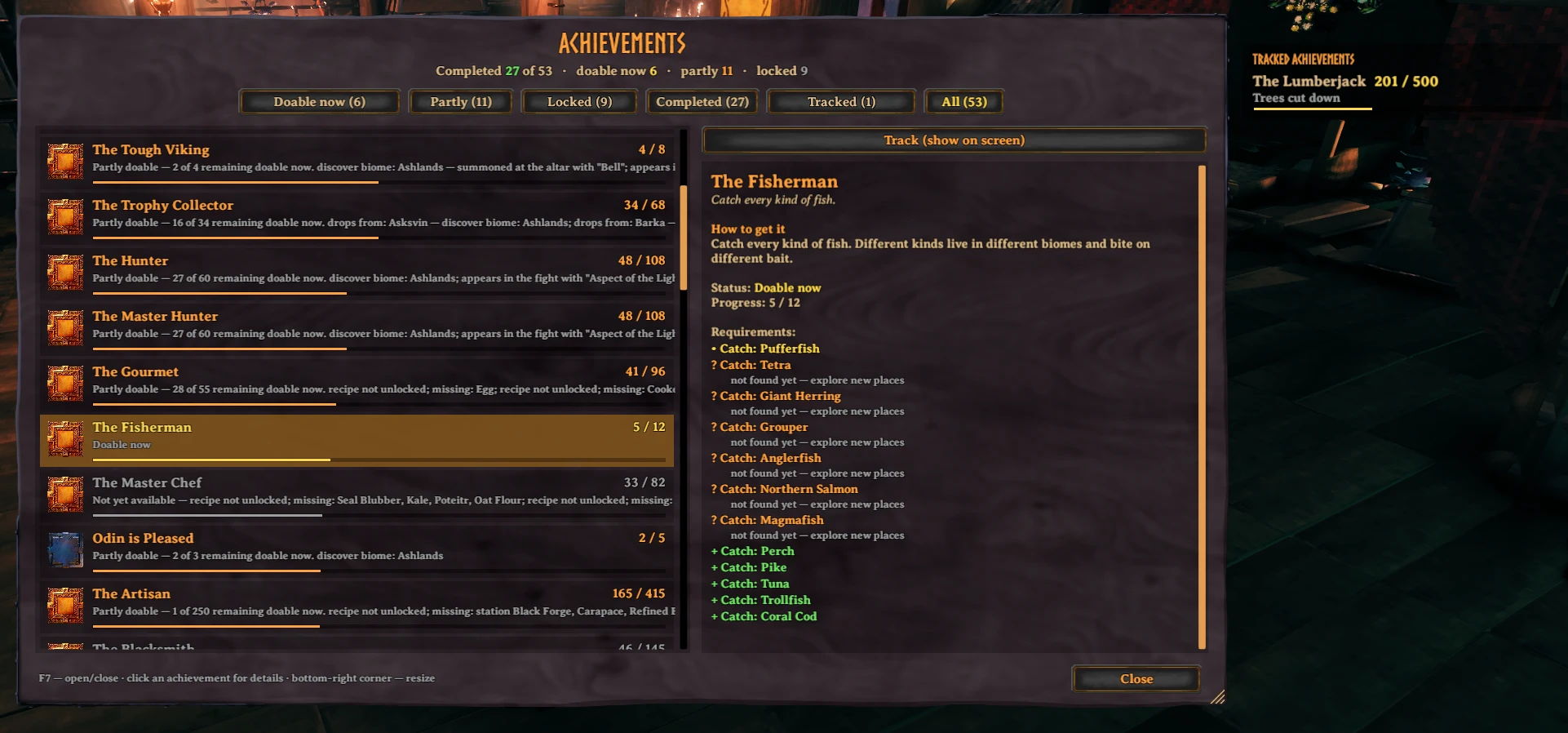
Achievement window (F7): what's doable now, full requirements, a "how to get it" guide and what's still missing.
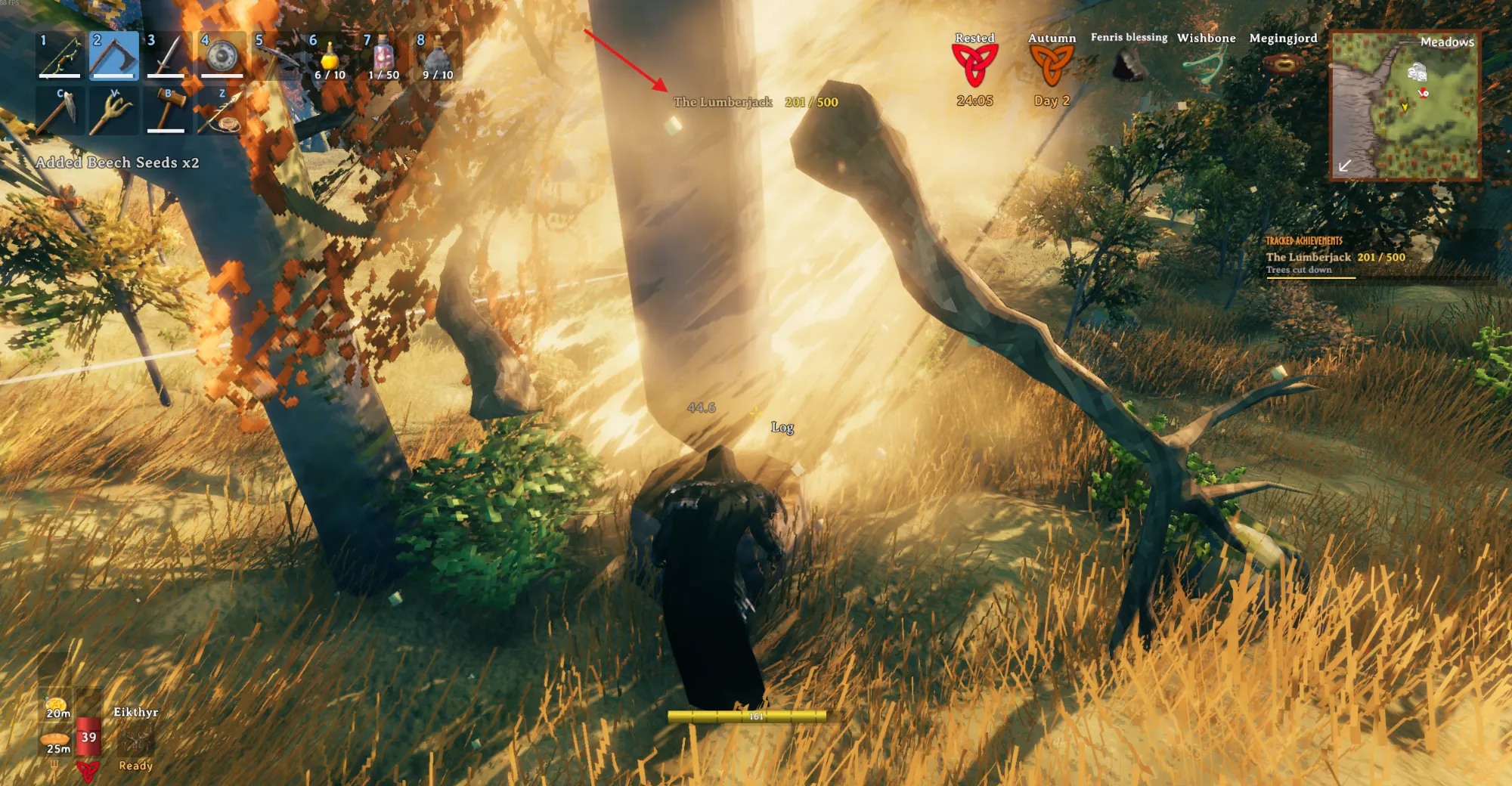
Progress popup and on-screen tracker: the counter pops up when you fell a tree; tracked achievements stay on screen.
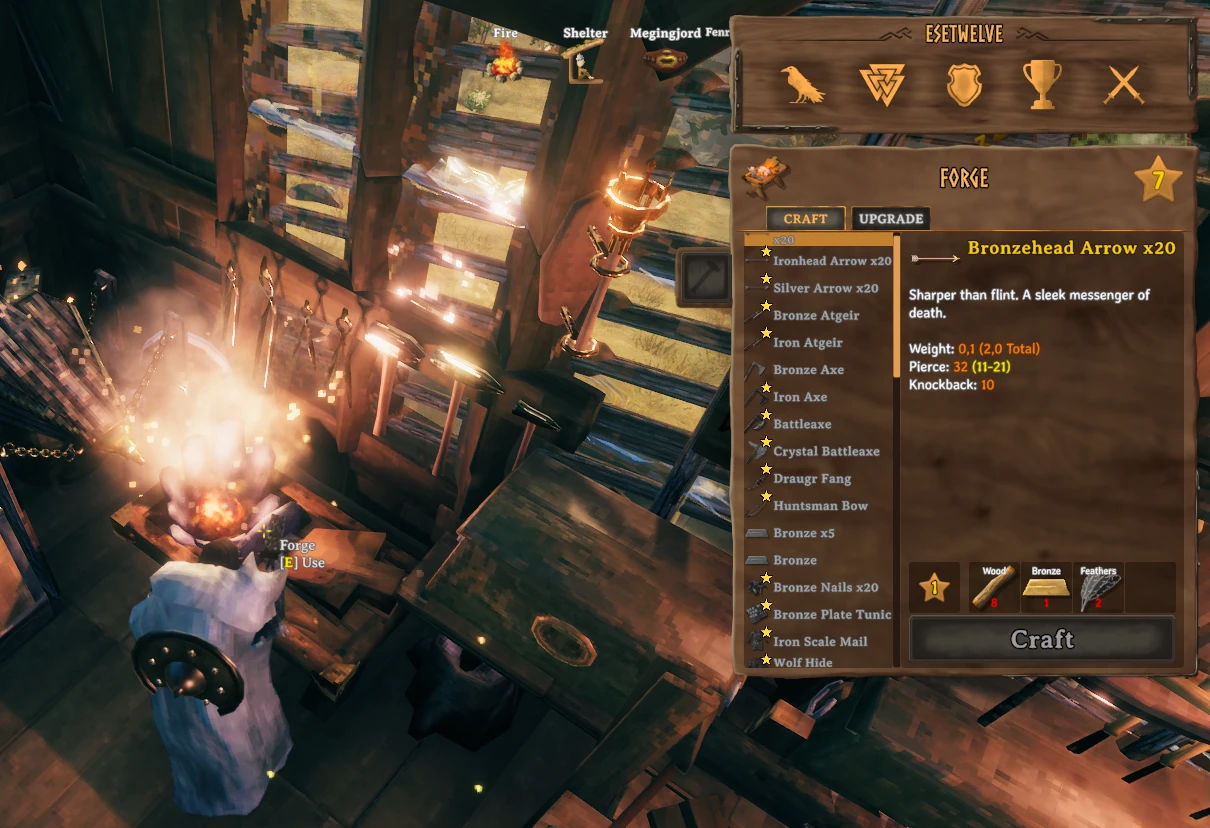
Stars at crafting stations: items you haven't crafted yet for achievements are marked (optional).
Features
- Achievement window (F7) with filters: Doable now, Partly, Locked, Completed, Tracked, All. Resize it by dragging the bottom-right corner; the size is remembered. Font size is adjustable.
- Full requirements with real numbers, and for each one what blocks it: a biome to discover, a boss to defeat, a tool tier, missing materials or an unknown recipe.
- "How to get it" guide for every achievement. Names of bosses, items, biomes and places are taken from the game's own localization, so they match what you see in game.
- Where creatures live: spawn biomes plus dungeons and locations (e.g. Sunken Crypts (Swamp)). Dungeons are scanned once in the background on the first world load and cached until the game updates.
- On-screen tracking: tracked achievements stay on screen with a list of requirements you can complete right now. Completed ones untrack themselves after 10 seconds.
- Skill tracking: open the game's Skills window and Alt + left-click a skill, or use its checkbox in the left margin. Selected skills appear in the on-screen tracker with their current level, temporary level bonuses and a live progress bar to the next level. Click again to stop tracking. The selection is saved per character and stays tracked at level 100.
- Progress popups: e.g. The Lumberjack 132 / 500 when you fell a tree.
- Stars on what you still need (optional): unbuilt pieces in the build menu, uncrafted items at crafting stations, and in your inventory and chests — trophies not picked up yet, food not eaten yet, fish not caught yet, raw ingredients for dishes not cooked yet and seeds for plantings not made yet. Hold Alt over a starred item to see which achievements need it.
- English and Russian interface. Achievement names can be shown in the game's language, English, Russian or both.
Console commands
achtracker— open or close the window.achtracker dump— write a full breakdown of all achievements toBepInEx/AchievementTracker_dump.txt.achtracker rescan— scan dungeons and locations again.
Settings
All settings are in the Configuration Manager and are translated to the selected language.
| Section | Setting | Default |
|---|---|---|
| General | Language (Game / English / Russian) | Game |
| General | Achievement names (Game / English / Russian / Both) | Game |
| General | Window key | F7 |
| General | Window font size | 15 |
| General | Reveal secret achievements | On |
| General | Stars on what you still need | Off |
| Progress popups | For all achievements (otherwise only tracked) | On |
| Progress popups | Skip tracked achievements | On |
| Progress popups | Duration, vertical position, background opacity | 3 s, −120, 60 % |
| On-screen tracker | Show on screen | On |
| On-screen tracker | Horizontal and vertical position, background opacity | −20, −300, 45 % |
| On-screen tracker | List length | 5 |
| On-screen tracker | Show all requirements (otherwise only doable now) | Off |
Notes
- This mod was made with the help of AI (Claude) and tested in game by the author.
- It reads the game's data at runtime and does not ship any game assets.
- Source code: github.com/slikfoul/AchievementTracker (MIT license).