
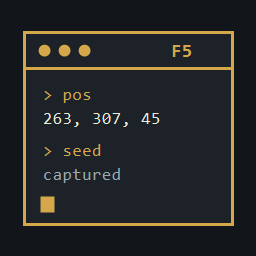
ValheimConsoleCapture
Mirror the F5 console into a local log. Copy recent lines, dump them to a file, or run a command chain and save only that output.Valheim Console Capture
Valheim BepInEx mod that mirrors the F5 console into a local log, and can copy or dump those lines.
Identity
| Author | SonicDM |
| Plugin name | ValheimConsoleCapture |
| Plugin GUID | com.sonicdm.valheim.valheimconsolecapture |
| Assembly | ValheimConsoleCapture.dll |
| Version | 1.0.0 |
| Config file | BepInEx/config/com.sonicdm.valheim.valheimconsolecapture.cfg |
| Source | https://github.com/sonicdm/ValheimConsoleCapture |
Features
- Writes F5 console lines to
BepInEx/ValheimConsole.loginside the active BepInEx folder. With Gale or r2modman, that is the profile folder, not the Steam game folder. - Keeps a rolling in-memory buffer (default 1000 lines) for copy and dump.
- Starts a new session block in the log each time the console wakes up.
- Client-only. Nothing is uploaded or sent to other players.
Commands
| Command | What it does |
|---|---|
copyconsole |
Copy the buffer to the clipboard. copyconsole 50 copies the last 50 lines. |
dumpconsole |
Write the buffer to BepInEx/ConsoleCaptures. dumpconsole 100 writes the last 100 lines. |
dumpcommand pos |
Run one console command and write only its output. |
dumpcommand "pos; seed" |
Run each command in order into the same file. |
clearconsolebuffer |
Clear the in-memory buffer. Does not clear the F5 console or delete the log. |
consolecapture |
Show status. consolecapture on and consolecapture off toggle capture until the next launch. |
Quotes are only needed when chaining. A semicolon outside the quotes is still a separate console command.
Dump files are named console-<commands>-yyyy-MM-dd-HHmmss.txt. The "Dumped N lines" acknowledgement is shown in the console and is not part of the file. Clipboard text and dump files are not timestamped.
Configuration
[General]Enabled[File]LogToFile, LogPath, AppendMode, TimestampLines, FlushImmediately[Buffer]BufferedLines (1–100000)[Clipboard]EnableClipboard[Filtering]CaptureCommands, CaptureOutput, StripRichText, CaptureAutocomplete
LogPath defaults to BepInEx/ValheimConsole.log. A BepInEx/... path stays inside the active BepInEx folder. Any other relative path starts at the game folder.
Installation
- Install BepInExPack and Jötunn.
- Place
ValheimConsoleCapture.dllunderBepInEx/plugins/.
Build
.\build.ps1