

MapHeim
Corner-map upgrades: a dungeon plan that grows as you explore, zoom, a 90-second trail, a GPS with distance and ETA, pins added as you find rune stones, dungeons and ore, and a repair for oversized cartographer's tables.MapHeim
Upgrades for your map: a plan of the dungeon you're in, zoom, a trail of where you've just been, a GPS with arrival time, pins that add themselves, and a repair for oversized cartographer's tables.
Contents
Dungeon map
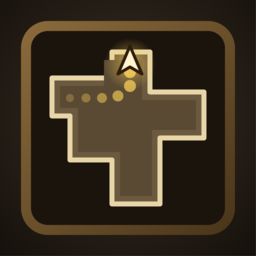
Inside a crypt, cave or other dungeon the world map is no use to you, so the corner map switches to a plan of the walls you've seen. It starts blank and grows as you explore: only what you can see about 10 feet ahead of you (and a small circle around you) is drawn, never the whole dungeon. Walls are pale, the floor you've crossed is darker, and anything you haven't seen is left dark. The plan is kept while you stay in the dungeon, so if you backtrack you still see where you've been.
It looks at the real walls and doors around you, so it works in every dungeon, and it goes away when you leave. Switch it off with Dungeon / DungeonMap.
Zoom
Zoom the corner map with ] (in) and [ (out), or hold Ctrl and use the mouse wheel. It works on the world map and on the dungeon plan, and your zoom is remembered. Change the keys, or turn off the wheel, in the config.
Trail
A thin gold line behind you shows where you've been for the last 90 seconds; the newest part is bright and the old end fades away. It shows on the corner map and on the big map, and inside a dungeon it's drawn on the dungeon plan. Change how long it lasts and its colour in the config, or turn it off with Trail / ShowTrail.
GPS
Open the big map, hover over any pin and press G. A readout appears at the top of the screen with the pin's name, how far away it is, an arrow that points to it (relative to where you're looking) and when you'll get there. The arrival time comes from how fast you've actually been moving over the last 20 seconds, so it adjusts as you run, walk, ride or sail, and shows -- while you're standing still. It switches off when you arrive (within 8 m). Press G on the same pin, or on empty map, to clear it. Works with any pin, including portals from PortalHeim and marks from PingHeim.
Auto pins
As you explore, things go on your map by themselves, with the game's own pin icons and saved with your map:
- Rune stones and Vegvisirs, dungeon entrances (crypts, caves) and other large structures when you're within 40 m (
AutoPins / LocationRadius). - Ore deposits (copper, tin, silver, obsidian, meteorite; change the list in
AutoPins / OreKeywords) when you hit one, or stand within 6 m of one.
A pin is never added if one is already close by, whether you placed it or MapHeim did. Each kind can be switched off in the config.
Cartographer's table repair
Versions 0.2.0 and 0.2.1 had a feature that kept your map in step with a nearby cartographer's table. It wrote far too much data into the table (about 4 MB), which made it impossible for the world's host to send that table to a joining player, so players were dropped a minute after joining. That feature is gone. Whoever hosts the world empties any table holding that much data when the world loads (the log says so), so after everyone updates to 0.3.0 joining works again. The map stored on an emptied table is lost (your own map isn't touched). Everyone in the world should update, because an older MapHeim can fill a table again.
Configuration
BepInEx/config/mbaya.MapHeim.cfg, or Gale's config editor:
| Section | Key | Default | Notes |
|---|---|---|---|
| Zoom | ZoomInKey / ZoomOutKey | ] / [ |
|
| Zoom | CtrlScrollZoom | true | Ctrl and the mouse wheel zoom the map |
| Zoom | Zoom | 1 | The current zoom (saved) |
| GPS | ShowGps / GpsKey / ArriveMeters | true / G / 8 | |
| AutoPins | Enabled, Runestones, Dungeons, Structures, OreDeposits | true | Each kind can be switched off |
| AutoPins | LocationRadius / DepositRadius | 40 / 6 | How close you must get (metres) |
| AutoPins | OreKeywords | copper,tin,silver,obsidian,meteorite | Deposits whose name contains one of these |
| Trail | ShowTrail | true | |
| Trail | Seconds | 90 | How long the trail lasts |
| Trail | Width | 2 | How thick the line is (pixels) |
| Trail | Color | gold | |
| Dungeon | DungeonMap | true | |
| Dungeon | ViewFeet | 10 | How far ahead the plan reveals |
| Dungeon | ShownMeters | 40 | Metres across the plan at zoom 1 |
Troubleshooting
- The dungeon plan is blank. It only draws what it has seen: walk around. If nothing appears at all, tell me which dungeon and attach
BepInEx/LogOutput.log. - The trail is in the wrong place. Tell me your screen resolution and the game's GUI scale, with a screenshot.
- The keys do nothing. Another mod may use
[and]: changeZoomInKeyandZoomOutKey. - Something else. Open an issue at github.com/mattbaya/MapHeim and attach
BepInEx/LogOutput.log.
Works with
- PingHeim: ping marks show on the same map.