
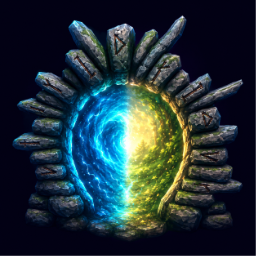
InterServerPortal
Portal to your own local world from a dedicated server and back — no logout/relog. Plus same-world portal networks: mesh all your portals so you can hop between any of them. Entry codes, vanilla assets only.InterServerPortal
Step through a portal on a dedicated server and land in your own local single-player world — and step back to return to the server. No logout → main menu → pick world → reload → reconnect. One portal, one loading screen. The same mod also adds same-world portal networks that mesh all of your portals so you can hop between any of them. Vanilla assets only.
What it does (in plain English)
- Turns a portal into a door to your own world. Flag a portal as inter-server; walk through it on the server and you're switched to your local world. The portal is shared — everyone who uses it goes to their own world.
- Remembers the way back. A portal in your local world offers Return to origin server and reconnects you to where you came from.
- Meshes all your portals into a network. Set a portal to Network mode and it links with every other network portal you built — walk through one and pick any of the others from a nearest-first menu (a normal in-world teleport, no world switch).
- Colours every portal by what it does. Vanilla tag portals glow their normal blue, network portals glow violet, inter-server portals glow cyan — and, like vanilla, they only light up when they're actually connected/usable.
- Locks portals with an entry code. Optionally require a code before a portal will travel (salted + hashed — the raw code is never stored).
- Keeps vanilla portals vanilla. Unflagged portals still pair 1:1 by tag exactly as before. Wood portals still block ore; stone portals still carry it.
- Optional: carry ore through a wood portal, for a price. Wood portals get a 3×2 storage box. Enable the carry toll and you can bring ores, metals, dragon eggs and Mistlands/Ashlands machinery through a wood portal — as long as you've beaten the boss of the biome that cargo comes from and the box holds the fee (1 Surtling core per metal, 1 Crystal per dragon egg, and so on). Off by default, fully configurable, and server authoritative so nobody can edit their own config to skip it.
- Optional Discord ping. Set a webhook and get a message whenever you cross from a server into your local world.
Requirements
- Valheim 1.0.7 or later. Version 0.11.0+ of this mod is built for the 1.0 release; if you are still on a pre-1.0 game build, use 0.10.1.
- The dedicated server must NOT run with
-crossplay. Crossplay servers are not supported: an inter-server portal on one refuses to travel and tells you why. Crossplay routes the connection through PlayFab instead of a Steam socket, and the reconnect the return trip depends on is unreliable there. Start the server without the-crossplayflag (Steam-only) and everything works. - BepInExPack_Valheim 5.4.2350+ and Jotunn 2.30.0+ — pulled in automatically by a mod manager. If you are upgrading an existing setup from a pre-1.0 game, update both of them too: an older Jotunn fails to load on 1.0.7 and takes this mod down with it.
Quick setup
- Install this mod on every player's machine. Installing it on the dedicated server is optional (0.12.0+): the mod works on a vanilla server, but the server install buys three things — same-world network menus and glow that see every zone (not just the ones loaded near you), and a carry toll that players can't edit out of their own config. It no-ops on a headless server otherwise. Without it you'll see a one-time "Server has no InterServerPortal" notice on joining.
- Make sure you have at least one local single-player world to travel to.
- In-game, build a normal portal. Hold L.Shift + Use on it to open the config panel.
- Tick inter-server, add a destination (
label, local world name), and close the panel. - Walk through the portal — you're switched to your local world. In that world, a portal offers Return to origin server to come back.
For same-world networks instead: open the same panel, set Link mode → Network on two or more portals you built, then walk through one to pick another.
That's the minimum. Everything else is optional.
The one hard rule
Valheim binds you to one world per session — there is no way to be in two worlds at once or to switch without a loading screen. This mod does not fight that; it removes the menu navigation, not the load. Every transition costs exactly one loading screen.
Documentation
Full guides — portal modes & colours, inter-server travel, same-world networks, entry codes, item policy, Discord notifications, and configuration — are on the GitHub Wiki.
Try it out
This mod was built for the TaegukGaming community server running the Hearthbound modpack. If you want to see it in action, check out the modpack:
Disclaimer
This mod is created using AI. No other mods were copied during the process. All feature ideas come from the uploader and are mainly to cater the needs of the TaegukGaming community server. If any features or ideas look similar to other mods, these are not intentional.
This mod is free to use as is. Voluntary support is appreciated.
Version: 0.12.0 Source / issues / wiki: https://github.com/yesu0725/InterServerPortal