


WorldEditorBridge
Live editing for Valheim World Editor: sculpt terrain, plant, move and delete objects in a running world or dedicated server. Install where the world is hosted.WorldEditorBridge
The live-editing plugin for Valheim World Editor, a world editor for Valheim in the spirit of Minecraft's MCEdit and WorldPainter. With this plugin in the game that hosts a world, the editor changes that world while it runs, and you (and the players on your server) see the changes as soon as they are applied.
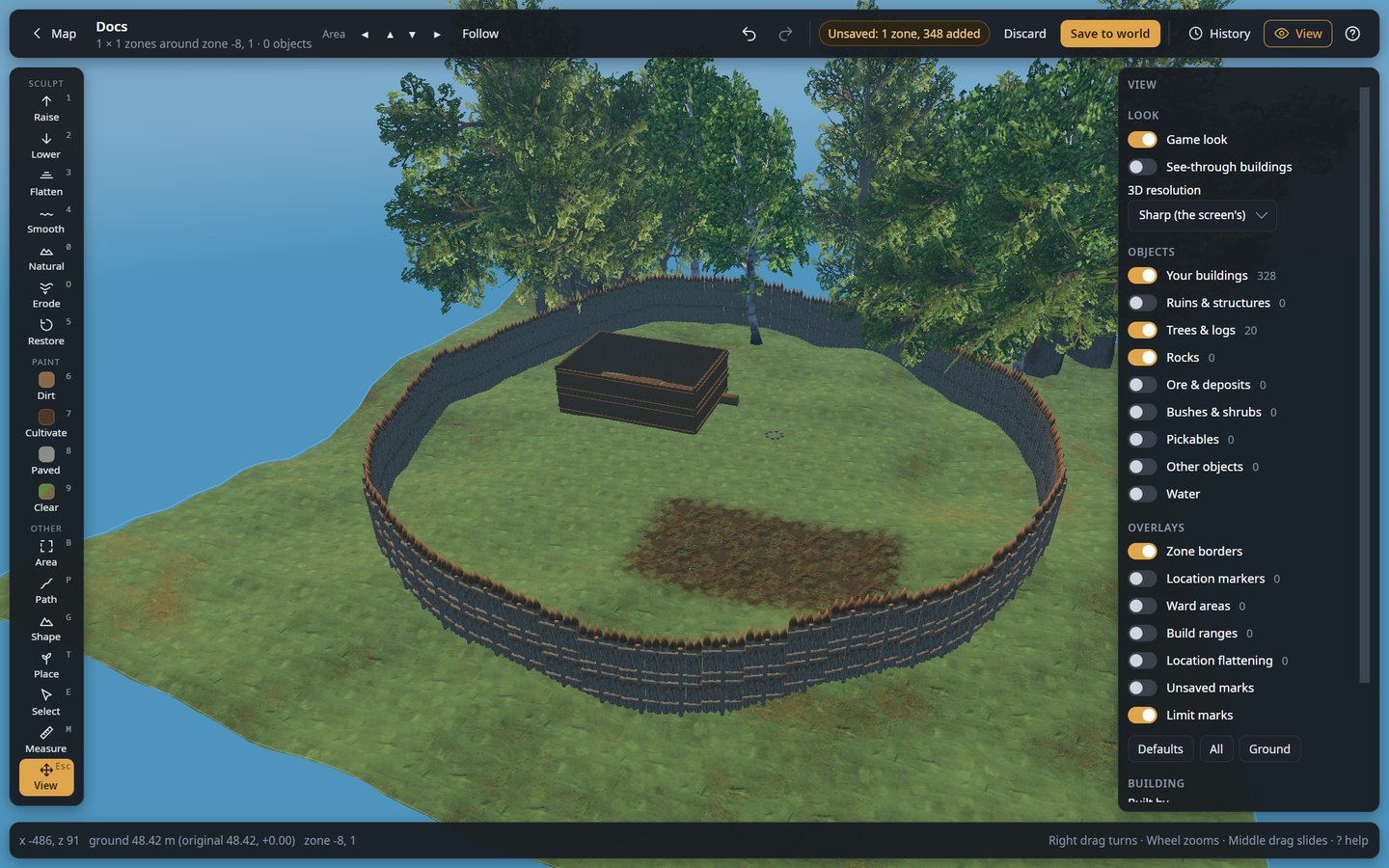
This plugin is only the bridge, for dedicated servers and anyone who installs the editor separately. The editor itself is the ValheimWorldEditor_Windows or ValheimWorldEditor_Linux package, which installs this plugin with it (or a download from the releases page).
What the editor does
- Shape the ground: raise, lower, flatten, smooth, naturalize or restore it, and paint dirt, cultivated soil or paved stone.
- Build roads and ramps along a line you draw.
- Work on whole areas: level, paint, clear, copy and paste, or have the game generate zones again.
- Place anything the game has: trees, rocks, bushes, crops, building pieces, with brush, line, grid and zone patterns that respect the game's growing rules.
- Select, move, turn, copy and delete objects, including whole buildings.
- Undo anything, with a history panel.
Where to install it
Install it where the world is hosted:
- Your own game (single player, or when you host): install it with your mod manager, like any other mod.
- A dedicated server: install it on the server (with a mod manager's server profile, or by
copying
WorldEditorBridge.dllinto the server'sBepInEx/plugins).
Players who join a server need neither this plugin nor BepInEx. Editing a saved world with the game closed does not need it either.
Connecting the editor
Start the game or server once with the plugin: it writes
BepInEx/config/local.worldeditorbridge.cfg with a random Token. Keep the token secret: anyone
with it and access to the port can change the world.
- Your own game: in the editor, choose My game on the start page. Load your world in Valheim: the editor finds the plugin and its token by itself (it also looks in r2modman and Thunderstore Mod Manager profiles) and shows Edit live.
- A dedicated server: choose A dedicated server, enter the server address, your SSH login, and the Token from the server's config file, then Connect. The editor makes its own encrypted tunnel to the server and saves it for one-click access next time.
Settings in local.worldeditorbridge.cfg:
| Setting | Default | Meaning |
|---|---|---|
BindAddress |
127.0.0.1 |
Only this computer can connect (a server is reached through the editor's SSH tunnel). |
Port |
5182 |
Change it if something else uses 5182. |
Token |
random | Leave it empty to get a new one at the next start. |
The BepInEx log shows WorldEditorBridge <version> listening on http://127.0.0.1:5182/ once the
plugin runs.
More
- Full guide, with screenshots of every tool: github.com/Shuiei/valheim-world-editor
- Live mode in detail, and what each connection error means: docs/live-mode.md
- Problems and ideas: issues